English
Arca: Private Speech to Text converts spoken words into editable text on your Android device while keeping all processing local for stronger privacy. It pairs fast transcription with an uncluttered interface, offline capability, and export options designed for notes, journaling, and hands-free text entry on the go.
Arca: Private Speech to Text focuses on delivering accurate speech recognition without sending audio to remote servers. The app includes continuous listening modes, punctuation recognition, and automatic line breaks. Built-in export supports plain text, clipboard copy, and sharing to other apps. A lightweight footprint prioritizes battery-friendly operation and quick startup.
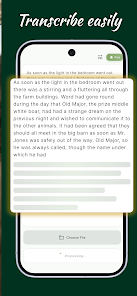
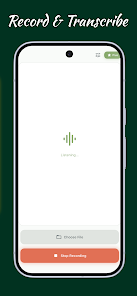
The transcription engine runs locally on compatible devices to minimize latency and protect user data. When you start a session, Arca analyzes audio, applies noise filtering, and converts speech into time-stamped text. You can pause and resume sessions, highlight segments, and insert manual corrections. The app keeps recognition responsive even in longer dictation sessions.
Privacy is central to Arca: Private Speech to Text. Since all recognition can occur on-device, sensitive conversations are not transmitted to cloud services by default. The permissions requested are limited to what is necessary for audio capture and file exports. Users can also clear stored transcripts or disable local caches to further reduce on-device traces.
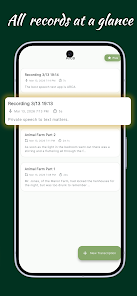
Arca provides features aimed at integrating speech-to-text into daily workflows. Templates let you start new entries with predefined headings, while customizable macros insert timestamps, common phrases, or formatting tokens. Quick actions enable one-tap copying, sending to email, or opening the transcription in a text editor. For frequent users, a history view makes it easy to revisit recent dictations.
Users can fine-tune recognition settings such as sensitivity, language model preference, and punctuation behavior. A custom dictionary supports industry-specific terms or proper names to improve accuracy over time. Developers and power users will appreciate configurable keyboard shortcuts and intent-based sharing that enables automation within other Android apps and scripting tools.
Arca supports multiple languages and regional variants; language packs can be downloaded to work offline. The app uses adaptive modeling to improve transcription for frequently used words. Background noise suppression reduces false transcriptions in casual environments, while a hands-free mode optimizes recognition for longer-form speech like lectures or interviews.
Designed for modern Android devices, Arca scales recognition quality based on available CPU and memory. On-device models are optimized to balance speed and power consumption. Minimum requirements and recommended device profiles are listed in the app settings to help users choose the best configuration for reliability and battery life.
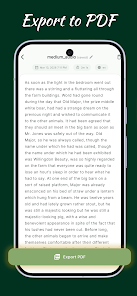
Sharing is straightforward: export transcriptions to cloud drives, note-taking apps, or messaging platforms. Arca supports direct send via Android’s share sheet and can be configured to save files in specific folders for syncing. Clipboard monitoring and background listening make it easy to capture ideas without interrupting other tasks.
To begin, install Arca: Private Speech to Text, grant microphone permission, then download any preferred language packs for offline use. Start a new session from the main screen, speak clearly, and use the on-screen controls to mark important segments. Explore settings to enable custom dictionaries and integrations that match your workflow.
Arca is well suited for professionals who handle confidential material, students capturing lectures, and anyone who prefers offline voice recognition for speed and privacy. Its combination of local processing, export flexibility, and customization options makes it a practical choice for daily dictation and hands-free text entry.


LifeUp: Gamified To Do List
Size:17.35M ProductivityVPN Proxy Speed
Size:53.00M ProductivityAI Logo Generator (LogoWiz)
Size:41.50M Productivity3D Logo Maker
Size:39.30M ProductivityAI Chat: Ask AI Chat Anything
Size:42.20M ProductivityStars and Planets
Size:116.42M ProductivityImageMeter
Size:119.22M ProductivityHabitKit
Size:56.87M ProductivityMy Passwords Manager
Size:10.60M ProductivitymiMind
Size:48.30M ProductivityCute Note DDay Todo
Size:15.31M ProductivityCleverType AI Keyboard
Size:33.83M ProductivityApril 2024 Clash of Clans Update: Unveiling a Fresh Companion, Enhanced Levels, Chat Tagging, and Be
2024-04-16Arrival of Genshin Impact 4.6 Update: 'Embers of Two Realms, Twilight of Crimson'
2024-04-16V2.2 of the Farlight 84 update introduces an overhauled Season structure, fresh in-game currency, an
2024-04-16Monster Never Cry is now accessible on both Android and iOS mobile devices.
2024-04-18PUBG Mobile Teams Up with Bentley Motors: Luxury Cars, Exclusive Collectibles, and Beyond
2024-04-18March 2024 Free Redemption Codes for Honkai: Star Rail
2024-04-18