English
Pika! Charging show transforms your phone's charging moments into lively visual experiences with animated themes, battery statistics, and customizable sound cues. Designed for users who want clear battery information plus flair, the app blends practical charging indicators with playful visuals to make every plug-in satisfying and informative.
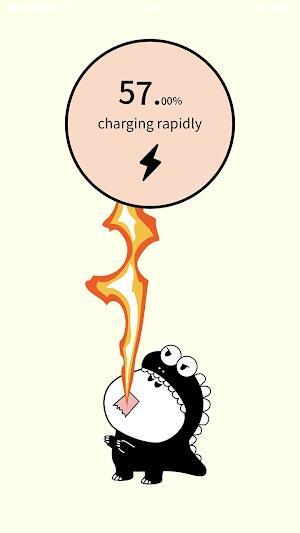
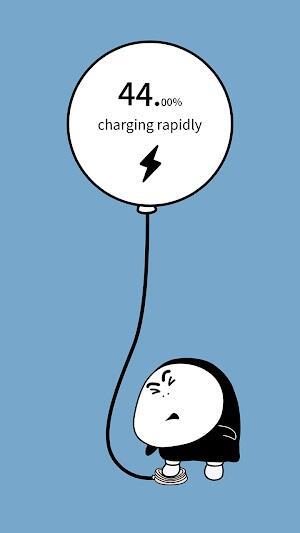
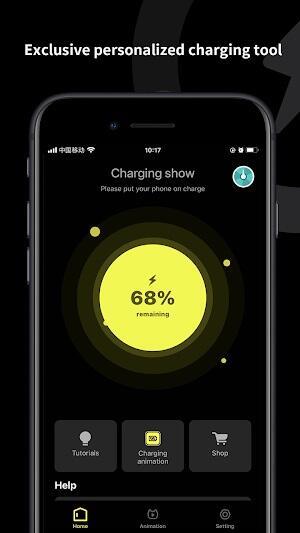
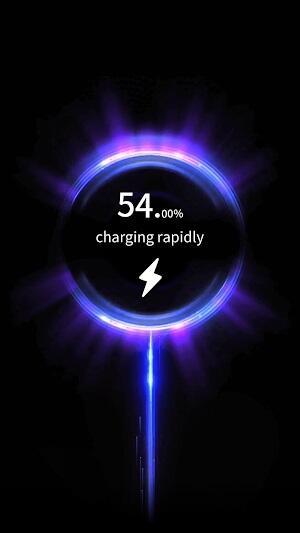
Pika! Charging show offers a polished overlay that appears whenever your device connects to power. Instead of a plain percentage, users see animated scenes, progress rings, numerical estimates and optional sound notifications. The interface is built to be unobtrusive: it surfaces key data fast and fades away when charging completes or when you dismiss it manually.
The app runs a lightweight background service that detects power events and triggers the overlay only when charging begins. Battery readings are drawn from the system API to display accurate percentages and charging speed. Users can fine-tune which events generate an alert, such as stopping notifications for wireless charging or raising the sensitivity for low-current chargers. Pika! Charging show focuses on clarity, so the information hierarchy places percentage and time estimates front and center.
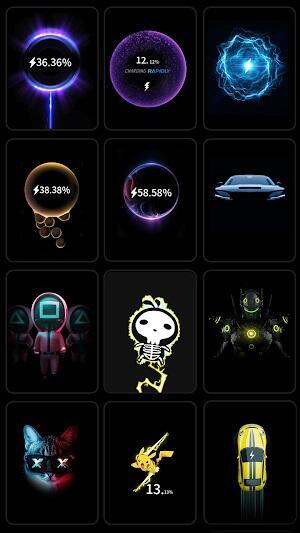
Customization is a core strength. Choose from bright, animated presets or subtle, dark-mode friendly skins. Each theme can be customized with color accents, font sizes, and an option to include or hide detailed diagnostics. For people who prefer minimalism, a single ring and numeric percentage keeps the display sleek. Those who want more can enable a battery health panel with historical charge cycles and temperature readouts.
Whether you charge at a desk, in a car, or overnight, the app adapts. In public settings the discreet layouts keep things professional; at home you can enable playful themes and sounds. The overlay is useful for quick checks of charging speed when using different cables or power banks, and the time-to-full estimate helps you decide whether a short top-up will get you through the next errand.
Performance has been optimized to avoid draining resources. The overlay appears only on charge events and the background monitoring uses minimal CPU and memory. Pika! Charging show supports a wide range of Android versions and handles various power sources, from USB-C PD chargers to wireless pads. Developers took measures to comply with modern Android permission models, so the app requests only the necessary access for battery state and notifications.
Installing and configuring Pika! Charging show is straightforward. After granting the minimal permissions, pick a default theme and preview its behavior. Use the schedule option to silence animations overnight or enable a permanent compact mode while travelling. If you want more control, lock certain themes so accidental changes won’t alter your setup mid-use. Regularly checking the in-app help provides quick answers to common questions about compatibility and battery readings.
Overall, Pika! Charging show strikes a balance between utility and personality. It enhances routine charging with clear metrics and pleasing visuals, while offering enough customization to fit different lifestyles. For anyone who prefers informative, attractive charging feedback rather than a static indicator, the app is worth exploring and adjusting to your daily habits.
Pixly Professional Dark
Size:77.11M PersonalizationPixly Paint - Icon Pack
Size:125.78M PersonalizationWatch Faces by Watch Base
Size:9.40M PersonalizationPixly Dark 3D - Icon Pack
Size:106.58M PersonalizationLena Black - Glyph Icon Pack
Size:17.59M PersonalizationFluffy 3D - Icon Pack
Size:129.39M PersonalizationRad Pack Pro
Size:103.35M PersonalizationBlack Pie - Icon Pack
Size:37.33M PersonalizationEmui - Icon Pack
Size:111.40M PersonalizationAline Yellow: linear icon pack
Size:35.40M PersonalizationFlux for KWGT
Size:36.35M PersonalizationAI Home Design: Interior DecAI
Size:30.61M PersonalizationApril 2024 Clash of Clans Update: Unveiling a Fresh Companion, Enhanced Levels, Chat Tagging, and Be
2024-04-16Arrival of Genshin Impact 4.6 Update: 'Embers of Two Realms, Twilight of Crimson'
2024-04-16V2.2 of the Farlight 84 update introduces an overhauled Season structure, fresh in-game currency, an
2024-04-16Monster Never Cry is now accessible on both Android and iOS mobile devices.
2024-04-18PUBG Mobile Teams Up with Bentley Motors: Luxury Cars, Exclusive Collectibles, and Beyond
2024-04-18March 2024 Free Redemption Codes for Honkai: Star Rail
2024-04-18