English
AutoResponder for Telegram automates replies so you stay responsive without constant attention. This app lets you create tailored auto-replies, schedule responses, and manage exceptions across chats and groups. It’s designed to save time for professionals and busy users by handling repetitive conversations intelligently.
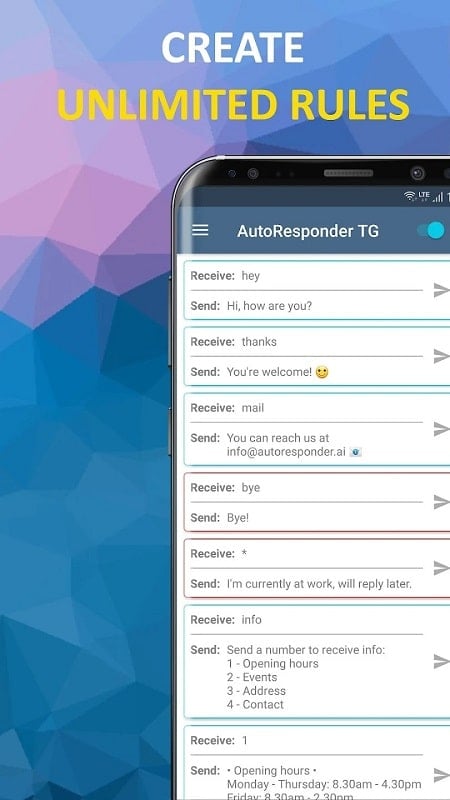
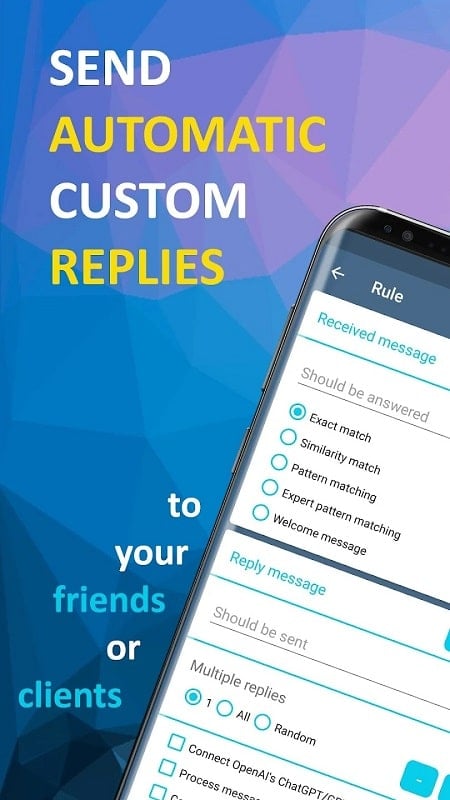
AutoResponder for Telegram is a productivity tool that listens to incoming messages and replies automatically based on rules you define. It supports individual chats, group messages, and can recognize keywords, phrases, or full-message patterns. The app also includes scheduling and conditional logic, so responses behave differently during work hours, vacations, or special events.
Integration is straightforward: grant the app permission to read notifications and it will monitor messages in real time. Rules are evaluated quickly so replies are sent with minimal delay. For professionals who field repetitive questions, the app reduces manual typing and helps maintain consistent messaging across teams. Its scheduling features let you maintain an uninterrupted focus time while preserving clear communication.
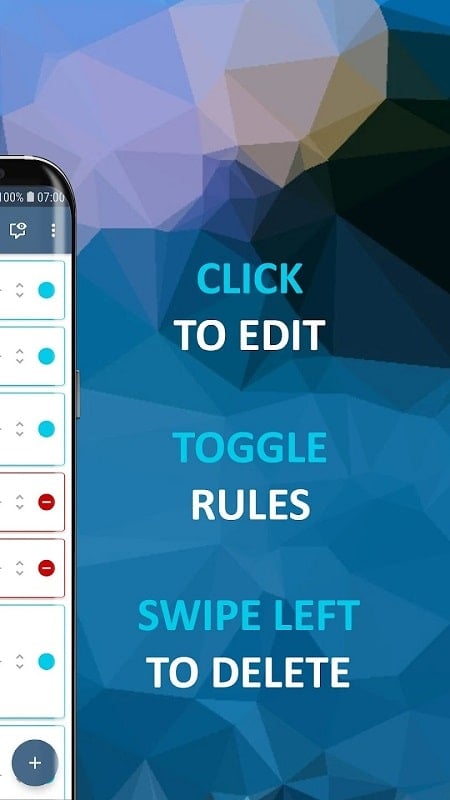
The customization interface lets you build simple or complex reply trees. You can create fallback replies for unmatched messages, chain multiple responses, or set priority levels for overlapping rules. Personalization includes dynamic tokens and conditional triggers, so responses can reference the sender or the time of day. This level of customization makes AutoResponder for Telegram flexible for customer support, personal convenience, or team coordination.
Designed to run compactly in the background, the app minimizes battery drain by acting only when notifications arrive. Built-in throttling prevents excessive processing during message bursts. If you manage hundreds of rules, performance remains stable through efficient indexing and rule prioritization. The app also provides statistics so you can audit rule hits and optimize configurations over time.
AutoResponder for Telegram requires access to notifications to detect incoming messages. It does not upload message contents to external servers by default; rule processing happens on the device unless you explicitly enable cloud features. Clear permission prompts explain each access request and the settings menu allows you to revoke permissions or clear stored data whenever needed.
After installation, grant notification access and create your first rule by specifying a trigger phrase and a response. Next, set active hours and add any exceptions. Monitor the app’s usage log to refine replies and remove redundant rules. Within a few minutes, AutoResponder for Telegram can replace routine replies and free up time for more important tasks.
Whether you need to manage customer queries, handle frequent informational requests, or just reduce interruptions, AutoResponder for Telegram streamlines messaging without sacrificing control or privacy.
LifeUp: Gamified To Do List
Size:17.35M ProductivityVPN Proxy Speed
Size:53.00M ProductivityAI Logo Generator (LogoWiz)
Size:41.50M Productivity3D Logo Maker
Size:39.30M ProductivityAI Chat: Ask AI Chat Anything
Size:42.20M ProductivityStars and Planets
Size:116.42M ProductivityImageMeter
Size:119.22M ProductivityHabitKit
Size:56.87M ProductivityMy Passwords Manager
Size:10.60M ProductivitymiMind
Size:48.30M ProductivityCute Note DDay Todo
Size:15.31M ProductivityCleverType AI Keyboard
Size:33.83M ProductivityApril 2024 Clash of Clans Update: Unveiling a Fresh Companion, Enhanced Levels, Chat Tagging, and Be
2024-04-16Arrival of Genshin Impact 4.6 Update: 'Embers of Two Realms, Twilight of Crimson'
2024-04-16V2.2 of the Farlight 84 update introduces an overhauled Season structure, fresh in-game currency, an
2024-04-16Monster Never Cry is now accessible on both Android and iOS mobile devices.
2024-04-18PUBG Mobile Teams Up with Bentley Motors: Luxury Cars, Exclusive Collectibles, and Beyond
2024-04-18March 2024 Free Redemption Codes for Honkai: Star Rail
2024-04-18