English
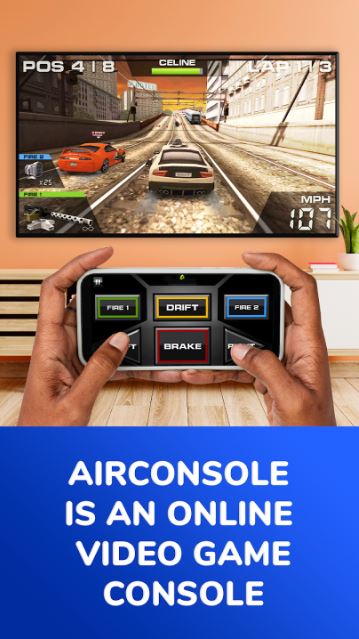
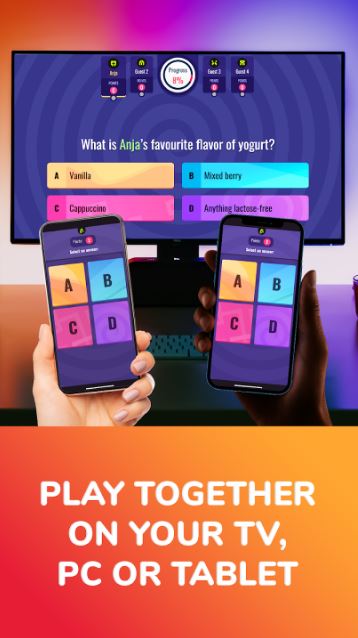
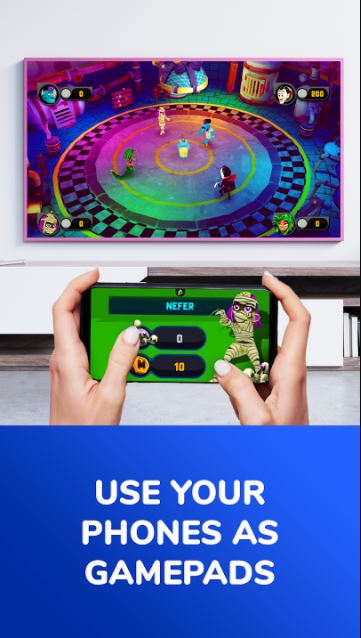
AirConsole Hero brings party-style gaming to the living room by turning smartphones and tablets into controllers for games that run on a TV browser or through casting. AirConsole Hero sets up in moments using a short access code displayed on the TV: players open the app on their phones, enter the code shown on the screen, and join a shared session. The app is built around quick matchmaking for small groups, and its friendly onboarding is useful for mixed-age family nights, student gatherings, or casual competitive sessions.
The core of the experience is a broad library of more than 140 bite-sized titles across genres including party, racing, puzzles, music and sports. Games are designed for short rounds—many matches finish in a few minutes—so it’s easy to rotate players or fit a session around other plans. Multiplayer sessions are started with a single access code, which makes connecting multiple phones simple and fast, and many games include missions, collectible game cards and in-game rewards that add a layer of progression beyond individual matches. The app emphasizes low-friction play: intuitive touch controls are used to move, jump or trigger actions, while some titles extend input to gestures or multi-touch for more variety.
Gameplay in AirConsole Hero favors straightforward mechanics that are easy to learn but offer room to improve. Most titles use on-screen buttons for movement and actions, and a number of mini-games include swipe interactions or contextual controls that adapt to the current challenge. Races tend to depend on timing and sprint mechanics, puzzle games reward pattern recognition and speed, and party titles focus on quick reactions or cooperative tasks. Matches are usually short and score-based, so the emphasis is on repeated play and immediate feedback rather than long single sessions.
Progression in the app is driven by missions, collectible cards and in-game rewards, which give players goals to pursue across multiple sessions. Collectible game cards can be earned by completing challenges and may be used to unlock additional content within supported titles, while missions encourage trying different games and modes to earn rewards. Because the library spans many genres and difficulty levels, replay value comes from rotating games, improving personal scores, and collecting items that mark progress over time.
The visual presentation in AirConsole Hero varies from playful, cartoony interfaces for family-friendly party games to more stylized retro and minimalist looks for puzzle or arcade titles. Levels and matches are designed to be compact and visually legible on a TV at a distance: clear icons, large text, and high-contrast elements help players understand what to do quickly. Many games use short rounds, checkpoint-free levels or time-limited matches so sessions remain dynamic and easy to replay.
The app aims to be approachable: on-screen controls are large and responsive, and game rules are typically explained in a concise pre-game screen so new players can jump in. Because titles range in complexity, groups can pick easier games for younger players or more competitive options for experienced gamers. The simple controller design avoids complex button combos, which improves accessibility for casual players and those who prefer single-hand controls. Families and mixed-ability groups will find the variety helpful when selecting appropriate difficulty and content.
Setup is intentionally simple: install the app on participating devices, open a browser on your TV or use casting, and enter the access code that appears on the big screen. AirConsole Hero supports three or more players in the same session and does not require extra hardware beyond phones and a TV with a browser. While many users report uninterrupted play and minimal ad interruptions, compatibility can vary slightly by TV model and browser—if the TV's browser has limitations, casting from a laptop or alternative device can be an effective workaround. Because sessions are controlled by a shared code, it’s easy to invite friends without complicated account setups.
Although the focus is on group play, several titles in the collection include single-player or solo practice modes that are suitable for trying mechanics before inviting others. Challenge systems within individual games, such as timed objectives or score targets, provide additional reasons to replay and to master specific skills. The combination of short rounds, collectible progression and varied difficulty means players can quickly find games that match their available time and desired level of challenge.
AirConsole Hero is a practical choice for casual get-togethers where simplicity and variety matter: the app’s quick access-code flow, broad mini-game library and reward-driven progression make repeated sessions entertaining and easy to organize for groups of different ages and skill levels.
AirConsole Hero
Size:8.70M ToolsWakey - The Cutest Alarm Clock
Size:39.40M ToolsPhonk Music - Song Remix Radio
Size:17.58M ToolsVPN Japan
Size:21.00M ToolsSimple Keyboard
Size:18.00M ToolsBatteryOne
Size:10.36M ToolsEdge Gestures
Size:5.36M ToolsFV File Explorer Pro
Size:165.40M ToolsEpic Games
Size:11.00M ToolsMixing Station
Size:27.31M ToolsMulti Run
Size:8.45M ToolsCharge Meter
Size:11.72M ToolsApril 2024 Clash of Clans Update: Unveiling a Fresh Companion, Enhanced Levels, Chat Tagging, and Be
2024-04-16Arrival of Genshin Impact 4.6 Update: 'Embers of Two Realms, Twilight of Crimson'
2024-04-16V2.2 of the Farlight 84 update introduces an overhauled Season structure, fresh in-game currency, an
2024-04-16Monster Never Cry is now accessible on both Android and iOS mobile devices.
2024-04-18PUBG Mobile Teams Up with Bentley Motors: Luxury Cars, Exclusive Collectibles, and Beyond
2024-04-18March 2024 Free Redemption Codes for Honkai: Star Rail
2024-04-18