English
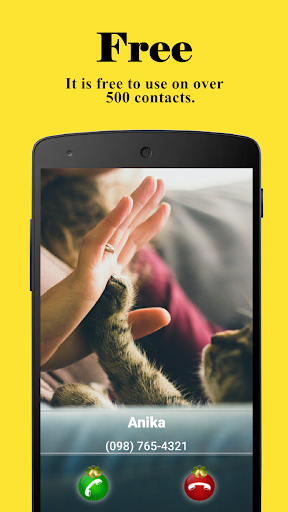
Full Screen Caller ID transforms your incoming call experience by showing a large, customizable caller display that replaces tiny pop-ups. Designed for clarity and personalization, Full Screen Caller ID lets you recognize callers at a glance with photos, themes, and configurable layouts for every contact and call type.
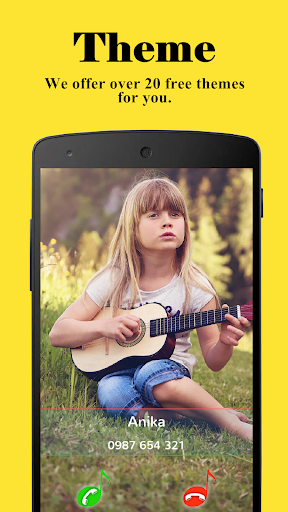
Full Screen Caller ID provides a focused set of tools to make incoming calls easy to notice and manage. The app supports full-screen images for callers, configurable text sizing, and flexible layout options. You can assign unique visuals to individual contacts, use default themes for unknown numbers, and set up different displays for regular calls, video calls, and emergency alerts.
The app monitors your phone's incoming call events and replaces the standard notification with a full-window interface. It reads contact data from your address book and prioritizes high-resolution photos where available. When a call arrives, Full Screen Caller ID overlays the current screen with the selected design so you never miss who is calling, even while using full-screen apps or playing media.
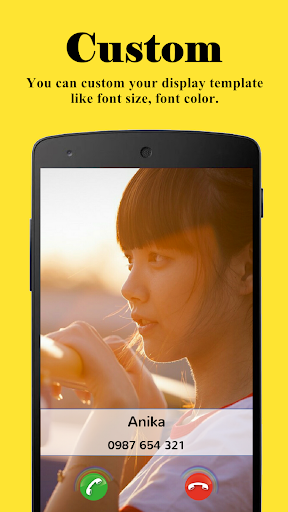
Customization is the strongest suit of Full Screen Caller ID. Users can:
These options make it simple to create a cohesive phone experience that matches your personal style or business image.
One of the app’s practical advantages is contact-level configuration. Assign specific images, colors, and ring styles to VIPs for instant recognition. You can create groups with shared visual profiles—family, work, or services—and apply them in bulk. Full Screen Caller ID also respects Do Not Disturb settings and can suppress full-screen alerts during quiet hours or meetings.
The developer built Full Screen Caller ID to be lightweight and power-conscious. It uses minimal background resources and defers heavy image processing until necessary. Compatibility extends across a wide range of Android versions and manufacturers; the app adapts its display method to work with both stock and customized Android skins. Battery impact is typically negligible, and the overlay is optimized to avoid conflicts with popular launcher apps.
To operate correctly, Full Screen Caller ID requests access to your contacts and phone state. These permissions are used only to match incoming numbers to saved contacts and to display the appropriate visuals. The app does not transmit contact information to external servers unless you explicitly enable optional backup or sync features. All permission requests are presented clearly during setup so you can review what the app needs and why.
Setting up Full Screen Caller ID takes just a few minutes. After granting permissions, you can browse the theme gallery, assign images to frequent callers, and preview how incoming calls will appear. Quick toggles let you disable full-screen mode for specific apps or contexts, and there is a troubleshooting panel for managing overlays if your device restricts drawing over other apps.
Install Full Screen Caller ID, follow the guided permission prompts, and create an initial theme. Spend a few minutes assigning images to top contacts and adjusting font sizes to suit your device. The app’s intuitive controls make it easy to tailor the experience immediately, turning a standard incoming call into a clear, informative visual event.
WaterMinder
Size:71.50M LifestyleNYT Cooking
Size:35.08M LifestyleWeathersea
Size:13.51M LifestyleFull Screen Caller ID
Size:16.10M LifestyleLiftoff - Ranked Gym Workouts
Size:166.28M LifestyleAll-In-One OfflineMaps
Size:7.20M LifestyleLeoMoves
Size:96.80M LifestyleMoblo
Size:62.40M LifestyleAmbience: sleeping sounds
Size:73.70M LifestyleMuscleWiki
Size:24.37M LifestyleTomorrow.io: Weather Forecast
Size:47.00M LifestyleCaelus White: linear icon pack
Size:17.40M LifestyleApril 2024 Clash of Clans Update: Unveiling a Fresh Companion, Enhanced Levels, Chat Tagging, and Be
2024-04-16Arrival of Genshin Impact 4.6 Update: 'Embers of Two Realms, Twilight of Crimson'
2024-04-16V2.2 of the Farlight 84 update introduces an overhauled Season structure, fresh in-game currency, an
2024-04-16Monster Never Cry is now accessible on both Android and iOS mobile devices.
2024-04-18PUBG Mobile Teams Up with Bentley Motors: Luxury Cars, Exclusive Collectibles, and Beyond
2024-04-18March 2024 Free Redemption Codes for Honkai: Star Rail
2024-04-18