English
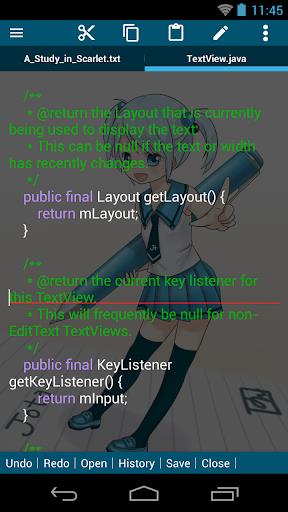
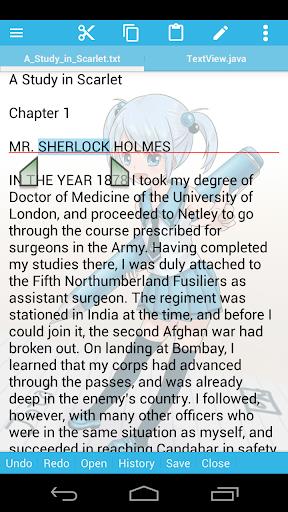
Jota is a lightweight text editor that brings desktop-style editing to mobile devices, letting you work on plain text quickly and reliably. It supports tabbed documents and multiple-file workflows so you can switch between files without interrupting your flow, and it includes productivity tools such as syntax highlighting, instant word counts, and a customizable toolbar to speed repetitive tasks. If you need a stable, efficient editor for coding notes, drafts, or quick edits on the go, Jota aims to deliver a familiar, PC-like editing experience in a compact Android app.
⭐ Multi-file support for editing several documents at once with easy tab management.
⭐ Efficient file management tools to open, organize, and switch between files quickly.
⭐ Seamless tab switching that keeps navigation between documents fast and intuitive.
⭐ Stable data handling and smooth performance for long editing sessions.
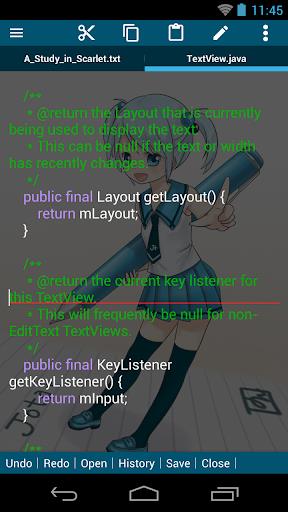
⭐ Advanced text tools including language syntax highlighting and instant word counting.
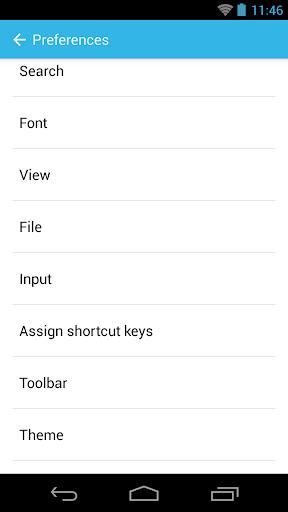
⭐ Customizable toolbar to tailor shortcuts and controls to your workflow in Jota.
✅ Fast, desktop-like editing experience optimized for mobile productivity.
✅ Time-saving features such as multi-file editing and quick tab navigation.
✅ Built-in utilities like syntax highlighting and a real-time word counter for clearer work.
✅ Custom toolbar and reliable performance make extended editing sessions comfortable; Jota adapts to your habits.
❎ Interface emphasizes efficiency over visual polish, which may feel utilitarian to some users.
❎ Advanced customization options require time to configure to personal preferences.
Jota
Size:19.82M ToolsCapacity Info: Battery Health
Size:6.07M ToolsStatus Bar Mini Pro
Size:3.22M ToolstinyCam PRO
Size:93.20M ToolsBlock-Spam
Size:10.16M ToolsWiFi Monitor Pro
Size:4.12M ToolsAR Measure Tape: SmartRuler
Size:52.15M ToolsInSave
Size:14.29M ToolsTalker ACR
Size:16.98M ToolsInfiniteClone
Size:64.53M ToolsLG Remote
Size:20.44M ToolsClone Master
Size:7.67M ToolsApril 2024 Clash of Clans Update: Unveiling a Fresh Companion, Enhanced Levels, Chat Tagging, and Be
2024-04-16Arrival of Genshin Impact 4.6 Update: 'Embers of Two Realms, Twilight of Crimson'
2024-04-16V2.2 of the Farlight 84 update introduces an overhauled Season structure, fresh in-game currency, an
2024-04-16Monster Never Cry is now accessible on both Android and iOS mobile devices.
2024-04-18PUBG Mobile Teams Up with Bentley Motors: Luxury Cars, Exclusive Collectibles, and Beyond
2024-04-18March 2024 Free Redemption Codes for Honkai: Star Rail
2024-04-18