English
Looking for a clutter-free manga reader that stays up to date with new chapters?
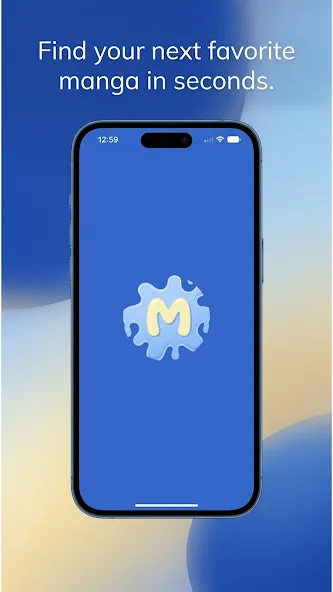
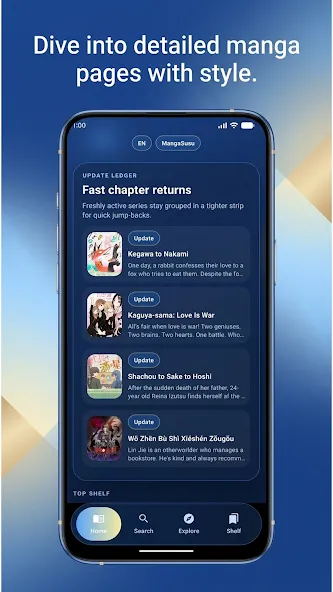
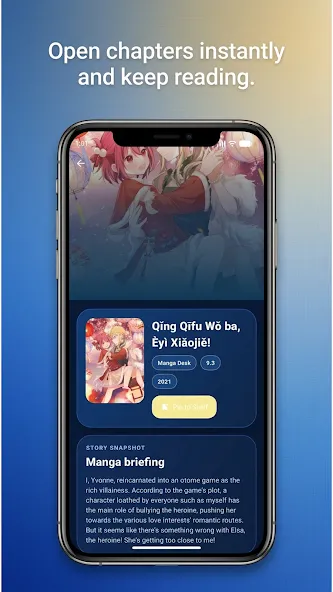
Mangasusu brings a roomy Indonesian-language library to your Android device and focuses on a smooth reading routine. The app puts a personal bookshelf front and center, offers flexible display controls, and keeps you informed when series you follow publish fresh installments. Whether you prefer action-packed shonen, slow-burn romance, or darker fantasy, Mangasusu aims to reduce friction between opening the app and diving into the pages. It also supports downloading for offline access and keeps the interface simple so you can concentrate on the story.
Large Indonesian catalog: The app collects thousands of titles across popular genres so Indonesian readers don’t need to hunt for translations.
Ad-free browsing: Reading sessions are uninterrupted by banners or pop-ups, letting you move through chapters without distractions.
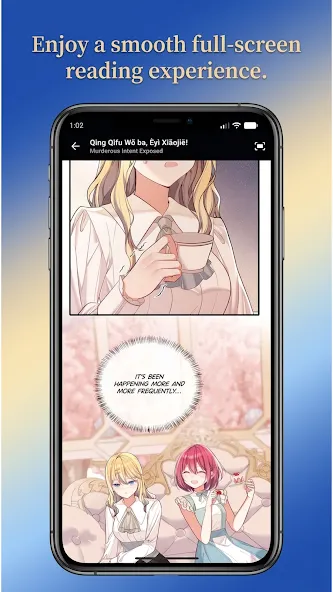
High-resolution images: Pages are presented clearly, with image quality that preserves artwork details on modern screens.
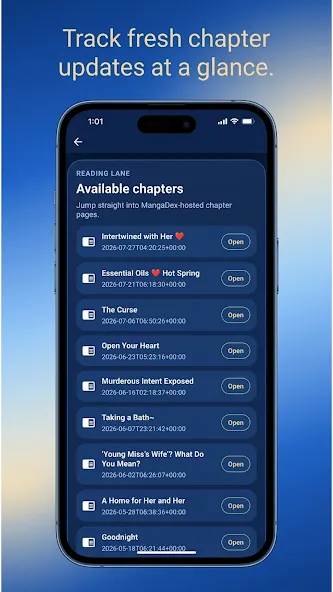
Timely notifications: Enable alerts to be told when new chapters arrive for series on your shelf, keeping your reading queue current.
Offline reading: Select chapters to download and read later without a data connection—handy for flights or areas with weak signal.
Reader customization: Change page-turn behavior, switch reading modes, and pick the interface style that reduces eye strain.
Lightweight interface: Menus and search tools are straightforward, so finding a title or jumping to the latest chapter is fast.
Privacy-focused use: The app does not require personal information to read, which keeps your library and habits private.
Language options: While most content targets Indonesian readers, language settings help adapt the interface for different users.
Step 1 - Browse or search: Use the genre lists or the search bar to locate a title by name, tag, or theme.
Step 2 - Add to your shelf: Tap the bookshelf icon on a series page to bookmark it; new chapter alerts will follow if you enable notifications.
Step 3 - Adjust reader settings: Inside a chapter, open display options to switch between single-page, double-page, or vertical scroll and toggle night mode.
Step 4 - Download for offline use: Choose specific chapters to save locally when connected to Wi-Fi so you can read later without consuming mobile data.
Can I read without an internet connection?
Yes. You can download episodes while online and access them later in offline mode, which is useful during travel or in spotty coverage.
Is all content free and safe to use?
Most material is free to read and the app minimizes ads. Some sections include mature-rated entries; you should select content that fits your preferences and local guidelines.
How do updates and recommendations work?
The app refreshes ongoing series frequently and highlights recent additions. It also suggests titles based on what you add to your shelf and what you read most.
Wrap-up: Mangasusu focuses on a minimalist reading experience for Indonesian-speaking audiences, offering strong image quality, useful offline support, and simple organization to keep your favorite stories easy to reach.
Compared with sprawling web readers, Mangasusu streamlines mobile manga consumption and will appeal most to readers who value an all-Indonesian catalog, privacy, and the ability to read without a constant connection.
Pollar News
Size:8.70M News & MagazinesMangasusu
Size:25.97M News & MagazinesPdf Drive
Size:6.47M News & MagazinesKomik Bahagia
Size:13.61M News & MagazinesThe News Brief
Size:48.58M News & MagazinesMara Akụkọ
Size:46.74M News & MagazinesRedReader
Size:9.11M News & MagazinesNovelah Lite
Size:65.04M News & Magazines20 Minutes
Size:75.91M News & MagazinesKomik Bahagia for VN
Size:14.35M News & MagazinesWWMT News 3
Size:122.25M News & MagazinesManhwaClan
Size:94.90M News & MagazinesApril 2024 Clash of Clans Update: Unveiling a Fresh Companion, Enhanced Levels, Chat Tagging, and Be
2024-04-16Arrival of Genshin Impact 4.6 Update: 'Embers of Two Realms, Twilight of Crimson'
2024-04-16V2.2 of the Farlight 84 update introduces an overhauled Season structure, fresh in-game currency, an
2024-04-16Monster Never Cry is now accessible on both Android and iOS mobile devices.
2024-04-18PUBG Mobile Teams Up with Bentley Motors: Luxury Cars, Exclusive Collectibles, and Beyond
2024-04-18March 2024 Free Redemption Codes for Honkai: Star Rail
2024-04-18