English
Story Editor is a mobile app designed to build, edit, and share short multimedia stories with intuitive controls and professional-grade filters. It balances quick templates with deep customization, letting creators produce polished sequences of images, text, and video for social platforms, blogs, and personal archives in minutes.
At its core, Story Editor organizes media into a timeline-style workflow that feels familiar to both novices and experienced creators. The interface guides you through importing assets, arranging scenes, and applying visual treatments. Export options include high-resolution video, animated GIFs, and platform-optimized story formats for Instagram, Snapchat, and Facebook.
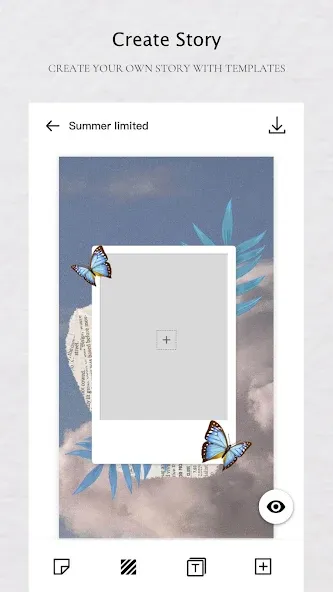
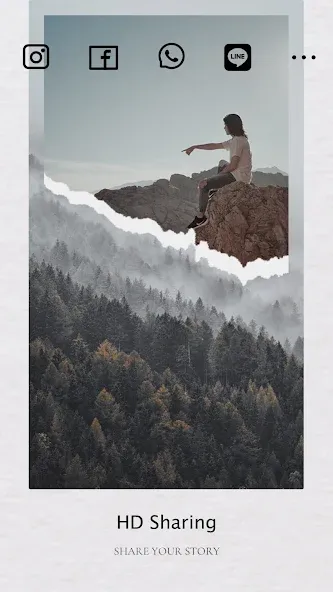
Story Editor follows a predictable three-stage flow: import, craft, export. First, you import images or short video clips from the device gallery or cloud storage. Next, use the editor to combine assets into pages, adding text overlays, stickers, and background audio. Finally, pick an export profile tuned to the platform where you plan to publish; the app handles aspect ratio, bitrate, and compression settings automatically.
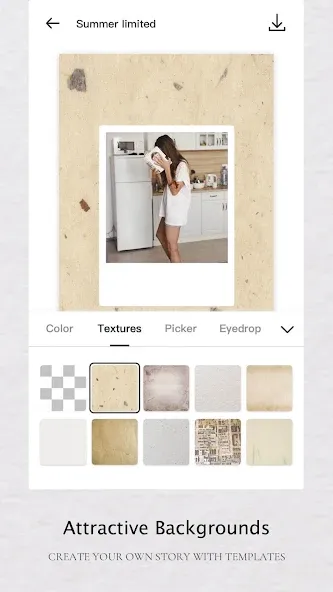
The app includes auto-layout templates that adapt when you swap media, so spacing and alignment remain consistent. A batch editor lets you apply the same filter and font across multiple pages in one action, which is a big time-saver for series or brand-consistent posts. There’s also an undo history and versioning system that stores earlier edits so you can revert without losing progress.
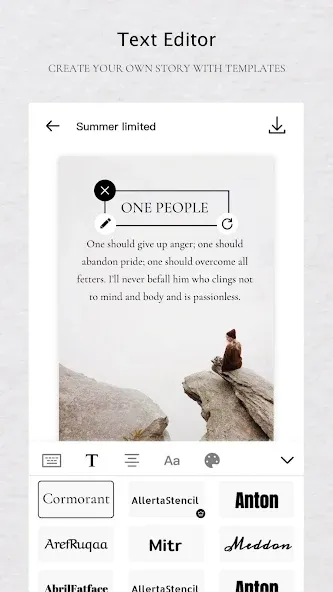
For power users, Story Editor exposes more granular controls. Keyframe animation is available for any layer, enabling smooth motion paths and timed opacity changes. Blend modes and masking tools let you create overlays and double-exposure effects. The type tool supports custom fonts and variable font weights, which helps when matching brand guidelines.
Performance is tuned for modern Android hardware. The editor uses GPU-accelerated previews to keep scrubbing smooth even on longer projects. The interface emphasizes content over chrome: contextual toolbars appear only when needed, and a compact secondary panel stores less-used options. This keeps the workspace uncluttered while maintaining access to powerful settings.
Whether you’re a social media manager producing daily stories or a hobbyist compiling travel highlights, Story Editor adapts. Marketers can save custom templates and export directly to cloud services for team sharing. Individual creators benefit from fast templates for vertical video and a straightforward audio ducking feature that balances narration and background music automatically.
Story Editor strikes a balance between rapid results and detailed control. It’s approachable for beginners but scales up with advanced features for those who want to fine-tune motion, color, and typography. The thoughtful export presets and template sharing make it a practical choice for small teams and solo creators alike.
Download the app, grant access to your media library, and try the welcome tutorial to learn the basics in five minutes. Experiment with a short test project to become familiar with trimming, text animation, and export settings. With a few minutes of practice, Story Editor becomes a reliable part of a content-creation workflow.

Story Editor
Size:59.51M PhotographyTimestamp Camera EnterprisePro
Size:6.59M PhotographyAniDub Max
Size:74.39M PhotographySnap Pro
Size:23.16M PhotographyFilmic Legacy
Size:38.19M PhotographyPhotoLayers-Superimpose,Eraser
Size:242.49M PhotographyMV Master
Size:47.29M PhotographySolCalc MOD Premium Unlocked
Size:18.25M PhotographyMirror Lab MOD Premium Unlocked
Size:13.10M PhotographyCartoon Photo Editor MOD Premium Unlocked
Size:17.00M PhotographyGallery EZ MOD Premium Unlocked
Size:28.60M PhotographyToonArt MOD Pro Unlocked
Size:35.70M PhotographyApril 2024 Clash of Clans Update: Unveiling a Fresh Companion, Enhanced Levels, Chat Tagging, and Be
2024-04-16Arrival of Genshin Impact 4.6 Update: 'Embers of Two Realms, Twilight of Crimson'
2024-04-16V2.2 of the Farlight 84 update introduces an overhauled Season structure, fresh in-game currency, an
2024-04-16Monster Never Cry is now accessible on both Android and iOS mobile devices.
2024-04-18PUBG Mobile Teams Up with Bentley Motors: Luxury Cars, Exclusive Collectibles, and Beyond
2024-04-18March 2024 Free Redemption Codes for Honkai: Star Rail
2024-04-18