English
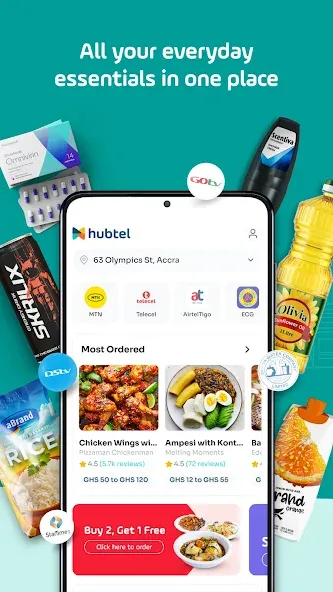
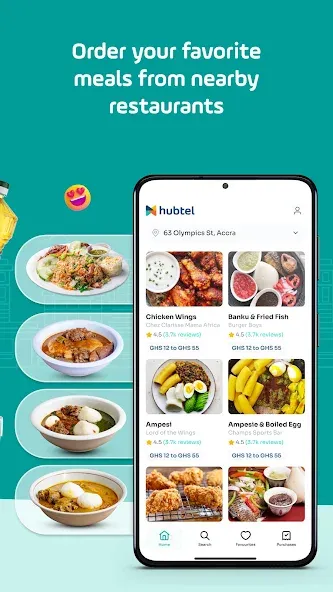
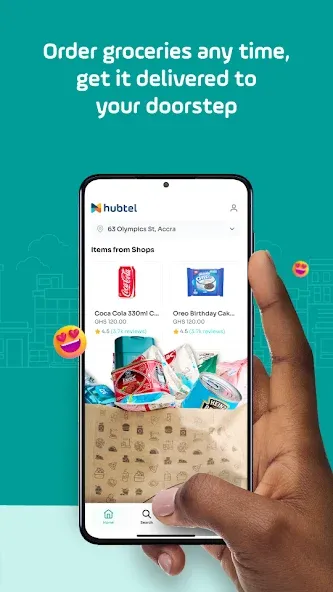
Hubtel is a mobile payments and business management app that combines secure transactions, order processing, and billing tools into one interface. It helps individuals and merchants accept payments, send invoices, and manage sales with simple workflows, real-time reporting, and seamless integration with popular payment channels.
Designed for small businesses and freelancers as well as medium enterprises, the app focuses on reducing friction in everyday financial tasks. The review here looks at how the application balances usability with a feature set aimed at streamlining sales, customer communication, and reconciliation.
After a brief setup, merchants can start accepting payments and issuing receipts within minutes. Transactions sync to a central ledger so sales, refunds, and fees are all visible in one place. Notifications and confirmations are sent to both sellers and customers, helping reduce disputes and improve transparency.
The interface prioritizes clarity: balanced iconography, straightforward menus, and a minimal learning curve. Performance is optimized for common devices; actions like creating an invoice or reconciling a batch of payments complete quickly even with moderate transaction volumes. Offline resilience for order entry makes it practical for locations with intermittent connectivity.
The app walks users through typical workflows like invoicing, issuing refunds, and reconciling accounts. Automation features—such as scheduled invoices and auto-reminders—cut down on repetitive tasks. Customer profiles store contact details and payment history, enabling personalized service and faster repeat sales.
Security is implemented through standard industry practices including encrypted transactions and role-based access control for team members. Integration options include common accounting packages, payment gateways, and webhook-based connections that allow developers to extend functionality or connect to back-office systems.
Hubtel includes helpful onboarding prompts that explain these setups step by step, which is beneficial for users who are new to digital payment systems.
Retailers, food vendors, service providers, and small online merchants will find the mix of payment acceptance and order management especially useful. Teams that need simple POS features combined with a dashboard for sales analytics can replace multiple single-purpose tools with one consolidated app.
Installation is straightforward: download the app, create a merchant profile, and verify your business details. Most users can complete setup in under 15 minutes. The settings menu allows customization of tax rates, receipt layout, and preferred payment channels so the environment fits local regulations and business practices.
For merchants seeking a reliable, all-in-one payments and operations companion, Hubtel delivers a compact set of tools with clear workflows and practical integrations. Its combination of fast setup, daily usability, and reporting features makes it a sensible choice for teams focused on efficient payment processing and basic business management.


Hubtel
Size:68.36M ShoppingSubway
Size:24.48M ShoppingUtry.me
Size:65.41M ShoppingRajaOngkir
Size:3.28M ShoppingMCQ Rewards
Size:24.03M ShoppingMon Magasin U
Size:46.08M ShoppingTexnomart
Size:86.17M ShoppingShopee Lite
Size:30.01M ShoppingGoWabi
Size:31.16M ShoppingCDcare
Size:29.80M ShoppingCobasi
Size:123.09M ShoppingBack Market
Size:35.60M ShoppingApril 2024 Clash of Clans Update: Unveiling a Fresh Companion, Enhanced Levels, Chat Tagging, and Be
2024-04-16Arrival of Genshin Impact 4.6 Update: 'Embers of Two Realms, Twilight of Crimson'
2024-04-16V2.2 of the Farlight 84 update introduces an overhauled Season structure, fresh in-game currency, an
2024-04-16Monster Never Cry is now accessible on both Android and iOS mobile devices.
2024-04-18PUBG Mobile Teams Up with Bentley Motors: Luxury Cars, Exclusive Collectibles, and Beyond
2024-04-18March 2024 Free Redemption Codes for Honkai: Star Rail
2024-04-18