English
Lightweight prank audio and meme-making tools have a lively new entry with Prank Meme Sounds Soundboard.
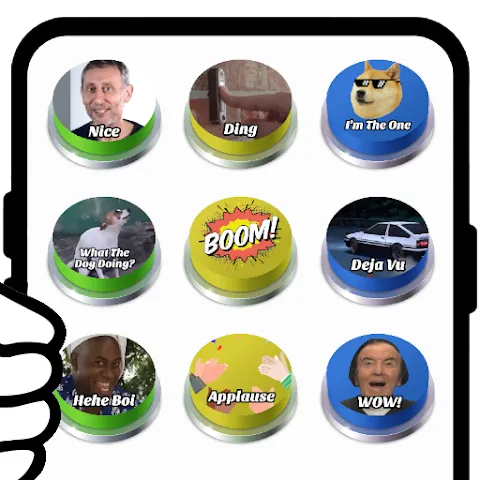
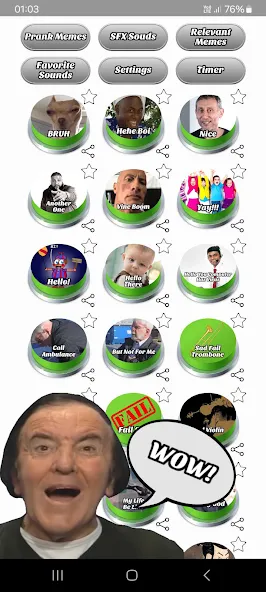
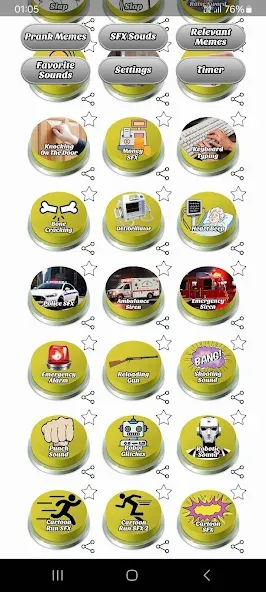
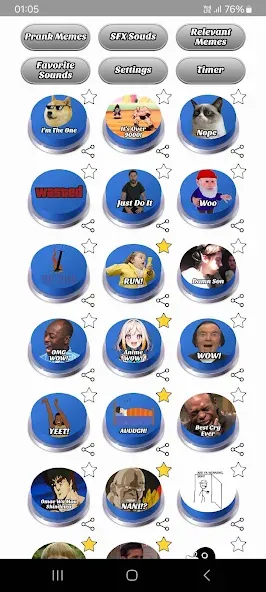
Prank Meme Sounds Soundboard bundles a large collection of joke-ready audio clips and simple image editing tools into a compact Android app geared for quick laughs and shareable moments. The interface centers on tiles for immediate access to sounds, and the editor covers basic cropping, filters, and captioning so you can pair a sound with a visual in moments. It supports common image and short video formats, offers offline playback for many clips, and receives regular content updates so fresh memes arrive often.
Trending library: Browse a curated selection of viral sounds and meme snippets from recent years that are ready to play or attach to posts.
Iconic effects: A set of classic sound cues lets you build punchlines quickly, from dramatic stings to goofy one-liners.
Favorites section: Save frequently used clips for instant recall instead of hunting through categories each time.
Flexible sharing: Send audio or combined media directly to messaging apps and social platforms with built-in export options.
Playback controls: Toggle multi-sound playback, set a default category, or use a dark theme to suit personal taste.
Soundboard mode: A grid of buttons that play sounds immediately for live pranks or reactions during chats and calls.
Template-based meme editor: Predefined layouts let you start with a frame, add captions and stickers, then tweak colors and blur backgrounds.
Short clip editor: Trim GIFs and brief video clips, add text overlays, and export looped reactions for social feeds.
Export options: Choose a balance of image quality and file size; medium export settings work well for most platforms.
Start from a template: Pick a layout that’s close to your idea and modify it rather than assembling every element from scratch.
Make text readable: Add dark or white outlines to captions when images are bright or patterned so messages remain clear.
Save text presets: Create and reuse caption styles to keep a consistent look across posts and speed up future edits.
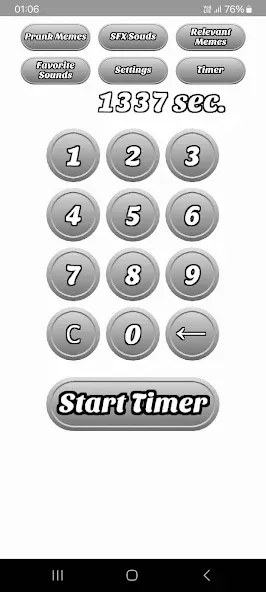
Use timers for surprises: Set delayed playback to trigger a sound at just the right moment—handy for staged reactions or prank reveals.
Practical scenarios: Try the app during a casual get-together to break the ice or while editing a post to test which clip best boosts a punchline.
Can I edit short videos and GIFs?
Yes. The app allows trimming and captioning of short clips and GIFs so you can create animated reactions or looping memes.
Will exported files contain a watermark?
Exports do not add a watermark, so you can post or share creations without extra app branding.
Can I use my own fonts and images?
You can import images from your device. Some versions include a font upload feature or accept fonts placed in the app folder for custom typography.
Prank Meme Sounds Soundboard is a convenient toolkit for anyone who wants to play practical jokes or craft quick meme posts; it combines an accessible soundboard with basic editing tools and simple sharing. If you value a large, maintained audio collection and straightforward creation features, this app is worth a try for casual social fun and light content creation.
MARCA
Size:28.50M OtherHesGoal
Size:6.00M OtherSoccerbite Live Score
Size:7.61M OtherLauncher iOS 16
Size:14.00M OtherFabulous Daily Routine Planner
Size:89.75M OtherMagic Fluids MOD
Size:17.57M OtherXOS Launcher
Size:53.04M OtherPresets & Filters
Size:69.70M OtherPrank Meme Sounds Soundboard
Size:46.27M OtherCricHeroes-Cricket Scoring App
Size:40.11M OtherGoMovies
Size:48.27M OtherSmartcric Live Cricket
Size:12.10M OtherApril 2024 Clash of Clans Update: Unveiling a Fresh Companion, Enhanced Levels, Chat Tagging, and Be
2024-04-16Arrival of Genshin Impact 4.6 Update: 'Embers of Two Realms, Twilight of Crimson'
2024-04-16V2.2 of the Farlight 84 update introduces an overhauled Season structure, fresh in-game currency, an
2024-04-16Monster Never Cry is now accessible on both Android and iOS mobile devices.
2024-04-18PUBG Mobile Teams Up with Bentley Motors: Luxury Cars, Exclusive Collectibles, and Beyond
2024-04-18March 2024 Free Redemption Codes for Honkai: Star Rail
2024-04-18