English
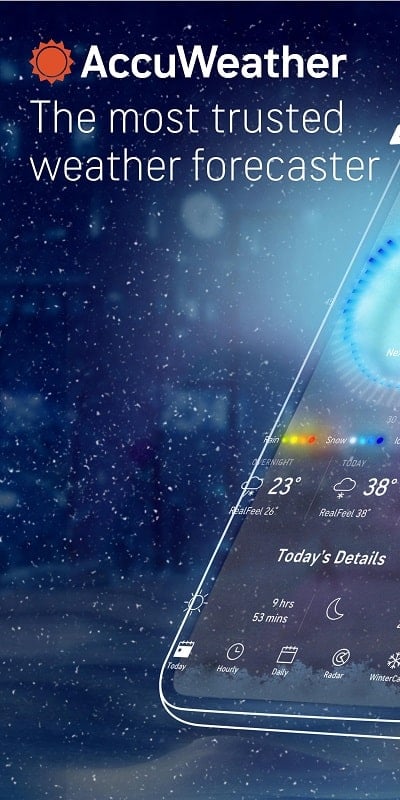
AccuWeather delivers fast, precise weather forecasts and severe weather alerts tailored to your location, helping you plan daily activities and travel with confidence. The app blends radar maps, minute-by-minute precipitation updates, and customizable notifications for accurate, actionable meteorological information at a glance.
AccuWeather is a comprehensive weather application built for users who need trustworthy forecasts and real-time updates. It combines global forecasting models with localized observations to provide short-term and long-term outlooks, severe weather warnings, and easy-to-read visuals. Whether you check the hourly forecast or examine radar trends, the interface focuses on clarity and speed.
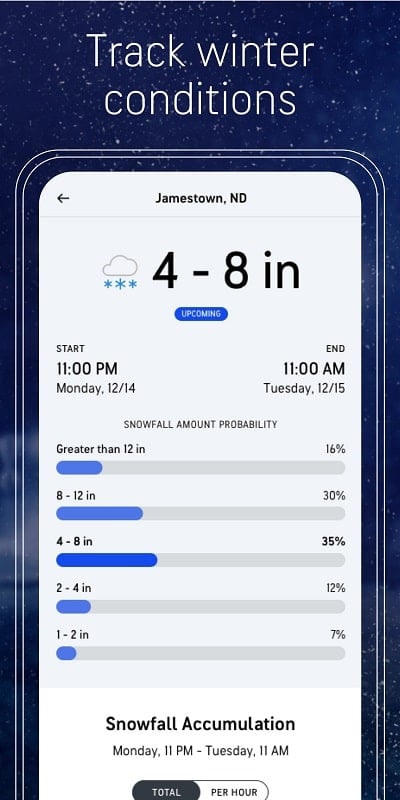
The app presents complex meteorological data in a user-friendly layout. Home screens show current conditions and a short forecast summary, while swipeable panels reveal detailed hourly charts and extended outlooks. Menus are organized so common actions — like setting locations, toggling radar layers, or enabling alerts — are a tap away. Visual cues and color-coded warnings help you interpret risk quickly.
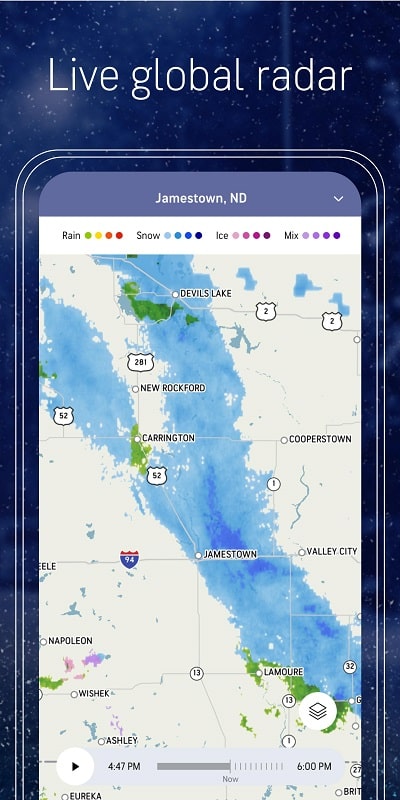
AccuWeather’s mapping suite is built for both casual users and enthusiasts. You can zoom from a city-level forecast up to regional satellite imagery, apply overlays for temperature, precipitation type, or wind speed, and animate past and future frames to understand storm movement. Performance is optimized for smooth panning and quick layer changes on modern Android devices.
Customize how and when the app contacts you. Create location-based profiles for home, work, or travel, and set specific alerts for rainfall thresholds, temperature extremes, or pollen counts. Notification options include local advisories and severe weather watches, and the settings allow you to fine-tune which events interrupt your day.
Forecast quality depends on the combination of global models, local observations, and real-time sensor inputs. AccuWeather leverages multiple data streams to reduce uncertainty, and features like MinuteCast® rely on high-resolution radar processing. For critical events, official governmental alerts are integrated to ensure timely delivery of life-safety information.
Designed to run efficiently on a wide range of Android devices, AccuWeather minimizes battery and data use by optimizing when background updates occur. Map and animation quality scales with device capability, so older phones still receive the core forecasting features while newer hardware benefits from smoother visuals and faster loading times.
Begin by granting location access for hyper-local forecasts or manually add places you care about. Explore the radar and MinuteCast® on the first day to see how short-term predictions align with local conditions. Adjust notification preferences early to avoid unnecessary interruptions and set up multiple saved locations for different routines or travel plans.
With straightforward controls and a robust feature set, AccuWeather is suitable for daily planning, outdoor activities, and responding to severe weather. The balance between detail and readability makes it useful for casual checks and deeper meteorological inspection, giving users clear information to make weather-aware decisions.
Resilio Sync
Size:24.60M LifestyleMy V3 Ads
Size:21.02M LifestyleAccuWeather
Size:112.80M LifestyleFreePrints
Size:144.52M LifestyleDAFFH LITE Navigator
Size:8.62M LifestyleDarbi
Size:88.64M LifestyleYourSummer
Size:33.59M LifestyleAnime Profile Picture girl
Size:35.15M LifestyleCaroO
Size:71.34M LifestyleHizo Mod
Size:30.89M LifestyleeKavach
Size:60.17M LifestyleFake GPS Location Spoofer Go
Size:13.92M LifestyleApril 2024 Clash of Clans Update: Unveiling a Fresh Companion, Enhanced Levels, Chat Tagging, and Be
2024-04-16Arrival of Genshin Impact 4.6 Update: 'Embers of Two Realms, Twilight of Crimson'
2024-04-16V2.2 of the Farlight 84 update introduces an overhauled Season structure, fresh in-game currency, an
2024-04-16Monster Never Cry is now accessible on both Android and iOS mobile devices.
2024-04-18PUBG Mobile Teams Up with Bentley Motors: Luxury Cars, Exclusive Collectibles, and Beyond
2024-04-18March 2024 Free Redemption Codes for Honkai: Star Rail
2024-04-18