English
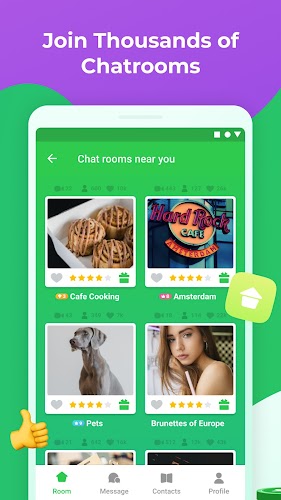
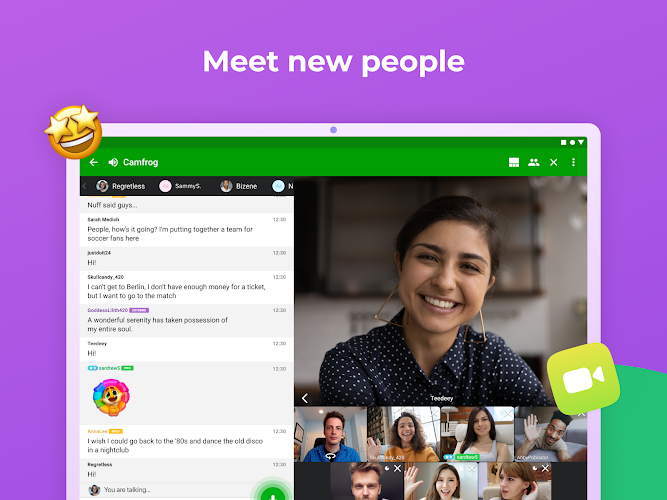
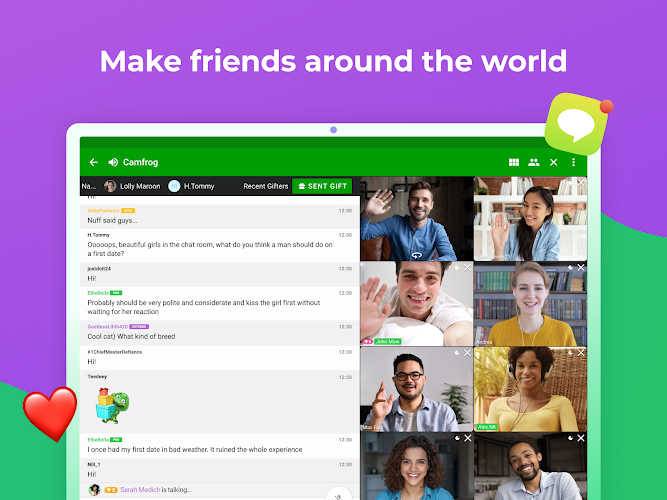
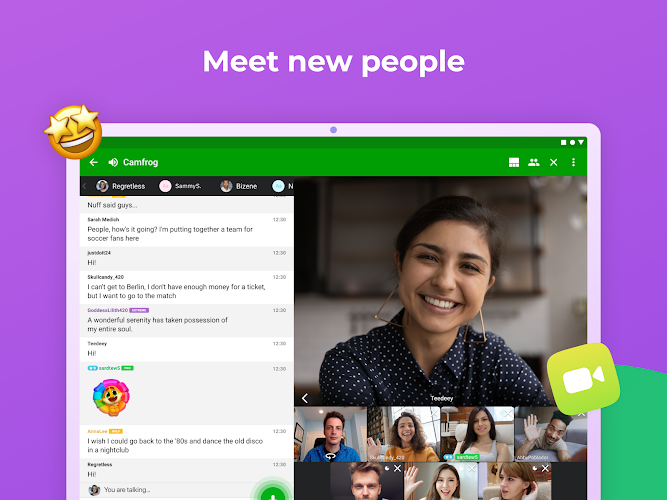
Camfrog is a social video chat platform designed for live group conversations and one-on-one calls, connecting people across interests and geographies. It offers public chat rooms, private messaging, and live video streams with moderation tools and user controls to create safe, interactive gatherings for real-time communication.
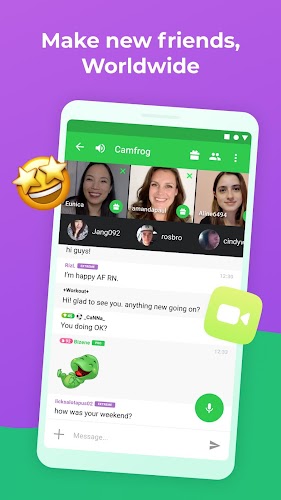
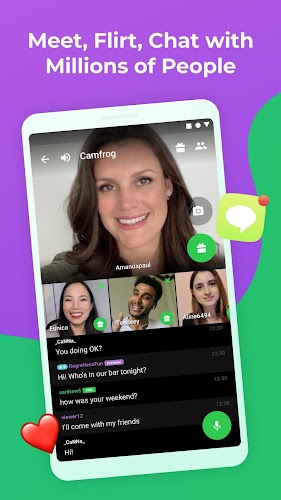
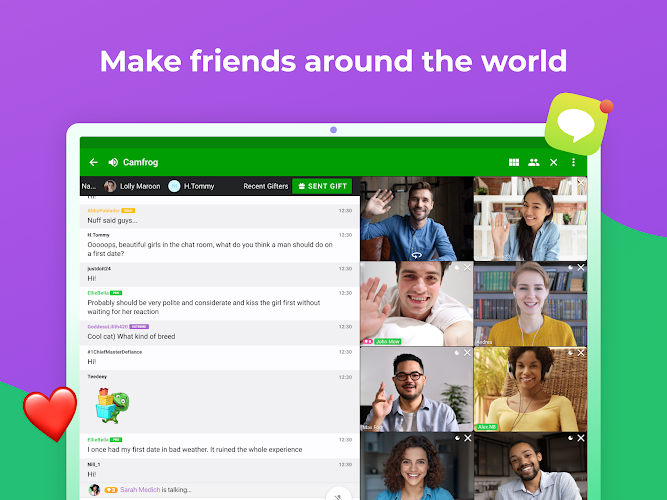
Camfrog provides a suite of features tailored to both casual users and community moderators. Live group video rooms let multiple participants broadcast simultaneously, while private calls preserve intimacy. Text chat runs alongside video feeds so users can share links, emojis, and files. Advanced moderation features include user roles, muting, and room banning to keep conversations orderly.
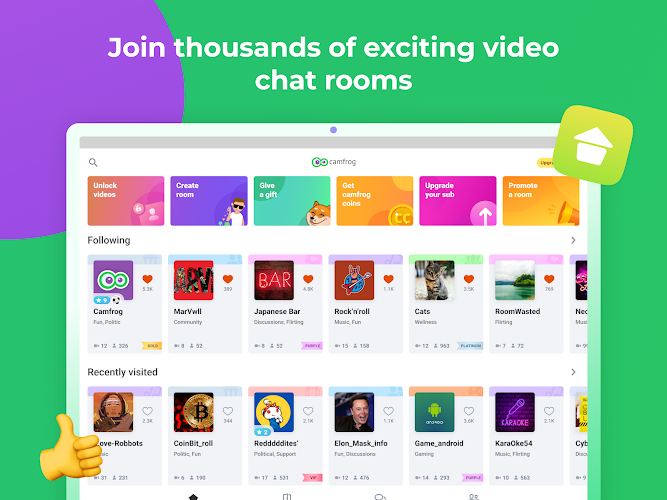
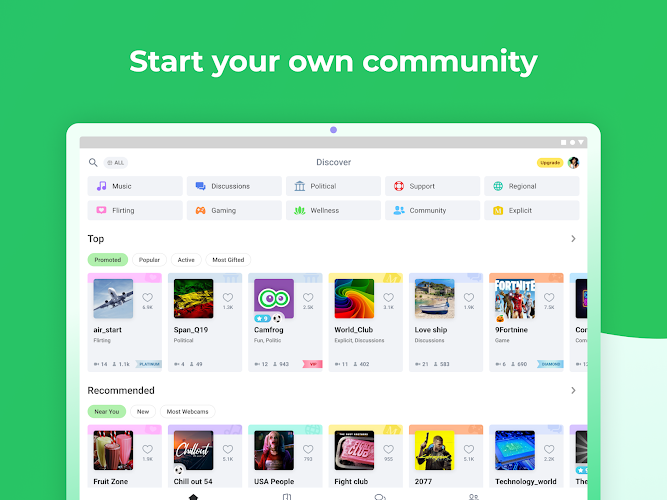
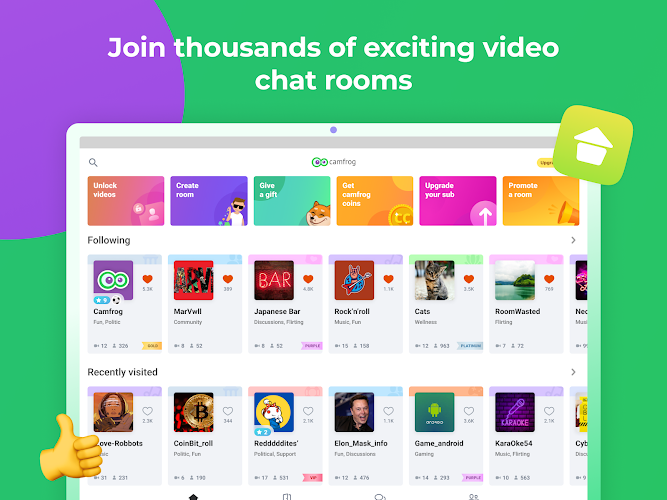
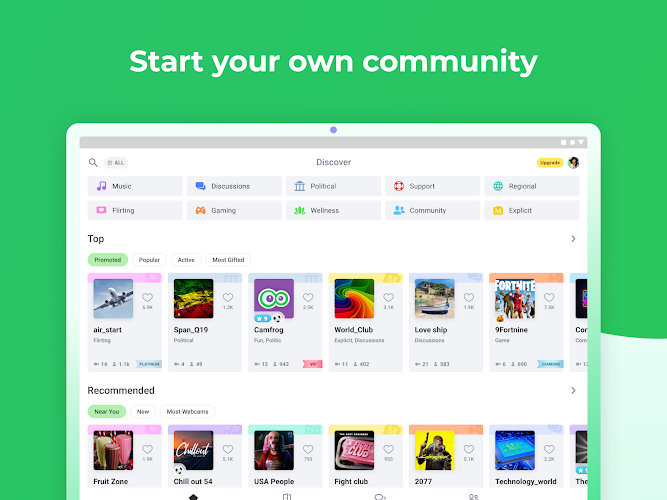
The interface is laid out to prioritize live interaction: room lists, active user badges, and a preview pane make it easy to find ongoing conversations. Icons and quick action buttons allow joining, leaving, or requesting to speak without interrupting the stream. Profile pages surface information and recent activity, making it straightforward to follow favorite broadcasters or join recurring rooms.
At its core, Camfrog balances video, voice, and text to suit different communication needs. Participants can opt to join as viewers, engage with audio only, or broadcast their camera feed. Hosts control speaking permissions and can promote trusted members to co-hosts. This flexibility supports panel-style discussions, casual hangouts, and structured events like interviews or tutorials.
Room owners can customize settings such as maximum participant count, entry permissions, and chat filters. Visual customization—profile avatars, display names, and custom status messages—helps communities build identity. For larger groups, the platform supports tiered moderation so responsibilities can be delegated to reliable members, keeping rooms active and safe.
Privacy controls enable users to manage who can contact them or view their profile. Camfrog includes reporting tools for inappropriate behavior and options to block or mute specific users. Encryption for signaling and modern authentication practices help protect account access, while community guidelines and moderation tools work together to reduce abuse.
Camfrog is optimized to run on a range of Android devices, adapting video quality to network conditions to minimize lag and dropped calls. It uses bandwidth-efficient codecs and offers settings to lower resolution for limited connections. Compatibility extends across many Android versions, and periodic updates add features and security patches to improve stability.
People use Camfrog for various purposes: meeting new friends in interest-based rooms, hosting live presentations, coordinating hobby groups, or conducting small-scale virtual events. Creators can build recurring shows or one-off sessions to interact with viewers in real time, while remote groups can rely on the platform for informal meetings without heavy setup.
Whether you're looking to expand social circles or run live community events, Camfrog combines straightforward navigation with moderation and privacy controls to create a versatile environment for group video chat and messaging.



Camfrog
Size:18.77M CommunicationKutumb
Size:23.23M CommunicationSniffles Dating App
Size:8.00M CommunicationAyar-Chat&Play
Size:57.78M CommunicationDialpad
Size:57.58M CommunicationGOGO LIVE Streaming Video Chat
Size:97.00M CommunicationFree Adblocker Browser:Adblock
Size:189.60M CommunicationWASticker Islamic Stickers
Size:15.00M Communicationimo beta
Size:37.60M CommunicationChatiw!
Size:3.40M CommunicationEarthquake Network
Size:9.00M CommunicationPixelChat
Size:137.61M CommunicationApril 2024 Clash of Clans Update: Unveiling a Fresh Companion, Enhanced Levels, Chat Tagging, and Be
2024-04-16Arrival of Genshin Impact 4.6 Update: 'Embers of Two Realms, Twilight of Crimson'
2024-04-16V2.2 of the Farlight 84 update introduces an overhauled Season structure, fresh in-game currency, an
2024-04-16Monster Never Cry is now accessible on both Android and iOS mobile devices.
2024-04-18PUBG Mobile Teams Up with Bentley Motors: Luxury Cars, Exclusive Collectibles, and Beyond
2024-04-18March 2024 Free Redemption Codes for Honkai: Star Rail
2024-04-18