English
Easy Chords is a compact guitar companion that helps players learn, practice, and arrange chords with clear diagrams, playback, and customization tools. Designed for beginners and intermediate players, it combines an intuitive interface with practical features to speed up chord recognition and real-world song practice.
Easy Chords focuses on making chord learning fast and practical. The app presents chord diagrams, finger positions, and alternate voicings in a way that’s easy to scan during practice sessions. It’s built for users who want to bridge the gap between theory and playing songs without overwhelming menus or jargon.
Practice tools in Easy Chords are tuned to quick progress. Use the loop mode to repeat tricky bars, slow the playback to isolate finger movements, and switch between strummed or arpeggiated sounds to simulate real playing. The visual metronome and tempo control help build timing, while the loop editor lets you mark difficult transitions for focused repetition.
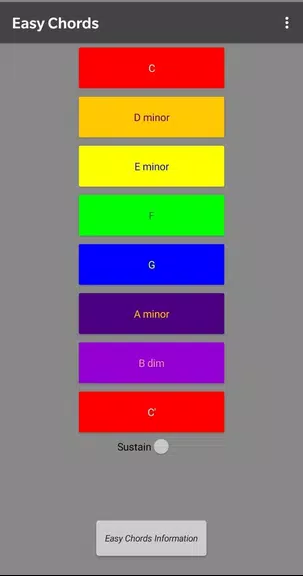
The layout emphasizes immediate access: chord search, recent lists, and the current setlist are visible on one screen. Diagrams are scalable for different devices and display left- or right-hand orientation. Buttons are large enough for on-the-fly adjustments during live practice, minimizing interruptions to your flow.
Easy Chords includes several customization layers for experienced users. Tuning presets allow alternate tunings and standard options. You can choose between multiple voicings per chord, edit finger positions, and store custom chords. Export and import features make it simple to move setlists between devices or back up your library.
Performance is optimized for mobile devices. Audio playback is low-latency on most modern hardware and the app keeps memory use modest. The design favors clarity: high-contrast diagrams, readable typography, and quick-loading screens reduce friction during practice sessions and on-stage use.
Beginner players will appreciate the visual guidance and step-by-step practice tools, while hobbyists and gigging musicians can use the transpose, capo, and setlist functions to adapt songs quickly. Easy Chords brings together learning and application in one compact tool, helping users progress from first chords to confident accompaniment.
Download and open the app, grant optional audio permissions, and explore the chord library. Add a few chords to a new setlist and try the playback and loop tools. For long-term use, back up your custom chords and setlists through the export option.
Easy Chords balances simplicity and depth, making it a practical companion for regular practice. Its focused feature set reduces the time you spend configuring tools and increases the time you spend playing. Whether learning solo or preparing for a performance, the app streamlines chord work so you can concentrate on music.
Real Bass
Size:18.20M MusicPiano Companion
Size:16.66M MusicBest Piano
Size:0.00M MusicFriday Funny mod Selever vs Ruv
Size:40.35M MusicEasy Chords
Size:10.00M MusicPiano Magic Star 4: Music Game
Size:98.20M Music東方ピアノゲームタイル - Touhou Piano
Size:42.00M MusicTouchdown!
Size:46.30M MusicPiano Kids: Musical Journey
Size:73.68M MusicReal Piano
Size:34.43M MusicLyrics Star・Song Lyrics Tiles
Size:0.00M Musicヤダヤダ
Size:0.00M MusicApril 2024 Clash of Clans Update: Unveiling a Fresh Companion, Enhanced Levels, Chat Tagging, and Be
2024-04-16Arrival of Genshin Impact 4.6 Update: 'Embers of Two Realms, Twilight of Crimson'
2024-04-16V2.2 of the Farlight 84 update introduces an overhauled Season structure, fresh in-game currency, an
2024-04-16Monster Never Cry is now accessible on both Android and iOS mobile devices.
2024-04-18PUBG Mobile Teams Up with Bentley Motors: Luxury Cars, Exclusive Collectibles, and Beyond
2024-04-18March 2024 Free Redemption Codes for Honkai: Star Rail
2024-04-18