English
Real Bass is a mobile application designed to simulate realistic bass guitar tones, practice techniques, and create bass lines on the go. It combines a responsive fretboard, adjustable amp and effects settings, and recording tools so users can practice, compose, and refine bass parts without needing physical instruments.
Real Bass provides a compact studio environment focused on low-end performance. The app models string vibration, dynamic picking response, and common amplifier circuits to produce convincing bass tones. Whether you want a tight slap sound, warm fingerstyle, or rumbling synth-like lows, the app includes options to shape timbre and dynamics quickly.
The app is organized around practical tools for practice and creation. It includes an interactive fretboard, multi-band EQ, amp emulation, and stompbox effects. A metronome and tempo-synced looper help users lock timing and layer parts. Built-in tuner and scale guides assist with learning and composing in various keys.
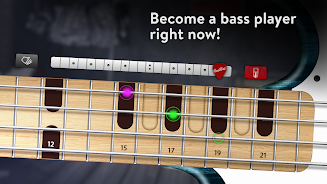
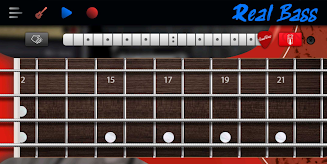
Real Bass uses a clear layout that separates performance controls from tone-shaping options. The fretboard occupies most of the screen for comfortable jamming, while a collapsible control panel houses amp settings, effects, and routing. Sliders and knobs respond smoothly to touch and multitouch gestures allow for expressive playing, such as vibrato and slides.
The app ships with a curated library of bass tones and backing grooves across genres. Presets cover funk, rock, reggae, metal, and electronic styles, and each preset is fully editable. Users can tweak pickup models, pickup blend, string gauge simulation, and mic placement to move between bright, scooped, or mid-forward sounds. Save custom patches and organize them into folders for quick access during practice or performance.
Real Bass is engineered to streamline practice sessions and songwriting. Start by selecting a preset, enable the metronome, and choose a backing track or looper tempo. Record a phrase, loop it, and build complementary parts by overdubbing. The app supports non-destructive editing so you can try variations without losing earlier takes. Export options include WAV and MP3, making it easy to transfer ideas to desktop DAWs or share with bandmates.
Performance is tuned for mobile devices: latency is minimized, and CPU load is balanced to avoid audio glitches during multi-effect chains. Real Bass supports common Android audio APIs and works with external MIDI controllers and USB audio interfaces for low-latency input and monitoring. Battery and CPU options let you choose between ultra-low latency and power-saving modes depending on whether you’re practicing at home or performing live.
Musicians will find Real Bass useful in several scenarios: sketching bass lines during transit, practicing grooves with tempo control, preparing parts for rehearsals, or recording draft takes for a song idea. For better realism, use headphones and adjust the amp and mic placement parameters. Pairing the app with a Bluetooth MIDI controller or a compact pad controller can expand playability and control over loops and presets.
To begin, install Real Bass, open the default preset, and explore the fretboard to get a feel for string response and dynamics. Run through the preset list to understand the tonal range, then experiment with amp and effects chains. Use the tuner and scale guide if you’re learning fingerings, and start the looper to build parts incrementally. The interface is designed for intuitive exploration, so users can progress from simple practice tasks to producing full bass arrangements within a few sessions.

Real Bass
Size:18.20M MusicPiano Companion
Size:16.66M MusicBest Piano
Size:0.00M MusicFriday Funny mod Selever vs Ruv
Size:40.35M MusicEasy Chords
Size:10.00M MusicPiano Magic Star 4: Music Game
Size:98.20M Music東方ピアノゲームタイル - Touhou Piano
Size:42.00M MusicTouchdown!
Size:46.30M MusicPiano Kids: Musical Journey
Size:73.68M MusicReal Piano
Size:34.43M MusicLyrics Star・Song Lyrics Tiles
Size:0.00M Musicヤダヤダ
Size:0.00M MusicApril 2024 Clash of Clans Update: Unveiling a Fresh Companion, Enhanced Levels, Chat Tagging, and Be
2024-04-16Arrival of Genshin Impact 4.6 Update: 'Embers of Two Realms, Twilight of Crimson'
2024-04-16V2.2 of the Farlight 84 update introduces an overhauled Season structure, fresh in-game currency, an
2024-04-16Monster Never Cry is now accessible on both Android and iOS mobile devices.
2024-04-18PUBG Mobile Teams Up with Bentley Motors: Luxury Cars, Exclusive Collectibles, and Beyond
2024-04-18March 2024 Free Redemption Codes for Honkai: Star Rail
2024-04-18