English
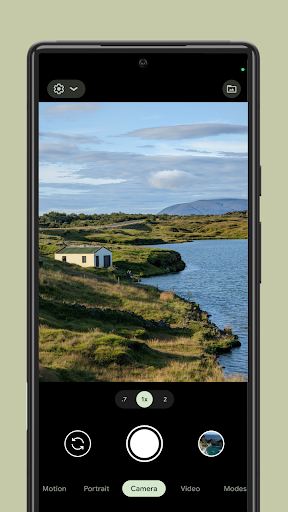
Ever wanted to create stunning photos with just your phone? Look no further than Google Camera. This incredible app allows you to capture every moment in beautiful detail, offering a variety of shooting modes and editing tools to help you bring your vision to life. With its user-friendly interface and advanced technology, Google Camera ensures that every photo you take is a work of art. Whether you're a photography enthusiast or just looking to capture memories with style, Google Camera has got you covered. Say goodbye to blurry, dull photos and hello to vibrant, high-quality images that will impress everyone who sees them. It's time to elevate your photo game with Google Camera and experience the next level of mobile photography.
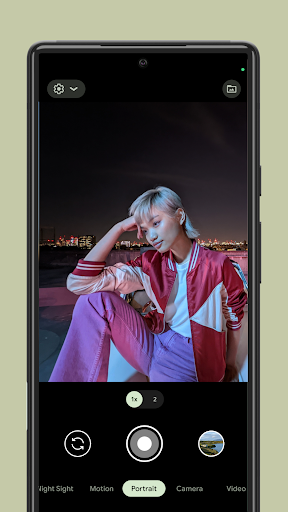
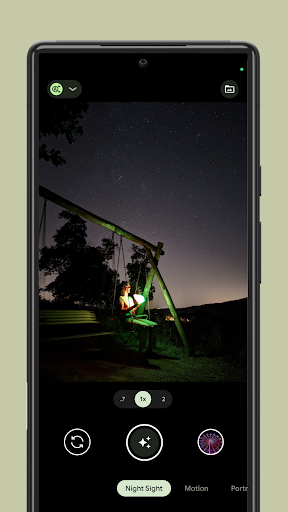
❤ Advanced Shooting Modes: Experiment with different shooting modes like Portrait, Night Sight, and Panorama to find your ideal style and capture the perfect shot every time.
❤ Exposure Control: Take advantage of the exposure mode to adjust the light balance and ensure perfectly exposed photos, even in challenging lighting conditions.
❤ Photo Editing Tools: Google Camera includes built-in editing tools that allow you to adjust contrast, saturation, brightness, and more, giving you full control over your photos.
❤ HDR+ Technology: With HDR+ technology, you can capture clearer and more vibrant photos, even in low-light environments, bringing out the best in every shot.
❤ AI-Enhanced Features: The app leverages artificial intelligence to improve photo quality by automatically optimizing settings based on the scene, lighting, and subject for flawless results.
❤ Seamless Sharing: Once you've captured the perfect shot, you can instantly share your photos on social media platforms like Instagram, Facebook, or Twitter to showcase your creativity and get feedback from your friends.
❤ How does Google Camera enhance my photos?
Google Camera uses advanced AI and HDR+ technology to optimize your photos for the best possible quality. It adjusts exposure, sharpness, and colors automatically for stunning images.
❤ Can I use Google Camera on all Android devices?
Google Camera is available for most Android devices, but certain features may be restricted to specific phone models that support the app’s advanced technologies.
❤ Does Google Camera work well in low-light conditions?
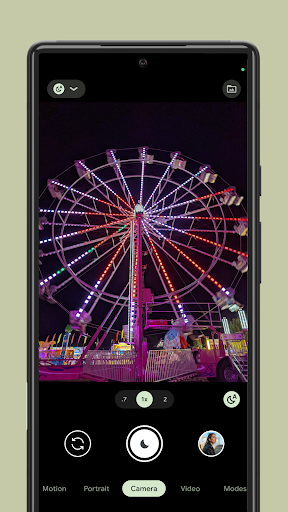
Yes, thanks to its Night Sight mode, Google Camera excels in low-light environments, allowing you to capture clear, bright photos even in dark settings.
In conclusion, Google Camera is a powerful tool for anyone who wants to take their photography to the next level. With its advanced features like Night Sight, HDR+, and AI-driven enhancements, you can capture breathtaking photos with just your phone. Whether you're capturing everyday moments or stunning landscapes, Google Camera makes it easy to create photos that look professional. Download Google Camera today and unlock your phone's full photographic potential!
برنامج كتابة على صور
Size:29.00M PhotographyHead morph: photo warp 3D face
Size:146.00M PhotographyPeacock Photo Frames & Editor
Size:64.00M PhotographyX AI
Size:27.05M PhotographySmart ID Photo
Size:150.89M PhotographySnitchCam
Size:40.37M PhotographyMen Salwar Kameez
Size:47.00M PhotographyMen Salwar Kameez Photo Suit
Size:47.00M PhotographyWild Animal Photo Frames
Size:17.86M PhotographyGCamAI - G Cam LMC 8.4 Camera
Size:42.70M PhotographyFaceFocus AI - Face Timelapse
Size:63.00M PhotographyCartoonify AI+: Cartoon Maker
Size:60.00M PhotographyApril 2024 Clash of Clans Update: Unveiling a Fresh Companion, Enhanced Levels, Chat Tagging, and Be
2024-04-16Arrival of Genshin Impact 4.6 Update: 'Embers of Two Realms, Twilight of Crimson'
2024-04-16V2.2 of the Farlight 84 update introduces an overhauled Season structure, fresh in-game currency, an
2024-04-16Monster Never Cry is now accessible on both Android and iOS mobile devices.
2024-04-18PUBG Mobile Teams Up with Bentley Motors: Luxury Cars, Exclusive Collectibles, and Beyond
2024-04-18March 2024 Free Redemption Codes for Honkai: Star Rail
2024-04-18