English
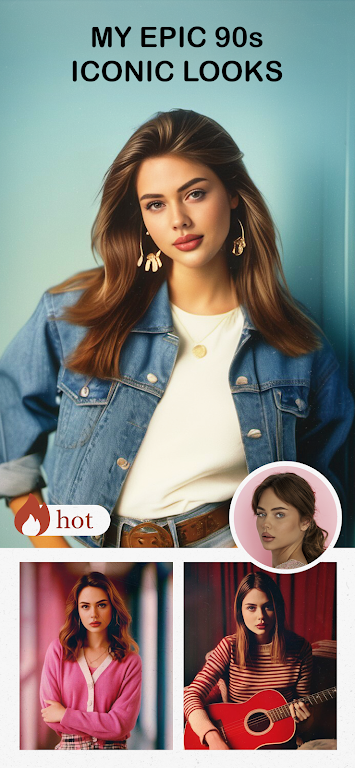
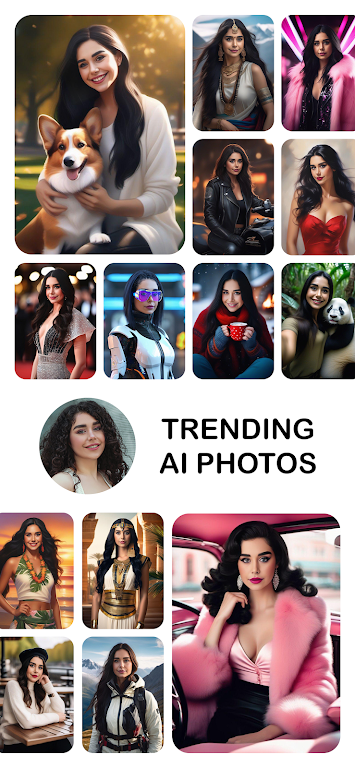
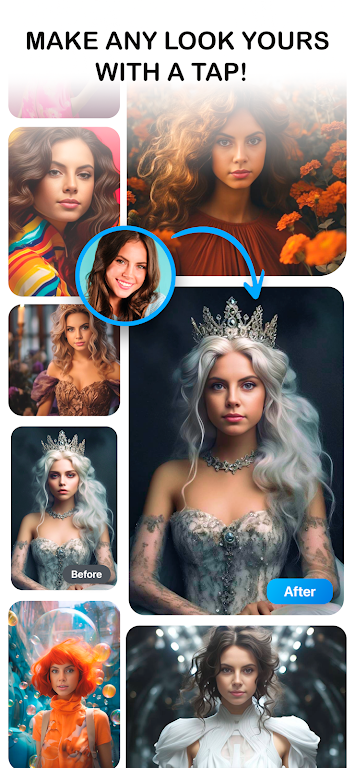
Photo Lab brings a vast collection of creative filters, montages and quick retouch tools to your Android device, transforming ordinary photos into striking artworks with minimal effort. The app combines one-tap effects, collage builders and portrait enhancers to make image editing fast and accessible for any skill level.
At its core, Photo Lab offers a wide toolkit for casual and social users who want eye-catching images without a steep learning curve. You get hundreds of ready-made filters, artistic styles that mimic painting techniques, and themed frames for seasonal or event-based posts. Built-in AI-powered portrait tools smooth skin, remove blemishes and enhance eyes with a few taps. The app also includes crop and rotate controls, exposure adjustments, color balance, and selective focus to tune images precisely.
The user flow in Photo Lab centers on simplicity. Choose an image from your gallery or snap a new photo from the camera interface, then pick a category of effects. Each effect previews instantly, allowing you to swipe through options and apply one with a simple tap. Final edits are available on a separate screen where sliders and toggles adjust intensity, contrast, and highlights. After editing, exporting and sharing to social networks or saving to device storage is straightforward.
Beyond single-image enhancements, Photo Lab includes tools for combining visuals in fresh ways. Collage templates let you arrange photos in stylish grids, while double exposure and overlay modes produce moody or surreal compositions. The montage section contains playful scenes that insert faces into posters, magazine covers or famous paintings. These prebuilt scenes are ideal for quick social posts and holiday greetings.
The interface balances visual polish with easy navigation. Large thumbnails show effect previews, categorized menus keep styles grouped by mood, and tooltips help when you hover or tap longer. Beginners will find the default one-tap options convenient, while more advanced users can rely on manual controls for finer results. The app also supports common accessibility features such as scalable text and high-contrast UI elements.
Photo Lab is optimized to perform on a broad range of Android devices. Lightweight effects run smoothly even on mid-range phones, while complex artistic filters perform best on devices with more processing power. Export quality settings let you balance file size and resolution. Battery and memory use are reasonable for short editing sessions; long batch exports may be more demanding but remain practical on modern hardware.
While the free version provides many useful filters and editing tools, a premium subscription unlocks the entire effect library, removes ads and enables higher-resolution exports. Subscriptions also add exclusive seasonal packs and advanced portrait controls. Purchases are handled through the standard app store billing system and include trial periods so users can test premium functionality before committing.
Photo Lab fits several practical use cases: quick enhancements for social media, thematic collages for family albums, and creative mockups for personal projects. Bloggers and influencers can produce consistent visual styles with presets, while casual users benefit from playful montages and greeting card templates. The app also helps small-business owners craft simple promotional images without specialist software.
Begin by installing Photo Lab and granting access to your photos and camera. Explore the featured effects to see current trends and seasonal options, then try a collage template to get comfortable with arranging images. If you need more control, experiment with manual adjustments and create a few presets to speed up future edits. Regular updates add new effects, so check the app periodically for fresh content.
Photo Lab strikes a balance between playful creativity and practical editing. Its approachable workflow and varied effect library make it a strong choice for users who want striking images quickly, while subscription extras suit those who need expanded creative control and higher-quality exports.
Super 16
Size:58.78M PhotographyPhotographers Companion Pro
Size:5.20M PhotographyText Art
Size:32.00M PhotographyPixiz - Collage Maker
Size:2.69M PhotographyPerfect365
Size:138.02M PhotographyProCCD
Size:95.50M PhotographyFaceShow
Size:115.60M PhotographyPhoto Lab
Size:48.20M PhotographyReNew Old Photo
Size:82.00M PhotographyImage Crop - (Photo Resizer)
Size:13.00M PhotographyTime stamp photos: Photo Proof
Size:99.00M PhotographyWater Photo Frames and Editor
Size:72.00M PhotographyApril 2024 Clash of Clans Update: Unveiling a Fresh Companion, Enhanced Levels, Chat Tagging, and Be
2024-04-16Arrival of Genshin Impact 4.6 Update: 'Embers of Two Realms, Twilight of Crimson'
2024-04-16V2.2 of the Farlight 84 update introduces an overhauled Season structure, fresh in-game currency, an
2024-04-16Monster Never Cry is now accessible on both Android and iOS mobile devices.
2024-04-18PUBG Mobile Teams Up with Bentley Motors: Luxury Cars, Exclusive Collectibles, and Beyond
2024-04-18March 2024 Free Redemption Codes for Honkai: Star Rail
2024-04-18