English
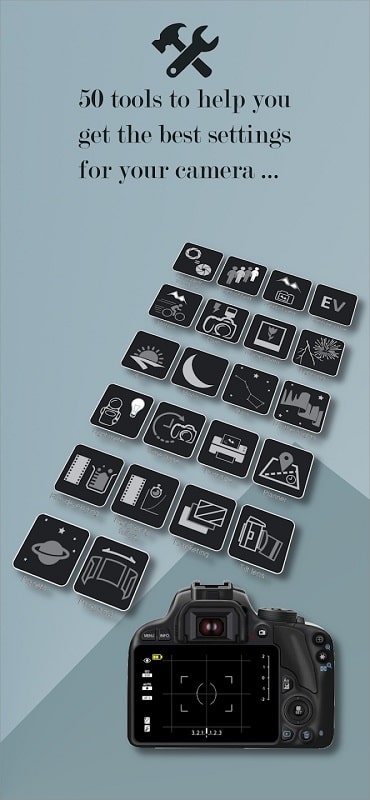
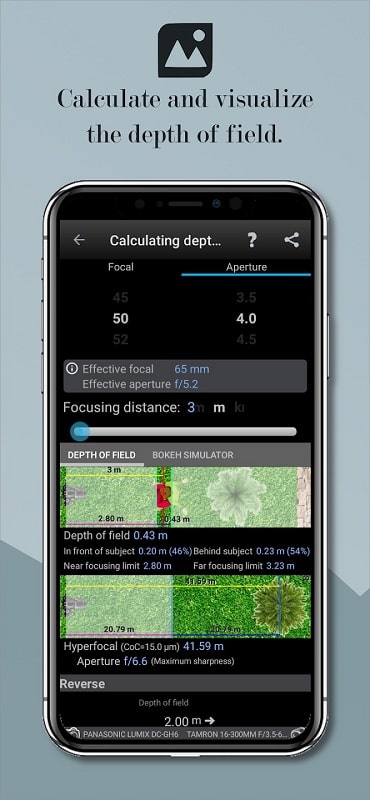
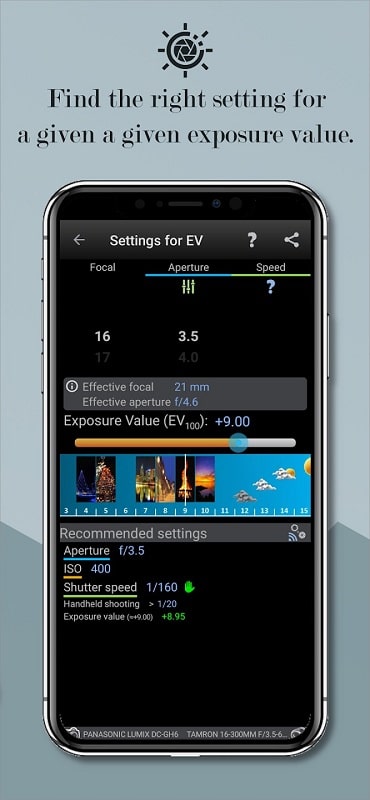
Photographers Companion Pro is a versatile Android utility that brings essential photography tools into a single app. It offers exposure calculators, depth of field previews, sun and moon charts, and quick composition guides, helping hobbyists and professionals plan shoots and make accurate settings on the go.
Photographers Companion Pro centralizes common field tools so you can replace multiple utilities with one streamlined interface. Instead of switching between calculators, weather sites, and note apps, the program provides fast access to technical references and planning aids that match real-world shooting scenarios.
The app is designed around quick, task-based actions. Open the exposure module, input your desired aperture or shutter speed, and the app displays matching values instantly. For planning, type a location or use GPS to generate sunrise/sunset and moon data. Everything saves to project lists so you can return to a location profile or shoot plan later.
Photographers Companion Pro includes customizable presets for common camera bodies and lenses. Add your primary gear once and the calculator will auto-apply sensor crop factors and focal length ranges. Units are configurable between metric and imperial, and you can create named presets for studio lighting or field setups to speed repeated tasks.
The interface favors legibility and speed. Large input fields, high-contrast icons and quick-action buttons minimize tap depth when you’re working outdoors. The app runs offline for core features so you’re not locked out by poor reception. Performance remains smooth on mid-range phones due to lightweight calculations and modest background services.
Start by registering your main camera and three lenses in the gear manager. Use the sun and moon planner to scout two potential shooting windows at a location. Rely on the hyperfocal tool for static landscapes and the focus stacking assistant for macro sequences—this splits complex setups into step-by-step tasks.
Photographers Companion Pro appeals because it reduces cognitive load on shoot day. Instead of juggling spreadsheets and notes, you get concise technical answers and actionable presets. The modular layout makes it useful for portraits, landscapes, astro, and macro work—so pros and enthusiasts find value in one compact package.
Download and install from the Android store, grant location permission for accurate celestial data, and populate the gear manager. Most users are productive within minutes. The free tier covers core calculators; premium adds offline maps, advanced stacking planning, and multi-day timelapse scheduling for power users.
For photographers seeking a dependable pocket assistant, Photographers Companion Pro streamlines pre-shoot planning and on-site decision making. Its blend of precision tools, clear interface and customizable presets make it a practical addition to any photographer’s toolkit.
Super 16
Size:58.78M PhotographyPhotographers Companion Pro
Size:5.20M PhotographyText Art
Size:32.00M PhotographyPixiz - Collage Maker
Size:2.69M PhotographyPerfect365
Size:138.02M PhotographyProCCD
Size:95.50M PhotographyFaceShow
Size:115.60M PhotographyPhoto Lab
Size:48.20M PhotographyReNew Old Photo
Size:82.00M PhotographyImage Crop - (Photo Resizer)
Size:13.00M PhotographyTime stamp photos: Photo Proof
Size:99.00M PhotographyWater Photo Frames and Editor
Size:72.00M PhotographyApril 2024 Clash of Clans Update: Unveiling a Fresh Companion, Enhanced Levels, Chat Tagging, and Be
2024-04-16Arrival of Genshin Impact 4.6 Update: 'Embers of Two Realms, Twilight of Crimson'
2024-04-16V2.2 of the Farlight 84 update introduces an overhauled Season structure, fresh in-game currency, an
2024-04-16Monster Never Cry is now accessible on both Android and iOS mobile devices.
2024-04-18PUBG Mobile Teams Up with Bentley Motors: Luxury Cars, Exclusive Collectibles, and Beyond
2024-04-18March 2024 Free Redemption Codes for Honkai: Star Rail
2024-04-18