English
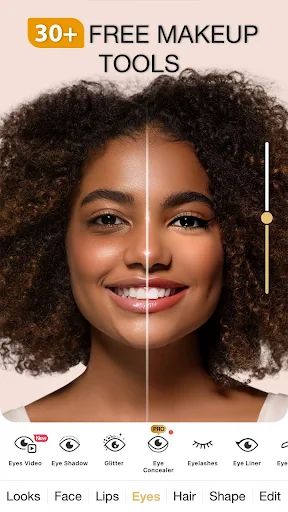
Perfect365 is a versatile virtual makeup and beauty editor that makes retouching portraits quick and intuitive. Designed for users who want polished photos without complicated software, it offers one-tap looks, precise manual tools, and realistic results that suit social posts, professional portraits, or everyday selfies.
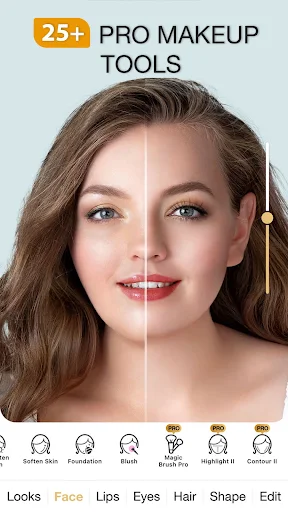
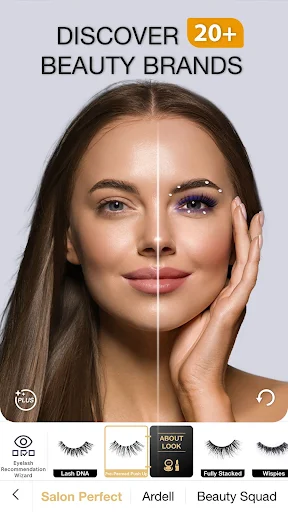
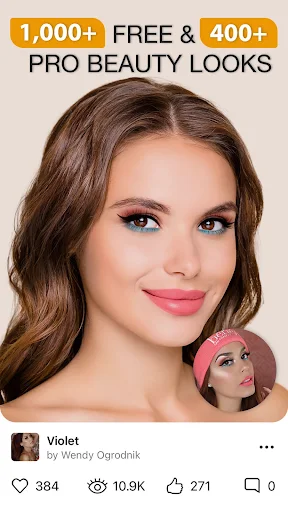
The app presents a broad set of tools to refine facial photos. A library of curated looks provides one-tap transformations from natural to editorial styles, while individual tools let you tweak foundation, eye makeup, lip color, and contouring. Skin smoothing and blemish removal work alongside teeth whitening and eye brightening to produce balanced, believable edits.
The interface is streamlined for both quick fixes and step-by-step sessions. A clean layout groups common adjustments together, with sliders and preview toggles for instant comparison. New users can apply a template and then fine-tune individual elements, while experienced editors will appreciate direct access to opacity, tone, and blending modes.
Perfect365 combines automated facial mapping with manual refinement. The face detection places markers for eyes, nose, lips, and jaw, enabling tools to follow contours naturally. If a landmark is misplaced, you can move it for improved accuracy. Brushes include adjustable hardness and size so edits integrate with hair, accessories, and background lighting.
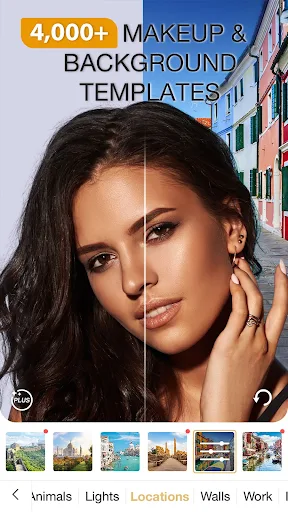
Beyond corrective edits, the app includes creative options for producing stylized images. Experiment with bold lip shades, dramatic eyeshadow palettes, or subtle color grading to change mood. Seasonal and event-themed presets help you create cohesive visuals for social campaigns, blogs, or portfolios without launching multiple apps.
Performance focuses on speed and battery efficiency. Image processing is optimized to complete most edits quickly without cloud dependency, although some advanced features may leverage online resources. The app is compatible with a wide range of Android devices and scales its interface for different screen sizes to maintain responsiveness on phones and tablets.
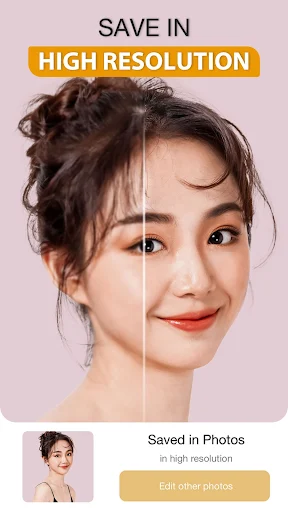
After editing, save images at various quality levels for web or print use. Export options include standard JPEG and PNG formats, and you can control resolution to balance file size and detail. Built-in sharing tools let you send photos directly to social platforms or messaging apps, streamlining the publishing process.
Perfect365 can be used by influencers preparing daily content, photographers polishing client portraits, or anyone who wants a polished selfie before posting. Its speed makes it practical for batch updates, while selective tools support careful retouching for professional work. The app is also useful for trying new makeup looks virtually before applying products in real life.
To keep edits subtle and realistic, use sliders to lower intensity after applying a preset, match skin tones across adjusted areas, and zoom in to refine edges around hair and jewelry. Start with a light touch on smoothing and increase only if needed; natural texture preserves the photo’s authenticity while still improving appearance.
The app includes basic privacy controls for image storage and permissions. Local editing ensures your photos remain on-device unless you choose to share them. Settings allow you to manage cache and clear temporary files to conserve storage space or improve performance after extended use.
Perfect365 offers a balanced mix of automation and manual control for users who want quick, attractive edits without a steep learning curve. With its combination of curated looks, detailed tools, and efficient export options, it serves both casual users and content creators looking for a dependable mobile retouching solution.
Super 16
Size:58.78M PhotographyPhotographers Companion Pro
Size:5.20M PhotographyText Art
Size:32.00M PhotographyPixiz - Collage Maker
Size:2.69M PhotographyPerfect365
Size:138.02M PhotographyProCCD
Size:95.50M PhotographyFaceShow
Size:115.60M PhotographyPhoto Lab
Size:48.20M PhotographyReNew Old Photo
Size:82.00M PhotographyImage Crop - (Photo Resizer)
Size:13.00M PhotographyTime stamp photos: Photo Proof
Size:99.00M PhotographyWater Photo Frames and Editor
Size:72.00M PhotographyApril 2024 Clash of Clans Update: Unveiling a Fresh Companion, Enhanced Levels, Chat Tagging, and Be
2024-04-16Arrival of Genshin Impact 4.6 Update: 'Embers of Two Realms, Twilight of Crimson'
2024-04-16V2.2 of the Farlight 84 update introduces an overhauled Season structure, fresh in-game currency, an
2024-04-16Monster Never Cry is now accessible on both Android and iOS mobile devices.
2024-04-18PUBG Mobile Teams Up with Bentley Motors: Luxury Cars, Exclusive Collectibles, and Beyond
2024-04-18March 2024 Free Redemption Codes for Honkai: Star Rail
2024-04-18