English
Pie Controls Gestures brings a compact, edge-driven control system to Android devices, letting you trigger navigation, shortcuts, and app actions with simple swipes and taps. It replaces or supplements on-screen buttons with customizable gesture pies that improve one-handed use, accessibility, and workflow efficiency.
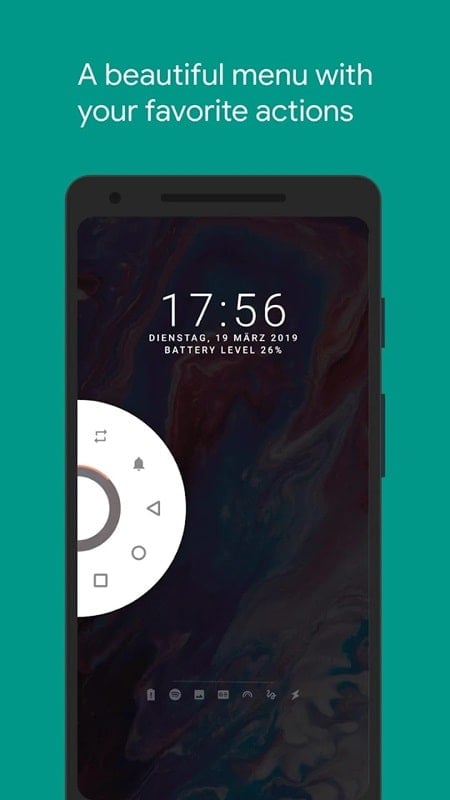
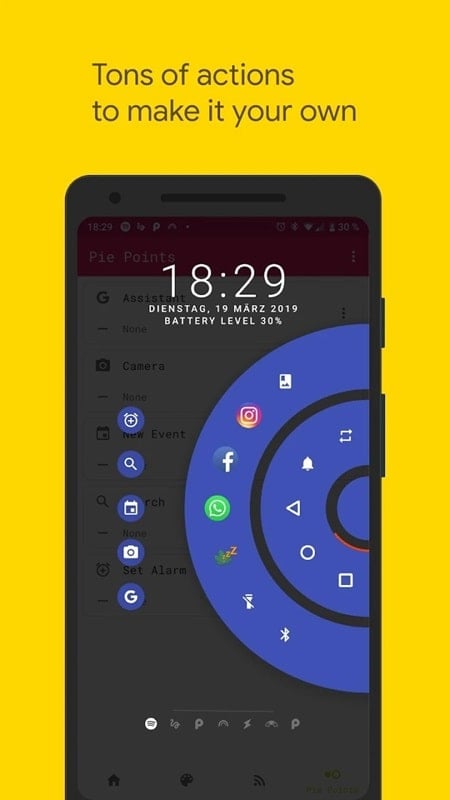
Pie Controls Gestures creates a small, context-aware radial menu that appears from the screen edge or a floating hotspot. Each slice of the pie can launch apps, toggle system functions, perform global navigation, or execute multi-step macros. The design focuses on speed and minimal screen clutter so core actions stay within thumb reach.
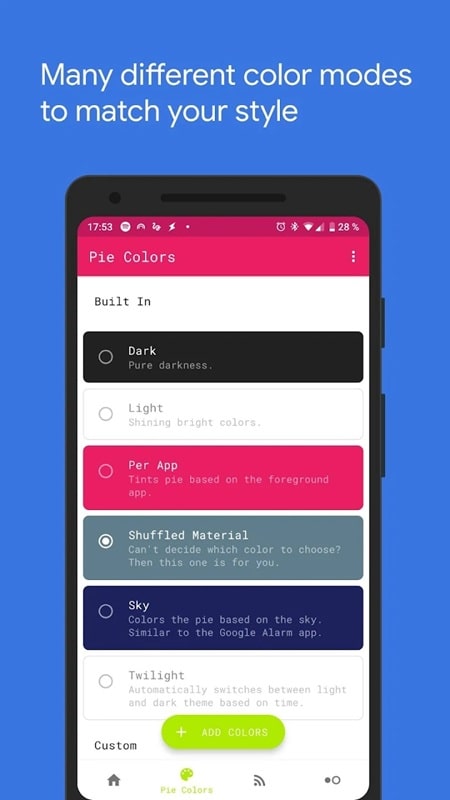
The interface emphasizes clarity and compactness. You can resize the pie, change slice count, tweak sensitivity and set animation speed. Themes allow color and transparency adjustments to match your wallpaper or system theme. Advanced users benefit from conditional rules so the pie behaves differently in games, video players, or while typing.
Pie Controls Gestures is ideal for users who want to reduce reach time for frequent actions. Assign navigation back/home/recent to a single-edge pie while keeping another for commonly used apps. Power users can bind text expansion, clipboard history, or shortcuts from automation apps to streamline repetitive tasks.
The app is designed with low resource usage in mind. Background hooks are kept minimal and the overlay only appears when invoked to conserve battery. It supports modern Android versions and gracefully degrades behavior where system restrictions apply; optional accessibility permissions expand what it can automate without requiring root.
Pie Controls Gestures requests only necessary permissions to perform its features, such as overlay and optionally accessibility access for enhanced automation. No personal data needs to be uploaded. Permission prompts include explanations so you can control which capabilities are enabled and revoke them at any time through system settings.
Begin by enabling the overlay permission, then choose an activation edge and set a small pie with three slices. Add one navigation action, one app shortcut, and one quick toggle, then test in different apps. The app provides an onboarding tutorial and sample profiles to help you get a working setup in minutes.
Pie Controls Gestures is a compact solution for people aiming to speed up interaction and reduce reliance on on-screen navigation. Its flexible customization, low overhead, and context-aware profiles make it useful for casual users seeking convenience and for advanced users who want a programmable gesture layer without rooting the device.
Install and experiment with a few slices and profiles to find the configuration that fits your daily routine. As you refine triggers and actions, the pie menu becomes an unobtrusive command center that keeps essential functions a simple motion away.
Tracker Detect Pro
Size:10.39M ToolsWiFi Speed Test Pro
Size:8.11M ToolsGG Mouse Pro 2
Size:45.82M ToolsResource Monitor Mini Pro
Size:3.19M ToolsSmart Keyboard Pro
Size:23.22M ToolsMyScript Math: Solve & Plot
Size:108.76M ToolsText Repeater
Size:11.73M Tools3Dcalc+
Size:12.59M ToolsMyScoreTracker
Size:80.28M ToolsPanda Touch Pro
Size:18.13M ToolsDual Space : Multi App
Size:7.23M ToolsSound Recorder Plus: Voice Rec
Size:20.50M ToolsApril 2024 Clash of Clans Update: Unveiling a Fresh Companion, Enhanced Levels, Chat Tagging, and Be
2024-04-16Arrival of Genshin Impact 4.6 Update: 'Embers of Two Realms, Twilight of Crimson'
2024-04-16V2.2 of the Farlight 84 update introduces an overhauled Season structure, fresh in-game currency, an
2024-04-16Monster Never Cry is now accessible on both Android and iOS mobile devices.
2024-04-18PUBG Mobile Teams Up with Bentley Motors: Luxury Cars, Exclusive Collectibles, and Beyond
2024-04-18March 2024 Free Redemption Codes for Honkai: Star Rail
2024-04-18