English
Wize Pro Emulator is a versatile Android utility that recreates classic and modern computing environments on mobile devices, letting users run apps and games designed for different platforms. It focuses on performance, compatibility, and a user-friendly interface to make emulation approachable for hobbyists and power users alike.
Wize Pro Emulator includes a range of tools designed to cover most emulation scenarios. It supports multiple virtual machines, customizable hardware profiles, and advanced rendering pipelines that leverage modern Android GPU APIs. Users can create, save, and switch between configurations quickly, enabling different setups for productivity apps, retro games, or test environments.
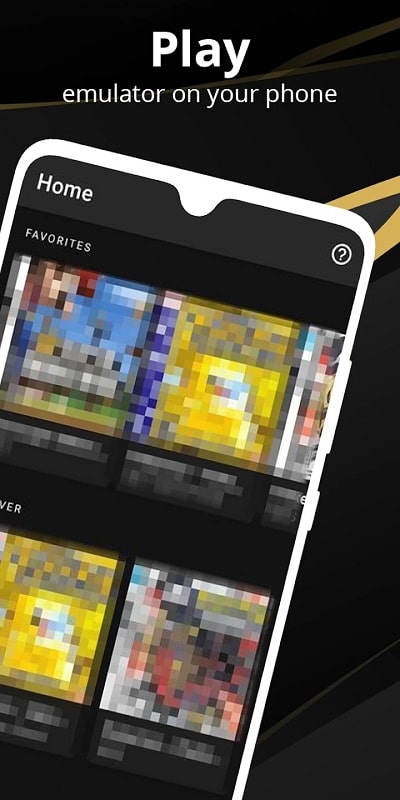
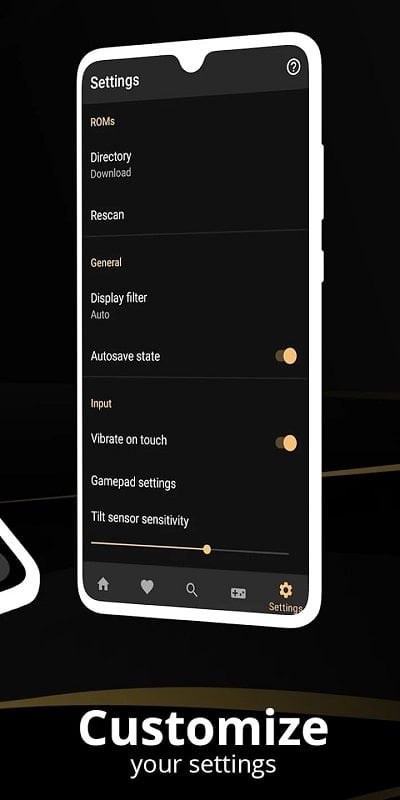
The interface is organized to minimize setup friction: a home panel lists installed images and recent sessions, while a configuration panel exposes CPU cores, memory allocation, and device emulation options. Templates simplify common tasks, and an integrated file browser lets you map local storage into virtual drives. Navigation stays intuitive for people who want a fast startup without losing access to advanced settings.
Wize Pro Emulator prioritizes smooth performance on a wide range of devices. It offers hardware acceleration when available, multi-threaded emulation engines, and dynamic frame scaling to balance fidelity and battery life. Background controls reduce unused thread priority and enable suspend/resume to keep system responsiveness. Built-in benchmarks help you tune settings for the best experience on your device.
The app is built to handle multiple image and package formats commonly used across desktop and console systems. It emphasizes compatibility with legally obtained software and provides clear guidance on acceptable content sources. Plugin modules extend support for additional formats, and regular updates aim to broaden device and OS-level compatibility as Android evolves.
Wize Pro Emulator makes it simple to map touch, keyboard, and gamepad inputs. The on-screen control editor allows drag-and-drop placement of virtual buttons, while advanced mapping supports macros and multi-button combos. Bluetooth controllers are automatically detected and can be tuned per-profile. For productivity workflows, keyboard shortcuts and clipboard integration speed up copy-paste and file transfers.
One of the app’s strengths is multi-instance support: run multiple sessions simultaneously for testing or multitasking. Each instance can use separate storage snapshots, enabling quick rollback to previous states. Snapshots are stored efficiently to reduce device storage usage and can be exported for backup or transfer to other devices.
Wize Pro Emulator isolates virtual environments from the host system to protect personal data. Permissions follow the least-privilege principle, and sandboxing prevents direct access to sensitive device resources unless explicitly allowed. The app also includes integrity checks for downloaded modules and optional encryption for saved states.
Getting started is straightforward: install the app, grant minimal permissions, and import a compatible image. Predefined profiles are available for common setups to reduce manual tweaking. To get the best results, enable hardware acceleration if your device supports it, allocate enough memory for resource-heavy images, and use external storage for large libraries.
Wize Pro Emulator provides periodic updates to improve performance, add features, and expand compatibility. The in-app updater keeps modules current without disrupting your configurations. A knowledge base and community forums offer configuration examples, troubleshooting guides, and recommended settings for specific device models.
For users who want a flexible, performance-oriented emulator on Android, Wize Pro Emulator combines powerful tuning options with approachable defaults. It balances granular control for experienced users with templates and presets that lower the learning curve, making it a reliable choice for both experimentation and daily use.
Tracker Detect Pro
Size:10.39M ToolsWiFi Speed Test Pro
Size:8.11M ToolsGG Mouse Pro 2
Size:45.82M ToolsResource Monitor Mini Pro
Size:3.19M ToolsSmart Keyboard Pro
Size:23.22M ToolsMyScript Math: Solve & Plot
Size:108.76M ToolsText Repeater
Size:11.73M Tools3Dcalc+
Size:12.59M ToolsMyScoreTracker
Size:80.28M ToolsPanda Touch Pro
Size:18.13M ToolsDual Space : Multi App
Size:7.23M ToolsSound Recorder Plus: Voice Rec
Size:20.50M ToolsApril 2024 Clash of Clans Update: Unveiling a Fresh Companion, Enhanced Levels, Chat Tagging, and Be
2024-04-16Arrival of Genshin Impact 4.6 Update: 'Embers of Two Realms, Twilight of Crimson'
2024-04-16V2.2 of the Farlight 84 update introduces an overhauled Season structure, fresh in-game currency, an
2024-04-16Monster Never Cry is now accessible on both Android and iOS mobile devices.
2024-04-18PUBG Mobile Teams Up with Bentley Motors: Luxury Cars, Exclusive Collectibles, and Beyond
2024-04-18March 2024 Free Redemption Codes for Honkai: Star Rail
2024-04-18