English
Ultra GPS Logger is a lightweight Android application that records precise location tracks, timestamps, and sensor data for mapping, travel logs, or research. It captures points with configurable intervals, exports standard GPX, KML, and CSV files, and runs reliably in the background with minimal battery impact.
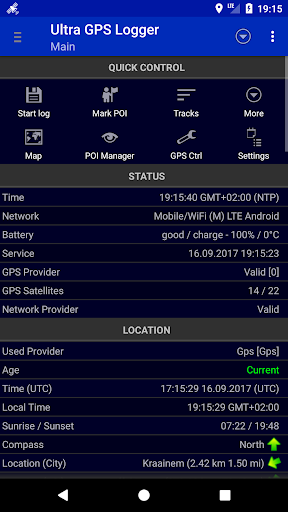
Designed for hobbyists, field researchers, cyclists, and anyone who needs dependable location records, Ultra GPS Logger provides a focused toolset for collecting and exporting GPS data. Its straightforward interface emphasizes quick access to recording controls, clear status indicators, and a set of export and sharing options that work with most GIS and mapping services.
The app acquires location fixes from the device's GPS chip and optionally from network providers. Users choose a logging strategy — for example, record every second, every five meters, or when the device moves beyond a set threshold. Each logged point contains coordinates, a timestamp, and optional sensor readings or accuracy metrics. Exported files follow common standards so they can be loaded into desktop GIS programs or online mapping platforms.
Ultra GPS Logger adapts to many workflows. Outdoor enthusiasts can track hikes or bike rides for personal archives or fitness comparisons. Photographers can create location-aware photo logs by syncing timestamps. Surveyors and environmental scientists can collect field observations with precise geotags and export them for analysis. Fleet operators and delivery services can use it to audit routes retrospectively.
Users can tailor recording parameters to their needs. Choose between high-frequency logging for maximum route fidelity or lower-frequency intervals to conserve battery. Configure GNSS settings where available to favor GPS-only or multi-constellation fixes. There are options to set minimum accuracy thresholds, filter out noisy points, and select file naming schemes that include dates and device identifiers.
Ultra GPS Logger is optimized for a wide range of Android devices. It includes mechanisms to reduce energy consumption, such as batching writes to storage and allowing coarse fixes when appropriate. The app supports common Android file systems and integrates with cloud storage apps for easy backups. Compatibility varies slightly with device sensors and Android versions, so results improve on devices with modern GNSS hardware.
Once a session is complete, you can export the recorded track in multiple formats suitable for popular tools. GPX and KML files are ready for upload to mapping websites, while CSV exports provide a tabular format for spreadsheet analysis. Advanced users can enable raw NMEA logging for detailed satellite and fix diagnostics.
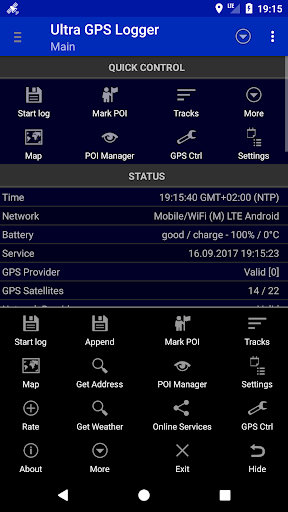
Start a new log by tapping the record button and selecting your preferred interval and file format. Leave the app running in the background or lock the screen to conserve energy. When finished, stop logging and use the share or export menu to save or send the file. The first run may prompt for location permissions and storage access; granting these ensures proper operation.
Ultra GPS Logger balances simplicity with powerful features, making it a reliable choice for anyone who needs trustworthy location records on Android. With configurable logging strategies, multiple export options, and background stability, it fits into many field workflows where accurate and shareable GPS data are essential.
Tracker Detect Pro
Size:10.39M ToolsWiFi Speed Test Pro
Size:8.11M ToolsGG Mouse Pro 2
Size:45.82M ToolsResource Monitor Mini Pro
Size:3.19M ToolsSmart Keyboard Pro
Size:23.22M ToolsMyScript Math: Solve & Plot
Size:108.76M ToolsText Repeater
Size:11.73M Tools3Dcalc+
Size:12.59M ToolsMyScoreTracker
Size:80.28M ToolsPanda Touch Pro
Size:18.13M ToolsDual Space : Multi App
Size:7.23M ToolsSound Recorder Plus: Voice Rec
Size:20.50M ToolsApril 2024 Clash of Clans Update: Unveiling a Fresh Companion, Enhanced Levels, Chat Tagging, and Be
2024-04-16Arrival of Genshin Impact 4.6 Update: 'Embers of Two Realms, Twilight of Crimson'
2024-04-16V2.2 of the Farlight 84 update introduces an overhauled Season structure, fresh in-game currency, an
2024-04-16Monster Never Cry is now accessible on both Android and iOS mobile devices.
2024-04-18PUBG Mobile Teams Up with Bentley Motors: Luxury Cars, Exclusive Collectibles, and Beyond
2024-04-18March 2024 Free Redemption Codes for Honkai: Star Rail
2024-04-18