English
PTE Exam Practice is a focused mobile app that helps PTE candidates prepare with realistic mock tests, sectional drills, and performance analytics. It provides timed tasks, AI-scored speaking exercises, and targeted feedback to help learners improve accuracy and fluency for the Pearson Test of English Academic.
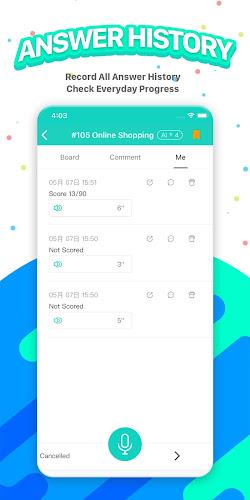
PTE Exam Practice consolidates four core exam modules—speaking, listening, reading, and writing—into an organized study workflow. The app structures practice around real question types, replicates exam timing, and records responses so you can replay and analyze strengths and weaknesses. Built-in progress tracking highlights trends and suggests next steps.
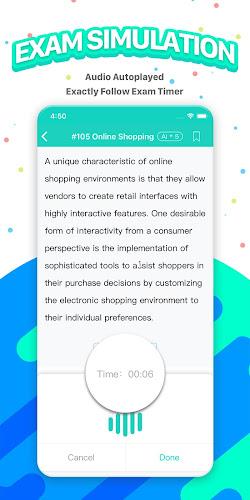
The interface prioritizes clarity: large fonts for questions, intuitive navigation between sections, and a persistent timer so you can manage pacing. Audio playback controls and waveform displays help with listening tasks; speaking recordings are easy to review with playback speed adjustments. PTE Exam Practice balances feature richness with a clean layout to minimize distraction during drills.
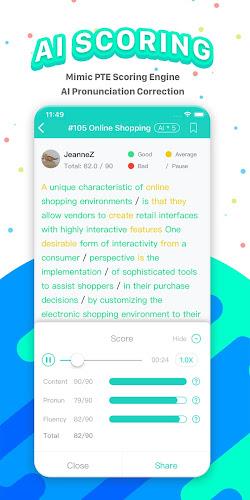
Start with a diagnostic test or pick a single module. Each session opens with clear instructions, followed by practice items that include examples and tips. For speaking prompts the app records audio, transcribes responses, and gives pronunciation and fluency scores. Writing tasks are checked for grammar, vocabulary range, and coherence, with specific suggestions for sentence improvement.
Custom settings let you adjust test length, background noise for listening practice, and difficulty levels. A study planner helps schedule daily targets and sends reminders for consistent practice. If you prefer targeted work, create a custom test composed of selected question types to focus on weak areas identified by the app’s analytics.
Sound clarity and speech recognition are key for accurate feedback. The app uses optimized audio samples and a noise-resistant recognition model so speaking evaluations remain reliable across different devices. You can rerun samples at slower speeds to analyze tricky phrases or replay recordings to compare your delivery against sample answers.
PTE Exam Practice is designed to run smoothly on mid-range Android devices. Mock tests consume some CPU and temporary storage while saving recordings, but the app includes options to limit audio quality to reduce space usage. Syncing results across devices requires an account, and offline mode stores progress locally until you reconnect.
Download and install from a trusted store, create an account, and complete the initial diagnostic. The onboarding tour highlights core features so new users can jump into practice quickly. PTE Exam Practice also offers sample content without signing in, allowing a quick trial before committing to a study plan.
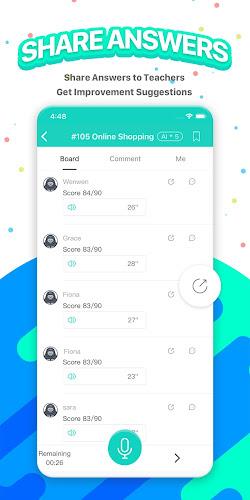
Test-takers aiming for a specific PTE score or those returning to study after a break will find the app’s analytics and structured drills especially useful. Tutors and small study groups can use the app to set shared targets and compare progress across learners. With balanced feedback and adaptive recommendations, the app supports steady, measurable improvement.
PTE Exam Practice
Size:16.53M ProductivityAPEUni
Size:16.53M ProductivityAsura Scans
Size:78.10M ProductivityPW - India's Learning Platform
Size:115.70M ProductivitySaphalam
Size:4.80M ProductivityScratchJr
Size:19.10M ProductivityOfferUp
Size:84.00M ProductivityVyapar Mod
Size:47.20M ProductivityGoodnotes
Size:4.70M ProductivityXuper TV
Size:25.00M ProductivityWebCode
Size:6.00M ProductivityNoScroll MOD Premium Unlocked
Size:36.08M ProductivityApril 2024 Clash of Clans Update: Unveiling a Fresh Companion, Enhanced Levels, Chat Tagging, and Be
2024-04-16Arrival of Genshin Impact 4.6 Update: 'Embers of Two Realms, Twilight of Crimson'
2024-04-16V2.2 of the Farlight 84 update introduces an overhauled Season structure, fresh in-game currency, an
2024-04-16Monster Never Cry is now accessible on both Android and iOS mobile devices.
2024-04-18PUBG Mobile Teams Up with Bentley Motors: Luxury Cars, Exclusive Collectibles, and Beyond
2024-04-18March 2024 Free Redemption Codes for Honkai: Star Rail
2024-04-18