English
comdirect photoTAN App provides a compact, secure method for authorising banking transactions with a camera-based TAN generation system. It converts bank-provided challenge codes into one-time authentication codes and integrates smoothly with mobile banking flows, balancing convenience and strong cryptographic protection for everyday transfers and payments.
The comdirect photoTAN App is designed to replace manual TAN entry with a visual verification process. Instead of typing long numerical codes, you scan a graphical challenge shown in the bank’s online-banking interface. The app decodes that visual pattern and produces a transaction-specific TAN, reducing input errors and speeding up routine authorisations.
When you initiate a payment or change account settings, the bank displays a colorful matrix or QR-like image. Open the comdirect photoTAN App, point your phone camera at the code, and the app analyses the pattern in seconds. It then displays a short code to enter into the banking page, or it can pass the confirmation automatically when paired with compatible bank apps.
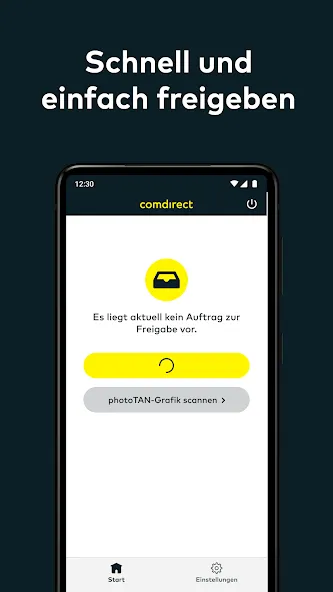
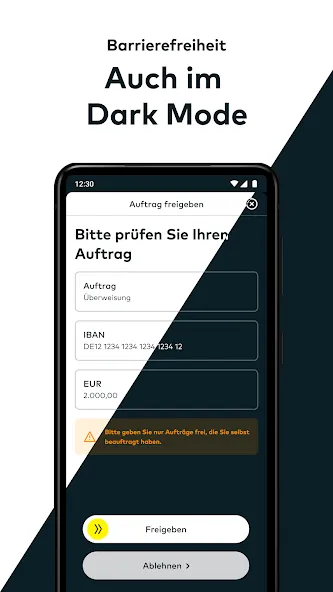
The interface is minimalist and functional, prioritising the scan area and immediate feedback. Buttons are concise and labels avoid jargon, which helps non-technical users complete transactions quickly. The app focuses on a single purpose: secure TAN generation. That focus keeps the layout uncluttered and reduces cognitive load during urgent transfers.
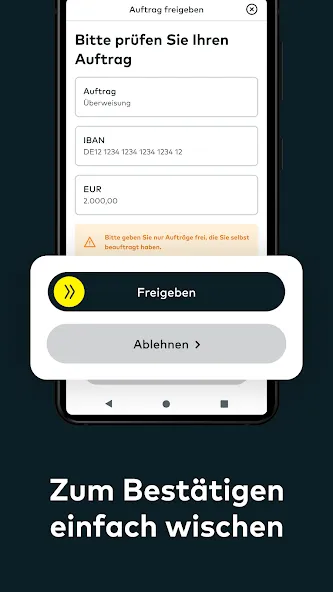
Security is central to the comdirect photoTAN App. The visual challenge encodes transaction details, so the generated TAN is only valid for that specific transfer amount and recipient. Local data storage is minimal and cryptographic operations happen on-device. Permissions are limited to camera access and, optionally, isolated storage—there are no intrusive background services.
Installation requires a modern Android version and a functioning rear camera. The app pairs with the bank account using a registration process that typically involves scanning an initial activation code and confirming with the bank’s login. Frequent updates ensure the scanner stays accurate across device models and OS updates.
Visual TAN systems like the comdirect photoTAN App reduce reliance on SMS, which can be intercepted, and they avoid the need to carry a separate TAN generator device. Users appreciate the speed and the reduced chance of typing errors when approving frequent transactions. For people who value straightforward workflows and clear confirmation of transaction details, the camera-based method strikes a good balance.
Download and open the app, follow the registration instructions, and complete activation using the bank’s onboarding code. If you encounter issues, check camera permissions, restart the device, or recreate the activation sequence from the bank’s security page. Support pages from the bank typically list common error codes and remedies.
For users seeking a simple, secure means to confirm online banking operations, the comdirect photoTAN App delivers a focused solution. It streamlines transaction approval while maintaining strong protections, making it a practical choice for day-to-day banking security on Android devices.
TreasureNFT
Size:751.40M FinancemyBCA
Size:751.40M FinanceM+ Global
Size:26.20M FinanceNetcash
Size:7.20M Financecomdirect photoTAN App
Size:35.59M FinanceSuperMoney
Size:82.86M FinanceM Pesa
Size:158.90M FinanceEarnStar: Play Games & Earn
Size:38.21M FinanceMoneon
Size:39.82M FinanceMetaTrader 5
Size:23.74M FinanceBinance TR
Size:86.97M FinanceAndroMoney
Size:25.09M FinanceApril 2024 Clash of Clans Update: Unveiling a Fresh Companion, Enhanced Levels, Chat Tagging, and Be
2024-04-16Arrival of Genshin Impact 4.6 Update: 'Embers of Two Realms, Twilight of Crimson'
2024-04-16V2.2 of the Farlight 84 update introduces an overhauled Season structure, fresh in-game currency, an
2024-04-16Monster Never Cry is now accessible on both Android and iOS mobile devices.
2024-04-18PUBG Mobile Teams Up with Bentley Motors: Luxury Cars, Exclusive Collectibles, and Beyond
2024-04-18March 2024 Free Redemption Codes for Honkai: Star Rail
2024-04-18