English
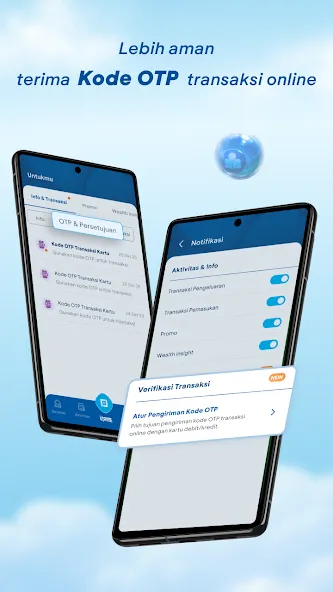
myBCA is a mobile banking app that streamlines everyday finances for BCA customers, combining account management, transfers, bill payments, and card controls in a single interface. The design prioritizes speed and security so users can complete transactions and monitor balances with a few taps wherever they are.
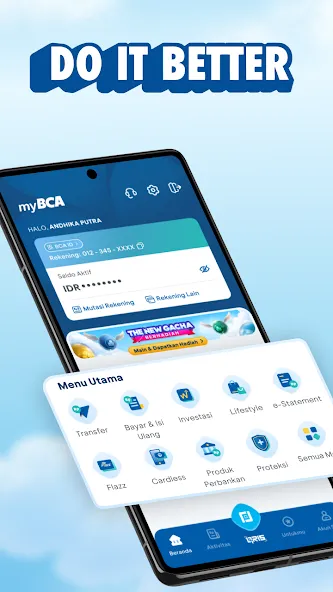
myBCA serves as a digital hub for personal banking: view account balances and transaction history, send money to internal and external accounts, set up recurring payments, and top up digital wallets. It also provides quick access to cards, virtual account numbers, and e-statements. The goal is to reduce friction for routine financial tasks while keeping features discoverable.
The workflow in myBCA is organized to reflect common user goals. Primary actions like transfers and payments are accessible from the home screen, while secondary functions live in a compact menu. Form fields are prefilled intelligently where possible, minimizing typing for repeat transactions. Response times are generally quick, and progress indicators reduce uncertainty during network operations.
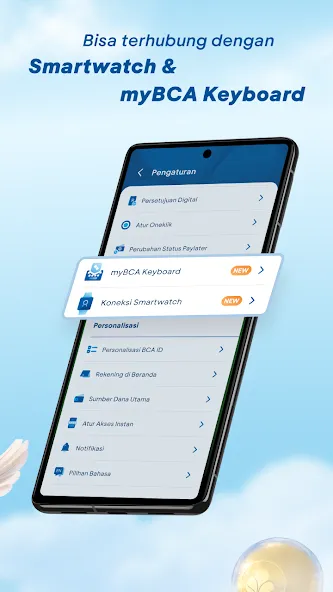
Menus are labeled with concise icons and text, making it easier to locate tools even if you visit infrequently. Transaction screens present clear confirmations and optional memos. Settings include personalization for display currency and notification preferences so users can tailor alerts to their needs.
Security features in myBCA combine device-level protections with bank-level safeguards. Two-factor authentication, biometric login using fingerprint or face recognition, and session timeouts protect accounts from unauthorized access. Sensitive actions require explicit confirmation and often an additional PIN entry, reducing the risk of accidental transfers.
The app restricts data sharing to necessary services and offers controls for push notifications and location access. Transaction histories remain locally viewable and can be exported if needed. Regular updates address vulnerabilities and improve encryption practices, which is important for users who rely on mobile devices for financial management.
myBCA performs smoothly on most modern Android devices. Load times are shortest on devices with newer processors and stable network connections. The user interface adapts to different screen sizes, and resource usage is optimized to avoid excessive battery drain. For best results, update to the latest app version and keep the device OS current.
Downloading myBCA and completing the initial setup usually takes a few minutes. Prepare valid ID and account details for verification. After activation, review security settings and enable biometric access if available. Familiarize yourself with the home screen shortcuts to speed up regular operations.
For users who prefer in-person assistance, branches and customer service can help with account linking and troubleshooting. Between the app’s guided prompts and bank support channels, most people find it straightforward to move routine banking tasks from paper or branch visits to mobile.

TreasureNFT
Size:751.40M FinancemyBCA
Size:751.40M FinanceM+ Global
Size:26.20M FinanceNetcash
Size:7.20M Financecomdirect photoTAN App
Size:35.59M FinanceSuperMoney
Size:82.86M FinanceM Pesa
Size:158.90M FinanceEarnStar: Play Games & Earn
Size:38.21M FinanceMoneon
Size:39.82M FinanceMetaTrader 5
Size:23.74M FinanceBinance TR
Size:86.97M FinanceAndroMoney
Size:25.09M FinanceApril 2024 Clash of Clans Update: Unveiling a Fresh Companion, Enhanced Levels, Chat Tagging, and Be
2024-04-16Arrival of Genshin Impact 4.6 Update: 'Embers of Two Realms, Twilight of Crimson'
2024-04-16V2.2 of the Farlight 84 update introduces an overhauled Season structure, fresh in-game currency, an
2024-04-16Monster Never Cry is now accessible on both Android and iOS mobile devices.
2024-04-18PUBG Mobile Teams Up with Bentley Motors: Luxury Cars, Exclusive Collectibles, and Beyond
2024-04-18March 2024 Free Redemption Codes for Honkai: Star Rail
2024-04-18