English
K+ Live TV & VOD is a mobile-first news and entertainment app that brings live television, on-demand video and curated written stories into a single experience for viewers on the go. K+ Live TV & VOD focuses on timely headlines, sports action and locally produced drama while supporting multiple language feeds, configurable alerts and a personalized home view so users spend less time searching and more time watching. This editor overview explains how the app organizes content, the primary controls and user experience, and practical details about playback, customization and offline options.
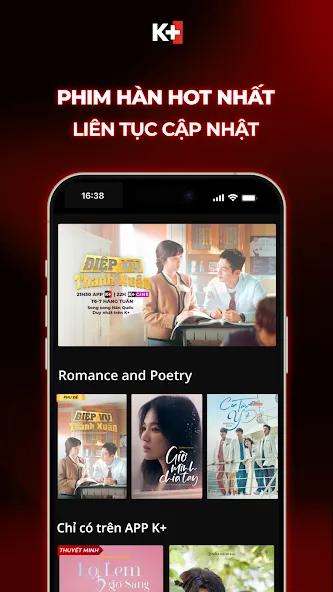
The app organizes programming into clear channels and thematic hubs: live channels for regional and national broadcasts, dedicated sports lanes for league and tournament coverage, an on-demand library for series and movies, and a local productions area showcasing Vietnamese dramas and children’s shows. Each channel behaves like a linear TV stream with pause-and-resume playback, while the on-demand library is arranged by seasons, episodes and movie releases so you can move from episode one to the next with simple play controls. Editorial articles and explainers are grouped alongside video so a match report or episode recap is only a tap away.
K+ Live TV & VOD provides persistent navigation with tabs for Live, VOD, News and My Feed, plus a search bar that returns both video and article results. Playback controls include play/pause, seek, quality selection and subtitle toggles; where available, multiple audio tracks or language feeds can be selected from the player. The personalized home feed learns from your viewing history and saved items to surface recommended episodes, live events you follow and breaking alerts tailored to your region and interests.
For sports fans, the platform highlights upcoming fixtures, real-time score tickers and post-match highlights. Coverage emphasizes major European football leagues and UEFA competitions with match pages that aggregate the live stream, scheduled kick-off time and related articles or highlight reels. While availability for specific matches depends on broadcast rights, the app’s schedule and reminders make it easy to plan viewing and catch replays or condensed match packages after an event finishes.
The player supports adaptive streaming to optimize picture quality across varying network conditions and includes basic playback gestures such as double-tap to seek and a single-tap to show or hide controls. Chromecast support allows seamless transfer from phone to TV, and cross-device sync keeps your watchlist, favorites and player position consistent when signing in on multiple devices. Data usage is called out within the settings so you can restrict high-bitrate streaming to Wi‑Fi to avoid excessive mobile data consumption.
Instead of traditional gaming progression, K+ Live TV & VOD tracks viewing progress through seasons and series so you can resume a show where you left off and monitor how many episodes remain. Personalized recommendations adapt as you mark favorites or finish seasons, improving discovery and encouraging replay of highlights and standout episodes. Curated collections, themed playlists and event compilations add replay value by grouping content around competitions, actor spotlights or topical series that reward repeat viewing.
Users can tailor notifications by topic, city or specific channels and can pin preferred language feeds for quick access. Parental controls and content restrictions are provided so families can limit access to adult-rated programming and present a children’s mode that surfaces only age-appropriate shows. Accessibility options include subtitle display, adjustable caption size and support for screen readers where available, making the app more usable for viewers with different needs.
The app already supports offline reading for saved articles so you can catch up on news without a connection, and the product roadmap notes offline downloads for video are planned to expand access for commuters and travelers. Until those features roll out, recorded highlights and replays remain the primary route to watch missed events after they air, subject to regional rights restrictions.
K+ Live TV & VOD blends live-event immediacy with a robust on-demand catalog, making it a strong option for football followers, viewers of Asian series and families seeking local Vietnamese content. Strengths include clear channel organization, cross-device continuity and multilingual feeds that help users follow important stories in the language they prefer. Limitations to consider are data usage for high-quality streams, occasional rights-based blackouts for certain matches or episodes and features that are still being introduced, such as expanded offline downloads.
To get the best experience, set your preferred region and language in the settings, create a short watchlist for series you want to follow, enable calendar reminders for must-see sports fixtures and use Chromecast to enjoy live events on a larger screen. Regularly using the search and marking favorites improves the recommendation engine so new episodes and related stories surface more reliably in your personalized feed.

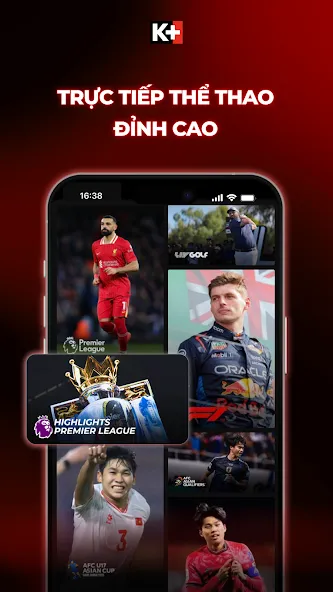
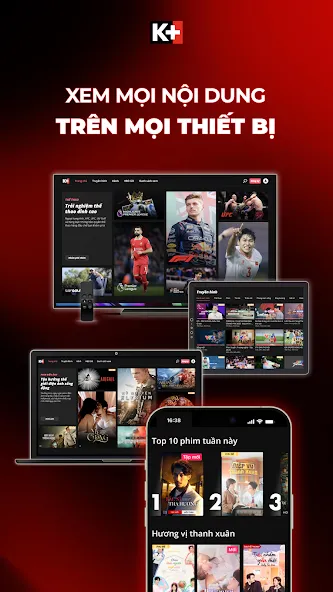
K+ Live TV & VOD
Size:9.18M OtherFútbol Libre
Size:3.91M OtherAsia Cup
Size:8.28M Otherdora tv live football
Size:8.15M OtherKoora Live
Size:50.97M OtherCamel Live
Size:31.54M OtherScore 808 Live Football
Size:25.27M OtherGogo Cash
Size:25.87M OtherPromiedos
Size:1.07M OtherGee Sports
Size:11.68M OtherCricFan TV
Size:11.16M OtherFreeTV
Size:8.32M OtherApril 2024 Clash of Clans Update: Unveiling a Fresh Companion, Enhanced Levels, Chat Tagging, and Be
2024-04-16Arrival of Genshin Impact 4.6 Update: 'Embers of Two Realms, Twilight of Crimson'
2024-04-16V2.2 of the Farlight 84 update introduces an overhauled Season structure, fresh in-game currency, an
2024-04-16Monster Never Cry is now accessible on both Android and iOS mobile devices.
2024-04-18PUBG Mobile Teams Up with Bentley Motors: Luxury Cars, Exclusive Collectibles, and Beyond
2024-04-18March 2024 Free Redemption Codes for Honkai: Star Rail
2024-04-18