English
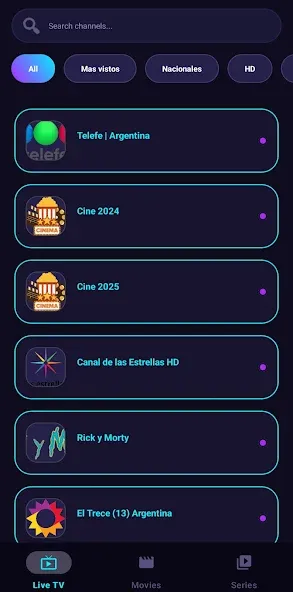
Watch, follow, cheer: open your phone and find live sports, highlights and channel lineups in one place with Gee Sports. This Android app focuses on streaming sports events and curated clips, offering a simple hub for football, cricket, basketball and other action. The layout puts live schedules and on-demand reels within reach, while a built-in search helps you jump straight to the matches or channels you want. Over time the app learns what you prefer and nudges fresh content your way so new favorites surface each time you open it.
Install and launch: Download the APK, grant standard media permissions and open the app to reach the home screen where ongoing events and featured channels are listed.
Find a match: Use the search bar to type a team, competition or keyword; filters and channel lists make it faster to locate a specific live feed or recorded highlight.
Set playback quality: Tap the player settings to choose an appropriate stream resolution for your connection if you prefer to balance data and video clarity.
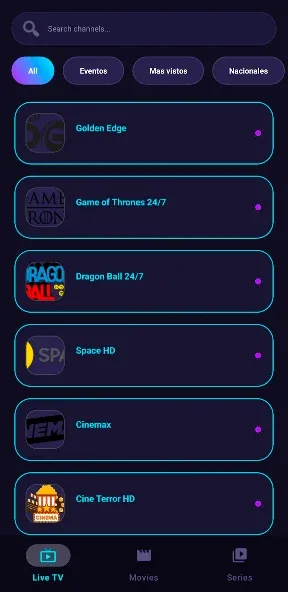
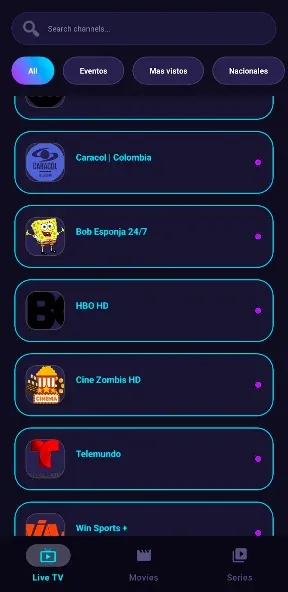
Extensive channel lineup: Gee Sports aggregates a broad selection of live channels covering top sports and niche competitions so you can flip between events without opening multiple apps.
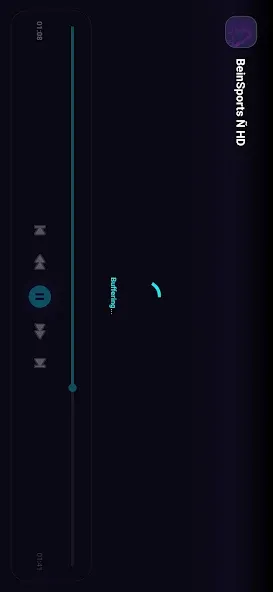
High-definition streams: The app aims for clear playback and uses multiple servers to reduce interruptions, letting you watch full matches and replays with minimal lag.
Download for offline viewing: Save selected clips or full match replays to your device to watch later when connectivity is limited, ideal for flights or hotel stays.
Subtitle options: Caption support is available on many items, making international broadcasts and commentary easier to follow for non-native speakers.
Cross-device support: Gee Sports works on phones and extends to Android TV and Firestick setups, so you can switch from handheld viewing to the big screen smoothly.
Pin favorite channels: Mark the channels and leagues you follow most to surface live fixtures faster and reduce time spent searching on match days.
Use search keywords: Enter specific player names, competitions or broadcast terms to jump directly to highlights or live feeds instead of browsing category menus.
Manage data usage: If you have limited mobile data, select lower-resolution streams for long matches and reserve HD for home Wi-Fi sessions.
What is Gee Sports?
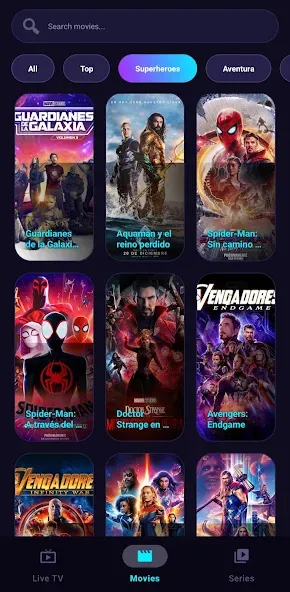
Gee Sports is an Android application that provides live IPTV-style channels and recorded sports content, along with entertainment and news streams.
Is Gee Sports free to use?
The app offers access to channels and clips without a subscription, so basic viewing does not require payment.
Do I need to register an account?
No account creation is required for standard viewing; you can open the app and start watching immediately.
Which devices can run Gee Sports?
The APK runs on Android phones and tablets and supports Android TV and Firestick for larger-screen playback; PC use is possible via compatible Android emulators.
Are live matches available for major leagues?
Yes, the app lists live coverage for various major sports and leagues and also supplies highlight reels and schedules for upcoming fixtures.
Gee Sports offers a straightforward streaming experience for fans who want easy access to live matches and highlights across multiple sports. It keeps navigation and playback simple while offering helpful extras like subtitles and offline downloads. Expect steady updates and occasional shifts in channel availability as broadcasts change, but overall the app is a practical option for Android users seeking centralized sports streaming (features and availability may vary by version and region).
Gee Sports
Size:11.68M OtherCricFan TV
Size:11.16M OtherFreeTV
Size:8.32M OtherMicrosoft Office 365
Size:329.90M OtherSoda Reels MOD VIP Unlocked
Size:64.79M OtherSpeechify
Size:46.20M OtherMandala Maker 360
Size:12.00M OtherGPS Speedometer
Size:5.87M OtherUltimate EMF Detector Real Pro
Size:9.84M OtherWeight Loss
Size:17.36M OtherMeloShort
Size:55.56M OtherScreen Dimmer Lite
Size:14.13M OtherApril 2024 Clash of Clans Update: Unveiling a Fresh Companion, Enhanced Levels, Chat Tagging, and Be
2024-04-16Arrival of Genshin Impact 4.6 Update: 'Embers of Two Realms, Twilight of Crimson'
2024-04-16V2.2 of the Farlight 84 update introduces an overhauled Season structure, fresh in-game currency, an
2024-04-16Monster Never Cry is now accessible on both Android and iOS mobile devices.
2024-04-18PUBG Mobile Teams Up with Bentley Motors: Luxury Cars, Exclusive Collectibles, and Beyond
2024-04-18March 2024 Free Redemption Codes for Honkai: Star Rail
2024-04-18