English
Screen Dimmer Lite reduces screen brightness beyond system limits, offering a simple overlay to protect your eyes in low-light conditions. This lightweight utility gives fine-grained control over display intensity, quick access to presets, and battery-friendly operation, making evening phone use and reading more comfortable without complex setup.
At its heart, Screen Dimmer Lite provides a transparent filter that sits above all apps and adjusts perceived brightness without altering hardware settings. The app applies a color-neutral dimming layer so content remains recognizable while reducing glare. Users can toggle the overlay on and off instantly from notifications or a floating control, making it practical for sudden lighting changes.
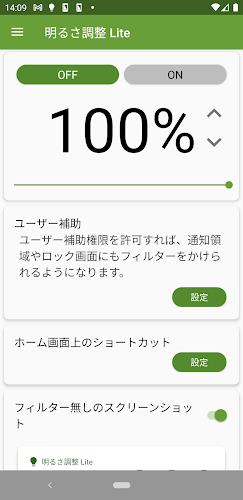
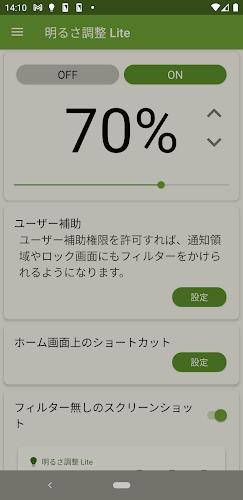
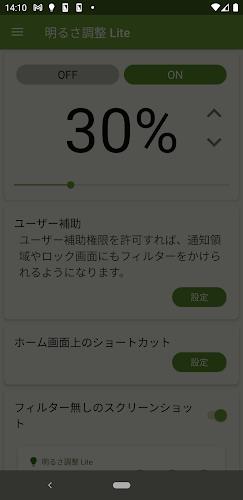
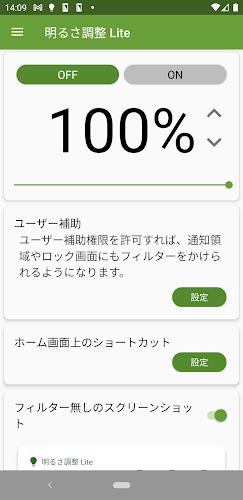
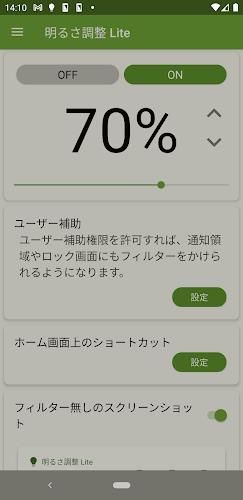
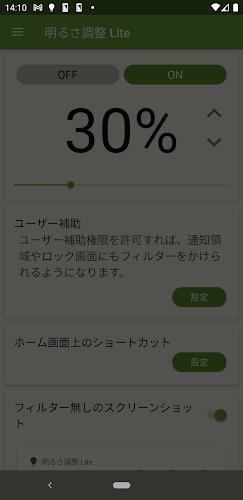
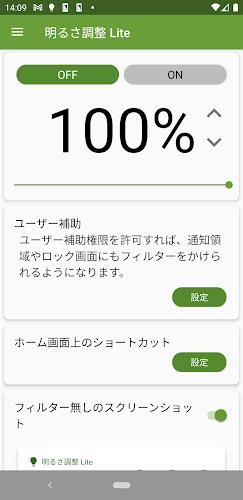
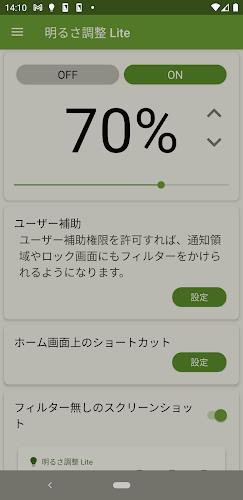
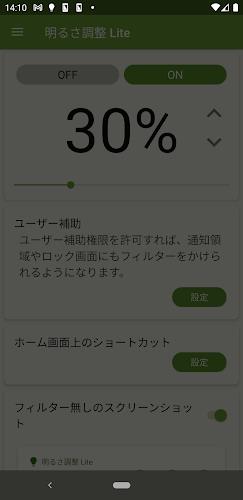
The interface is minimal and purpose-driven. A single slider offers continuous adjustment from the panel and a compact preview shows the effect in real time. Essential controls are available via a persistent notification for quick activation. Settings are grouped logically, so you can find brightness steps, auto-start options, and permission management without digging through menus.
Although labeled “Lite,” the app includes several personalization features. You can save multiple brightness profiles for different environments, schedule automatic activation at sunset, or set the filter to engage when specific apps run. For those sensitive to blue light, a subtle warm tint can be applied alongside dimming to reduce eye strain during night use. Presets and custom color adjustments let you build a routine that matches your habits.
Screen Dimmer Lite is engineered to be lightweight. The overlay consumes minimal CPU and memory, and it avoids using persistent background services when not needed. Because it does not manipulate display hardware or rely on developer options, it remains compatible with most devices and has a low impact on battery life. Background resource use is particularly restrained when the overlay is inactive.
The app works across a wide range of Android versions and adapts to different screen resolutions. The main permission required is the ability to draw over other apps; the onboarding flow explains why this is needed and how to enable it. Screen Dimmer Lite handles permission revocation gracefully and offers guidelines if access is interrupted by system updates or device reinforcements.
Screen Dimmer Lite fits several everyday scenarios. Students reading PDFs late at night can lower eye fatigue, shift workers can reduce glare during long overnight shifts, and parents can protect sleepy children from bright screens before bedtime. The scheduling function also makes it easy to automate behaviors—set a dim profile to activate an hour before bedtime so you don’t have to remember to switch it on.
The app supports clear visual cues and large controls for easier operation. Contrast options and a straightforward layout make it suitable for users with limited technical experience. Because the overlay preserves touch interactions, common gestures and app controls remain fully responsive while dimming is active.
Screen Dimmer Lite does not request sensitive personal data. It requires only the overlay permission, and no account creation is necessary to use its features. Settings are stored locally, ensuring that preferences remain private and under the user’s control. Any optional diagnostic data collection is clearly disclosed and can be disabled.
After installation, grant the overlay permission, choose a default preset, and place the quick-access toggle in the notification area. Screen Dimmer Lite will be ready to use immediately, and you can refine profiles over time to match specific lighting conditions and daily patterns.
For anyone seeking a no-fuss way to lower screen glare and protect their eyes, Screen Dimmer Lite offers practical controls, low overhead, and straightforward customization that integrate seamlessly into daily phone use.
Ultimate EMF Detector Real Pro
Size:9.84M OtherWeight Loss
Size:17.36M OtherMeloShort
Size:55.56M OtherScreen Dimmer Lite
Size:14.13M OtherTelefun
Size:7.36M OtherFontly
Size:103.62M OtherLoveShots
Size:30.38M OtherAI Logo Maker
Size:23.73M OtherOBD Mary OBD2
Size:51.49M OtherVidmy Video Downloader
Size:50.60M OtherOne S26 Launcher
Size:25.40M OtherAiOS launcher
Size:30.64M OtherApril 2024 Clash of Clans Update: Unveiling a Fresh Companion, Enhanced Levels, Chat Tagging, and Be
2024-04-16Arrival of Genshin Impact 4.6 Update: 'Embers of Two Realms, Twilight of Crimson'
2024-04-16V2.2 of the Farlight 84 update introduces an overhauled Season structure, fresh in-game currency, an
2024-04-16Monster Never Cry is now accessible on both Android and iOS mobile devices.
2024-04-18PUBG Mobile Teams Up with Bentley Motors: Luxury Cars, Exclusive Collectibles, and Beyond
2024-04-18March 2024 Free Redemption Codes for Honkai: Star Rail
2024-04-18