English
Floating Apps is a multitasking utility for Android that runs compact, resizable windows over other apps, letting you open browsers, notes, video players and more without leaving your current screen. It organizes tools into movable, customizable floating windows to boost productivity and streamline workflows on mobile devices.
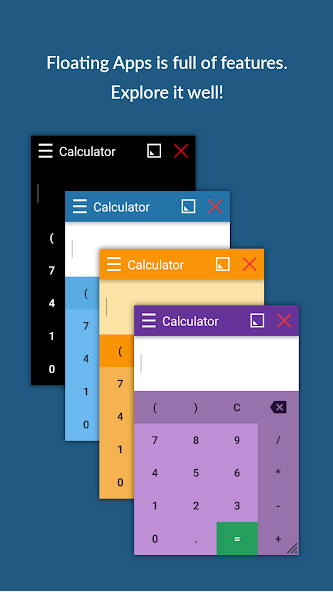
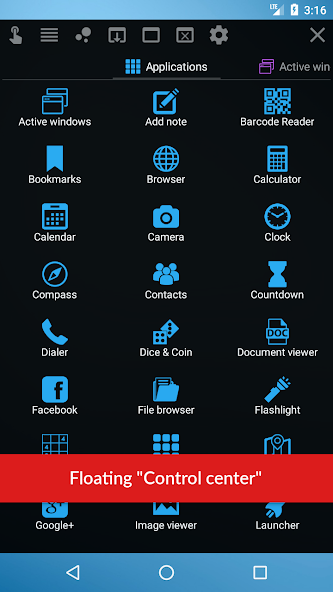
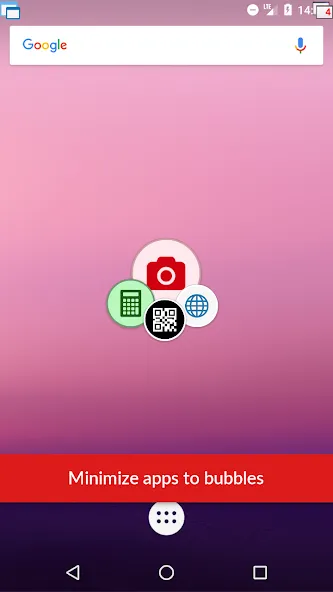
Floating Apps offers a suite of lightweight tools that operate in separate, draggable windows. Standard modules include a web browser, file manager, video player, calculator, notes, and mini-maps. Each window can be resized, pinned above other applications, or minimized to a small icon for quick recall. The app supports multiple windows simultaneously so you can browse the web while watching a tutorial or jot down ideas without switching contexts.
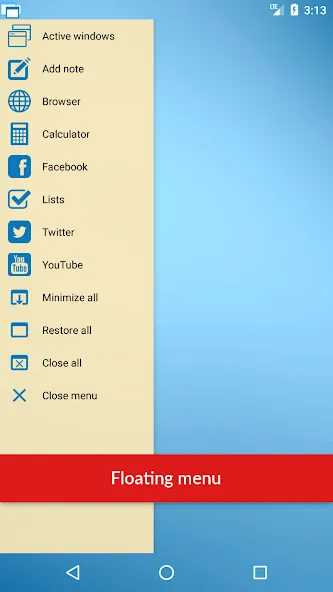
The interface focuses on speed and simplicity. A compact launcher lists available floating modules and recent windows; tapping any item instantly spawns a new overlay. Windows feature familiar controls for moving, resizing, and closing, and they can snap to screen edges for tidy arrangement. Floating Apps integrates smoothly with Android gestures and the notification shade, making it easy to summon a tool without interrupting the main task.
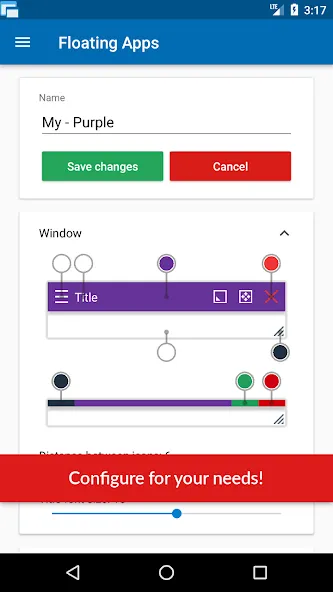
Customization is a major strength. You can tweak window opacity, adjust size presets, and create shortcuts for combinations of apps that you use together. Themes and color accents help match the look to your device. Advanced users can set per-app behavior—such as always-on-top or auto-hide—and adjust default positions for a consistent multi-window layout. Shortcuts on the home screen and tile support let you launch favorite floating modules in a single tap.
Floating Apps is useful for a wide range of everyday tasks. Students can keep lecture notes open while researching, professionals can check emails next to spreadsheets, and travelers can run navigation in a small window while using other apps. Content creators benefit from a floating video player to follow tutorials while editing, and anyone who juggles messaging and reference material will find the quick-access windows particularly handy.
Designed to be light on resources, Floating Apps minimizes battery and memory impact by suspending inactive windows and offering low-resolution options when needed. It respects Android permission models: overlays require the display over other apps permission, and modules request access only when necessary. The app performs well on a broad range of devices, from mid-range phones to larger tablets, with specific optimizations for multi-core processors and various display sizes.
Privacy-conscious users will appreciate that Floating Apps keeps data local to the device unless functions explicitly require network access, such as the browser module. Permissions are requested transparently and can be revoked via system settings. For sensitive workflows, windows can be configured to hide content when the device is locked, and clipboard interactions are controllable to reduce accidental data sharing.
After installation, grant the overlay permission and explore the launcher to see available modules. Try opening a browser window and a note side-by-side to experience the core benefit: fast, on-top tools that reduce app switching. Experiment with size presets and pinning to find a personal workflow that reduces interruptions and speeds up common tasks.
Floating Apps turns your Android device into a flexible, multi-window workspace. With careful tuning of its customization and performance settings you can maintain responsiveness while freeing yourself from constant app switching, making everyday mobile tasks smoother and more efficient.
Bluestacks Emulator Launcher
Size:12.52M ToolsOKOK International
Size:98.34M ToolsPerfect Viewer
Size:12.70M ToolsdynamicSpot
Size:9.80M ToolsPhoto Lab PRO Picture Editor
Size:40.51M ToolsFloating Apps
Size:65.25M Tools112 India
Size:29.24M ToolsBaba: English & Hindi Typing
Size:7.87M ToolsGame Controller Tester
Size:2.83M ToolsXaeros Minimap Minecraft
Size:2.08M ToolsRawBT
Size:8.70M ToolsBAT BMS
Size:11.55M ToolsApril 2024 Clash of Clans Update: Unveiling a Fresh Companion, Enhanced Levels, Chat Tagging, and Be
2024-04-16Arrival of Genshin Impact 4.6 Update: 'Embers of Two Realms, Twilight of Crimson'
2024-04-16V2.2 of the Farlight 84 update introduces an overhauled Season structure, fresh in-game currency, an
2024-04-16Monster Never Cry is now accessible on both Android and iOS mobile devices.
2024-04-18PUBG Mobile Teams Up with Bentley Motors: Luxury Cars, Exclusive Collectibles, and Beyond
2024-04-18March 2024 Free Redemption Codes for Honkai: Star Rail
2024-04-18