English
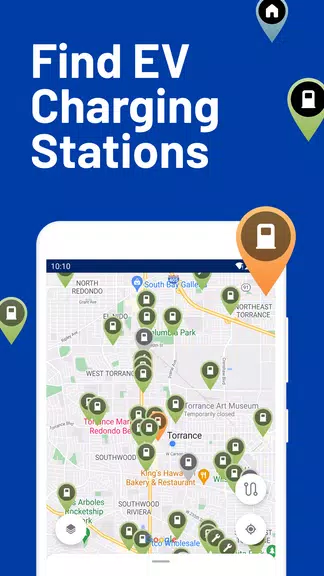
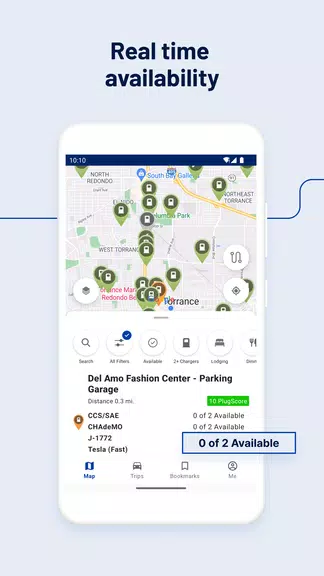
PlugShare helps electric vehicle drivers locate chargers, plan routes, and share station updates with a global community. The app provides real-time availability, user reviews, and filters for connector types, enabling efficient trip planning and confidence on the road for EV owners and fleet managers.
PlugShare includes a comprehensive set of features designed to simplify charging logistics. A searchable map displays thousands of public and private chargers, while advanced filters narrow results by plug type, charging speed, payment method, and network brand. Built-in ratings and photos let drivers assess a station before arriving, and real-time status indicators reduce wasted detours.
The app aggregates data from charging networks, station operators, and passenger reports to present a consolidated view of charging infrastructure. When a driver marks a station as occupied, out of service, or newly added, that information is propagated to other users to keep the map current. Integration with navigation apps and calendar tools helps align charging stops with scheduled trips and destinations.
Route planning is a core strength. Enter your starting point, destination, and vehicle details, and the app suggests charge stops based on range, required state of charge, and preferred networks. Users can optimize for fastest charging, minimum detours, or preferred brands. Turn-by-turn guidance and estimated charge durations help manage arrival times and reduce charging anxiety during longer journeys.
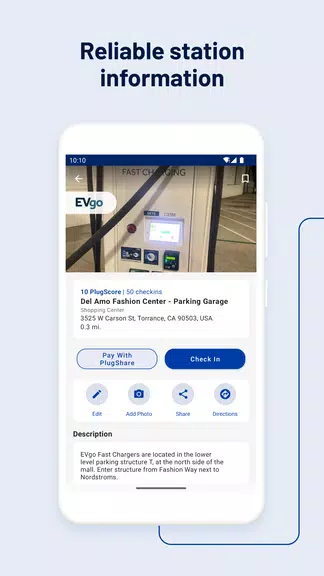
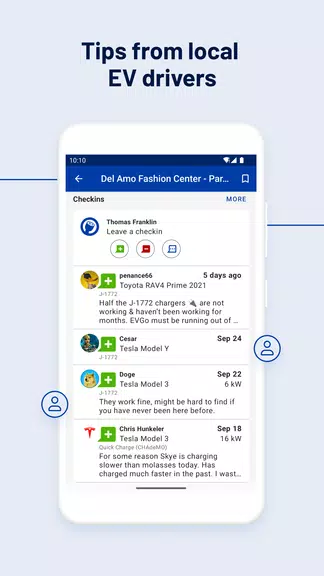
Community contributions are central: drivers contribute photos, verify connector types, and report station reliability. This crowd-sourced approach results in a livelier, more accurate dataset than static databases. Moderation and upvoting help surface the most reliable reports, and clear timestamps indicate when an entry was last verified.
The interface emphasizes clarity and speed. The zoomable map reveals details at a glance, while station cards provide concise metrics—kilowatts available, plug types, and user ratings—without overwhelming the screen. Search suggestions adapt to recent queries and nearby points of interest, and dark-mode support improves visibility for night driving. Accessibility settings and readable fonts aim to accommodate a broad user base.
PlugShare performs smoothly on modern Android devices and maintains responsiveness even with dense map data. Offline caching stores favorite locations and recent searches, which is useful in low-coverage areas. The app supports common navigation and calendar integrations so charging stops can be exported to favorite mapping apps or added to trip itineraries. Regular updates ensure new network integrations and compatibility with the latest Android versions.
For fleets and commercial users, the platform can assist with charging strategy by tracking station usage patterns and routing efficiency. Aggregated analytics help managers decide where to add charging infrastructure, how to schedule vehicles, and which public networks deliver the best uptime for operational needs.
Download and create an account to personalize settings like vehicle make and battery capacity. Add a payment method for networks that require billing, save frequent locations, and mark preferred chargers. Contributing a photo or report is straightforward and helps other drivers—most users add value by confirming connector types and posting simple observations after a stop.
PlugShare serves as a practical companion for EV drivers seeking reliable charging information, streamlined trip planning, and an active community to keep station data up to date.
Headunit Reloaded
Size:40.90M LifestyleWatchMaker Watch Faces
Size:69.20M LifestyleEarth 3D Map
Size:86.90M LifestylePlugShare
Size:29.40M LifestyleWeather Live Wallpapers
Size:44.30M LifestyleZalando
Size:268.83M LifestyleTalkIt!
Size:4.87M LifestyleResilio Sync
Size:24.60M LifestyleMy V3 Ads
Size:21.02M LifestyleAccuWeather
Size:112.80M LifestyleFreePrints
Size:144.52M LifestyleDAFFH LITE Navigator
Size:8.62M LifestyleApril 2024 Clash of Clans Update: Unveiling a Fresh Companion, Enhanced Levels, Chat Tagging, and Be
2024-04-16Arrival of Genshin Impact 4.6 Update: 'Embers of Two Realms, Twilight of Crimson'
2024-04-16V2.2 of the Farlight 84 update introduces an overhauled Season structure, fresh in-game currency, an
2024-04-16Monster Never Cry is now accessible on both Android and iOS mobile devices.
2024-04-18PUBG Mobile Teams Up with Bentley Motors: Luxury Cars, Exclusive Collectibles, and Beyond
2024-04-18March 2024 Free Redemption Codes for Honkai: Star Rail
2024-04-18