English
Ever wondered whether your phone truly runs a 64-bit system or is stuck on 32-bit mode? 32bit or 64bit answers that question in seconds and gives you a clear readout of both CPU capability and the OS architecture. The app is built as a focused utility: no clutter, no deep menus, just a quick test that tells you if your device can load 64-bit native libraries or if some apps might be incompatible. If you download large apps or want to sideload optimized builds, this tiny tool removes the guesswork and records the essentials you may need for support or comparison.
Quick architecture check: Run a one-tap scan and get an immediate statement of whether your processor and system are 32-bit or 64-bit.
Clear, plain results: The display uses simple language so you won’t be lost in acronyms; it explains what the result means for installing apps.
Useful for compatibility: Knowing the bit-mode helps avoid installing versions of apps that include only 64-bit libraries on a 32-bit OS.
Compact and fast: 32bit or 64bit launches quickly and completes its check in moments, making it handy when you need an answer right away.
One-tap test: Initiate the detection with a single touch and get a readable status without digging through settings.
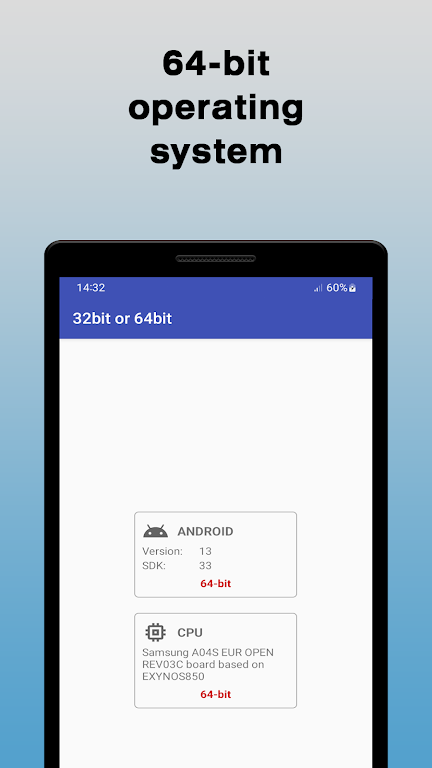
CPU and OS distinction: The app reports whether the hardware supports 64-bit and separately notes which mode the operating system is currently running.
Compatibility advice: Each result includes a short suggestion on which app builds are appropriate for your device to reduce failed installs.
Minimal footprint: Designed to use very little storage and memory so it won’t slow down older phones while checking architecture.
Install and open: After installing, tap the main button to start the check; the app is optimized to show results immediately on first run.
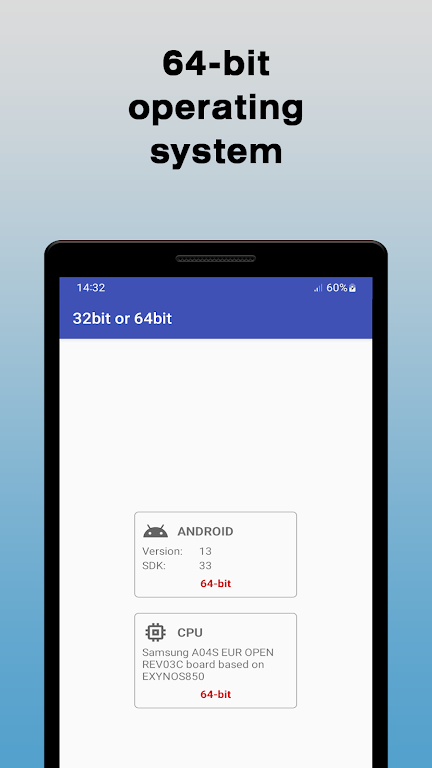
Read the status: The screen will state whether your processor is 64-bit capable and whether the OS is currently 32-bit or 64-bit.
Save or share results: If you need to report an issue or compare specs, jot down the output or take a screenshot to send to support.
Re-check after updates: If you install a firmware update or a custom ROM, run the tool again to confirm whether the architecture changed.
Will this app tell me if my CPU is physically 64-bit capable?
Yes. The tool reports whether the processor supports 64-bit instructions separately from the operating system mode.
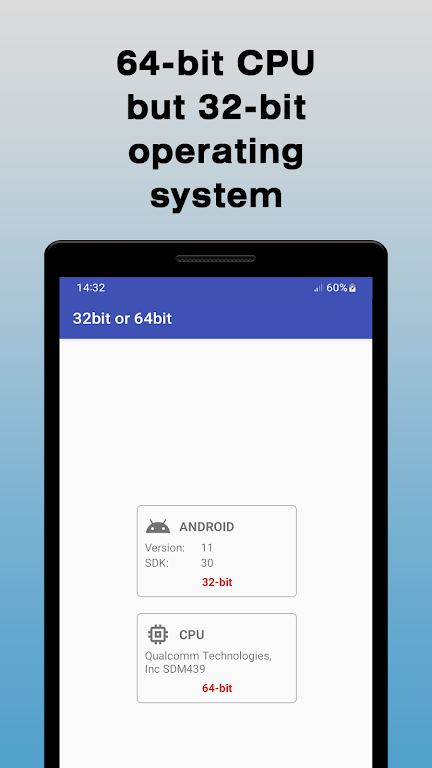
Can a 64-bit CPU run a 32-bit operating system?
It can, and 32bit or 64bit will indicate that scenario so you know if the OS limits compatibility with certain apps.
Do I need root access for the check?
No. The detection runs without root and does not modify system files; it only reads system information available to regular apps.
Compared with digging through build numbers or guessing from marketing, 32bit or 64bit gives a direct and simple report ideal for anyone installing heavy apps, testing ROMs, or troubleshooting compatibility; while it focuses strictly on bit-mode detection and won’t diagnose other hardware issues, it’s a practical pick for enthusiasts and everyday users who need a reliable architecture check before installing software.
32bit or 64bit
Size:782.68M ToolsUizard.io
Size:2.95M ToolsHP Smart
Size:354.30M ToolsDonationAlerts Studio
Size:7.20M ToolsWeb Browser & Explorer
Size:19.20M ToolsNekoBox
Size:39.45M Toolsgogoanime
Size:10.60M ToolsApp Hider
Size:28.40M ToolsQuick Launcher for Android 17
Size:35.10M ToolsiTranslate Translator
Size:299.50M ToolsmyIM3
Size:65.06M ToolsGoogle Home
Size:93.70M ToolsApril 2024 Clash of Clans Update: Unveiling a Fresh Companion, Enhanced Levels, Chat Tagging, and Be
2024-04-16Arrival of Genshin Impact 4.6 Update: 'Embers of Two Realms, Twilight of Crimson'
2024-04-16V2.2 of the Farlight 84 update introduces an overhauled Season structure, fresh in-game currency, an
2024-04-16Monster Never Cry is now accessible on both Android and iOS mobile devices.
2024-04-18PUBG Mobile Teams Up with Bentley Motors: Luxury Cars, Exclusive Collectibles, and Beyond
2024-04-18March 2024 Free Redemption Codes for Honkai: Star Rail
2024-04-18