English
On My Mind is a compact communication tool that helps teams share short emotional check-ins and quick project updates without long meetings or bulky reports. On My Mind puts brief, context-rich notes at the center of daily collaboration so colleagues can stay informed about mood, blockers, or small wins. Designed for busy workplaces, the app encourages concise entries that keep the flow of information human and relevant while avoiding unnecessary overhead.
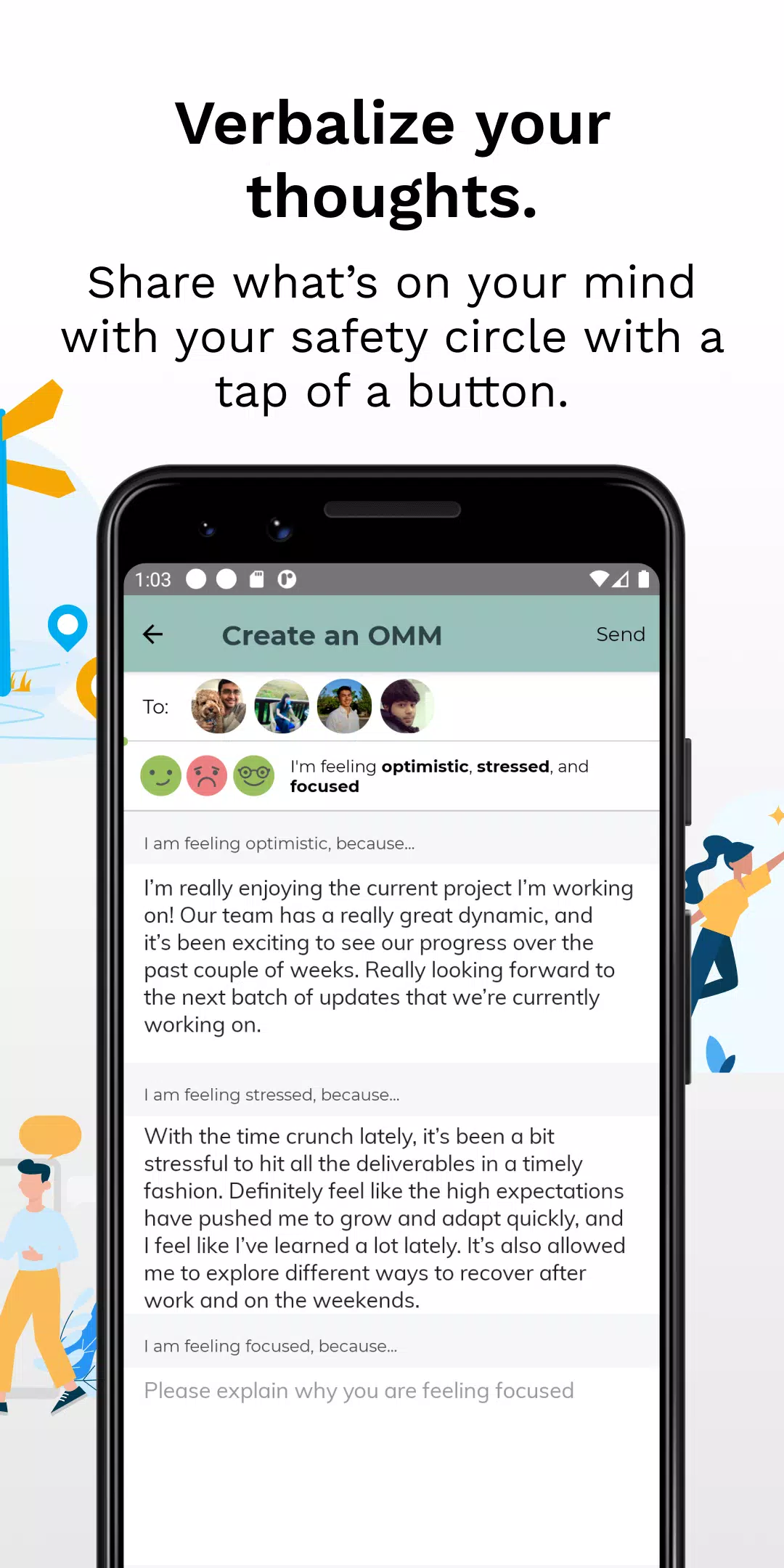
On My Mind focuses on rapid entry and clear context: each update typically combines a one-line status (for example "stressed", "on track", or "need help") with a short note about progress or blockers. The interface is purposefully minimal — one tap to open the check-in screen, a small text field for the note, and a simple selector for mood or status. This reduces friction so users can post updates in seconds between meetings or during focused work sessions.
Controls are centered on quick gestures and predictable UI patterns. Tap the compose area to add a short message, choose a status tag from a compact list or enter a custom label, and attach an optional project or context tag. The app saves drafts automatically and places the most recent updates at the top of the personal feed. Because entries are short, teams can scan colleague updates quickly and decide whether to respond, offer help, or follow up later.
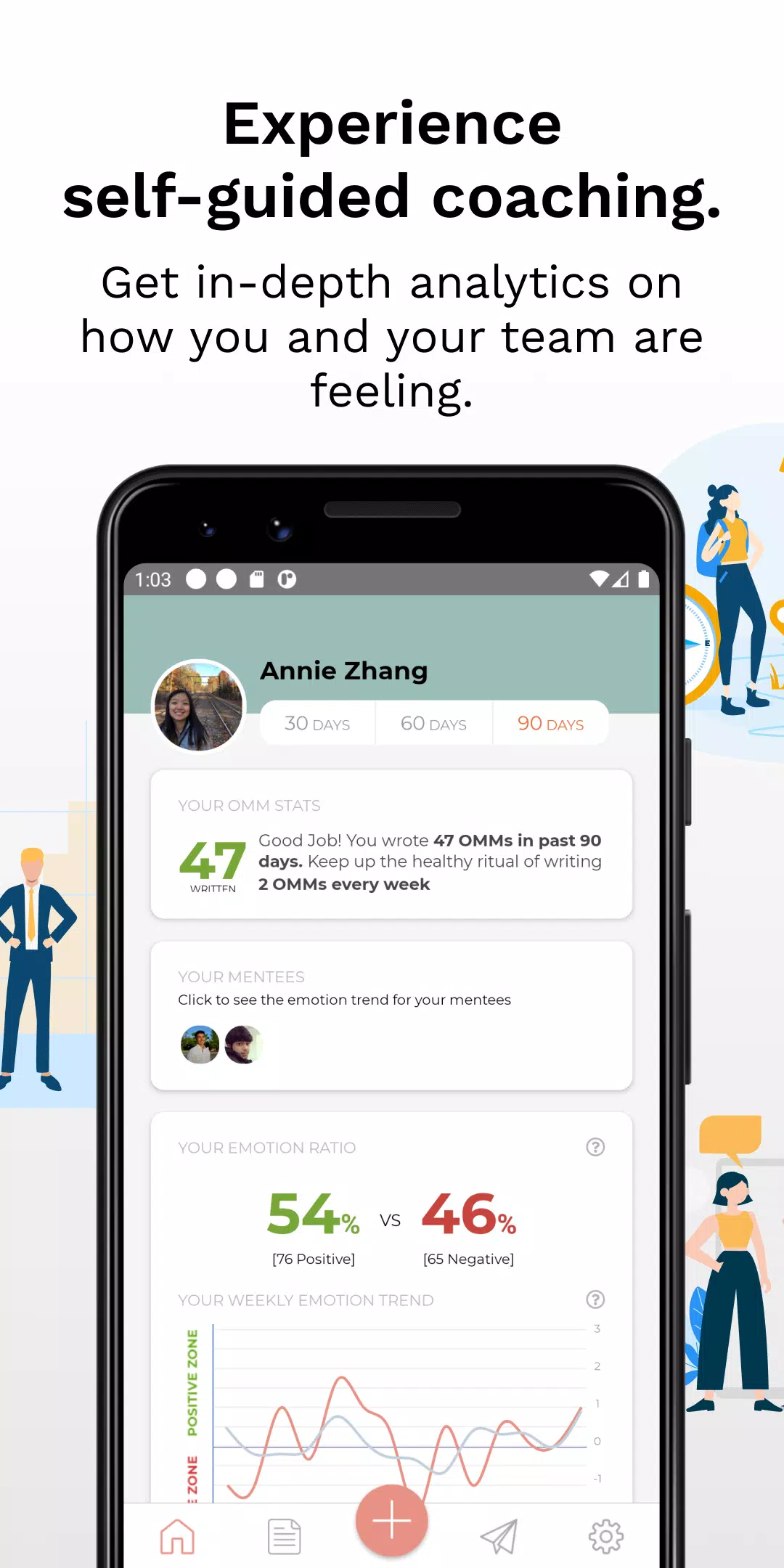
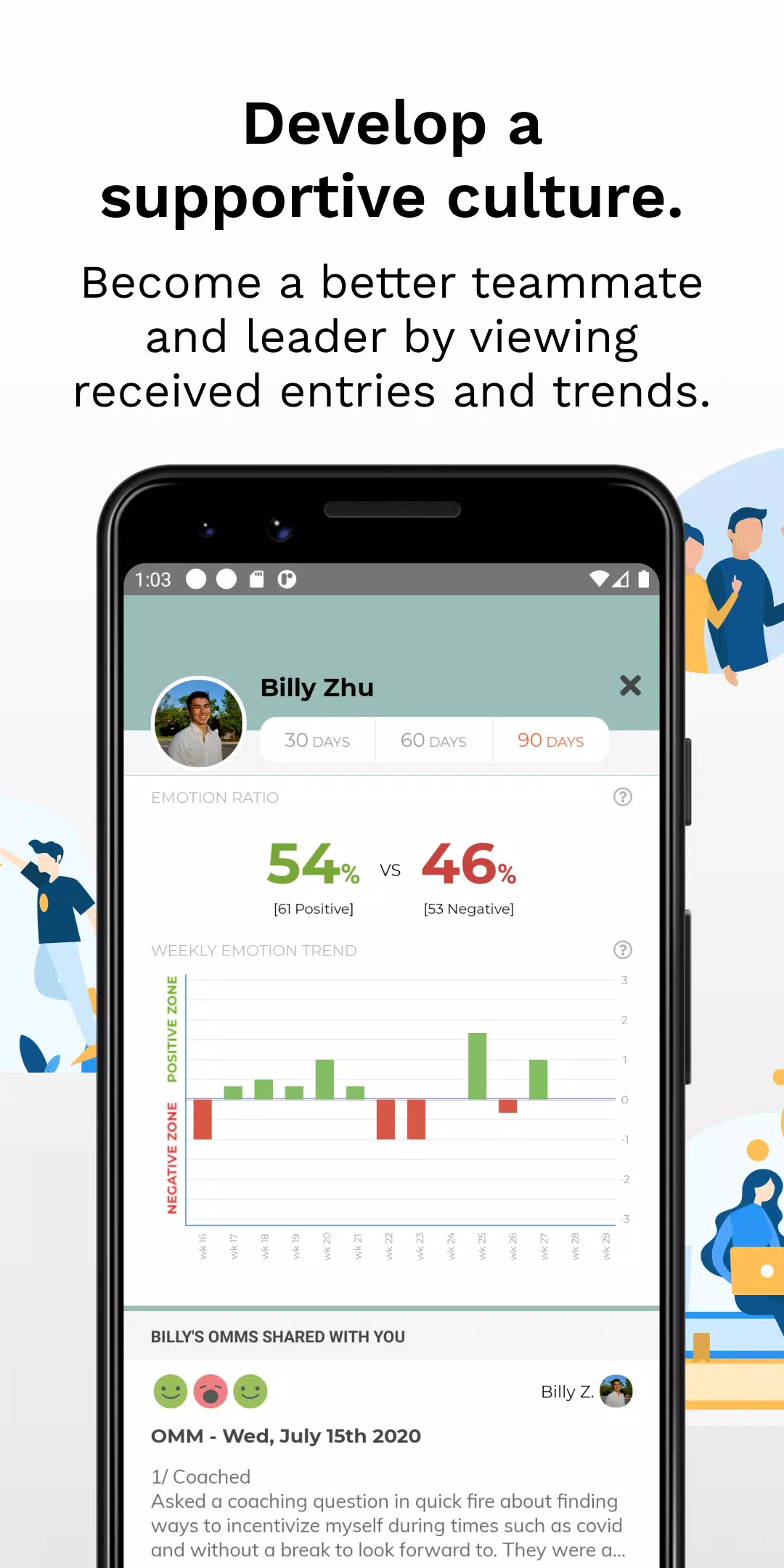
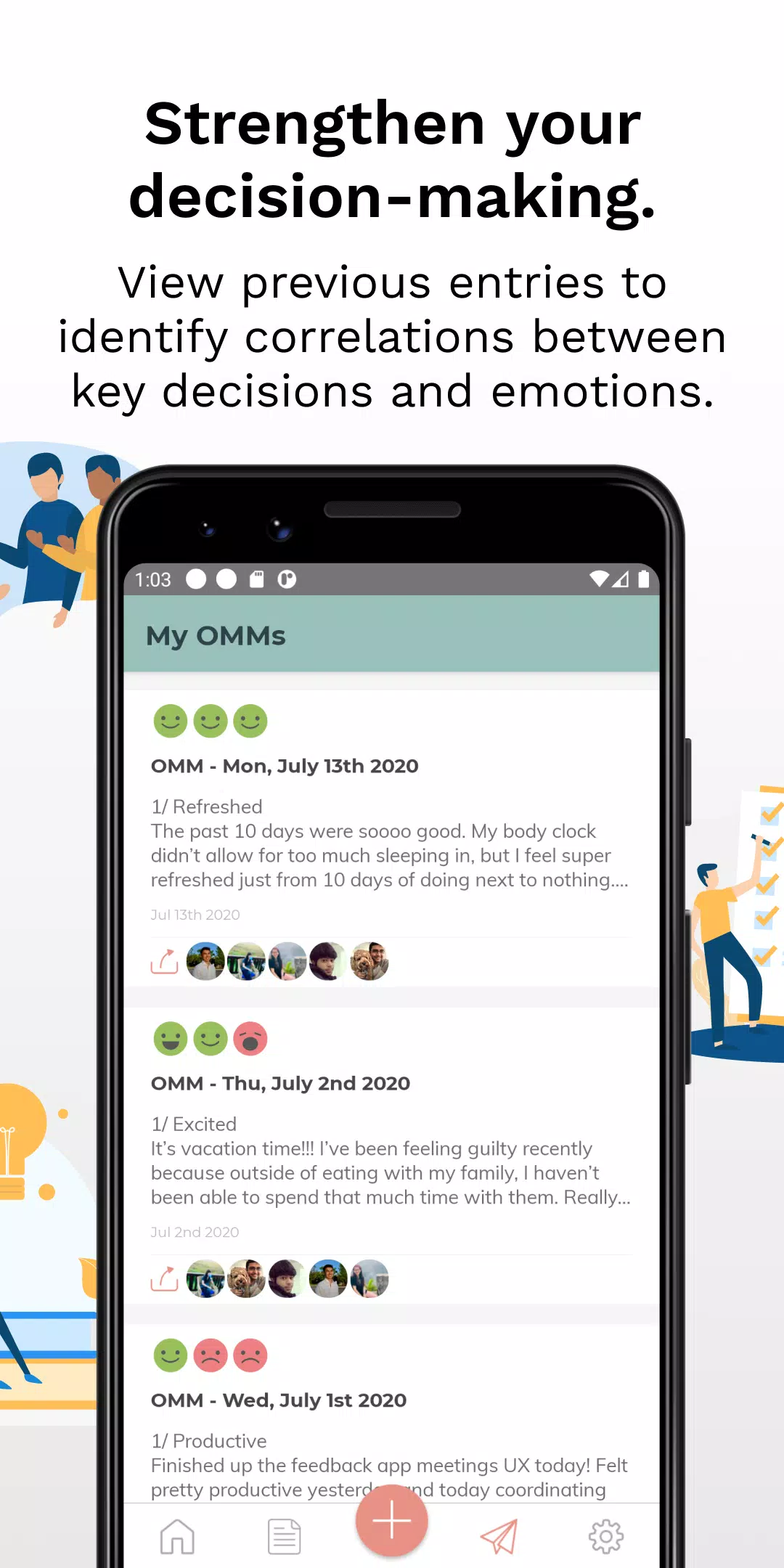
Rather than a game-like progression, On My Mind supports professional habit building: a personal history view makes it easy to review past check-ins, spot recurring blockers, or notice patterns in emotional state over days or weeks. Regular check-ins build a rhythm that improves team predictability and reduces last-minute surprises. Optional reminders encourage consistent use, and teams often adopt simple routines such as morning stand-up check-ins or end-of-day summaries to make the app a natural part of the workday.
The visual design is intentionally unobtrusive: calm color palettes, clear typography, and a layout that directs attention to the content of each update rather than decorative elements. Information is organized by date and context tag, so a user can quickly view today's entries, jump to a specific project stream, or expand a single update for more detail. This lightweight structure keeps the experience accessible across small and large teams without overwhelming the interface.
Users can personalize how they report: create short status phrases that match team vocabulary, set default project tags, and choose whether entries appear on a public team feed or a restricted group. Templates for recurring update types — for instance quick stand-ups or daily blockers — speed entry and create consistent structure across contributors. Customization keeps the app useful in different work cultures, from creative studios to engineering teams.
On My Mind supports offline drafting so short notes can be composed when connectivity is limited; drafts automatically sync when the device regains a connection. This ensures that a quick mental check-in made on the subway or during travel is not lost and still reaches teammates once online. The app prioritizes lightweight data usage and fast syncs to keep updates timely without large network overhead.
Replay value is practical rather than entertainment-driven: the app stays relevant when teams commit to regular check-ins. Over time the feed becomes a compact log of progress, decisions, and emotional context that helps with retrospectives and planning. Because entries are short and easy to review, managers and colleagues can use the history to better support individuals and adjust timelines with more empathy and clarity.
Accessibility features include scalable text sizes and straightforward navigation so contributors with different needs can participate. Privacy settings let teams control visibility of emotional or personal notes; sharing is optional and should align with the trust norms of the group. Limitations are clear: On My Mind is not designed for in-depth project documentation or complex task management. Its strength lies in fast, human-centered status signals that complement — rather than replace — issue trackers and formal update reports.
Expect a short learning curve: read a few example entries, set a couple of preferred status labels, and try a morning and evening check-in for a week. Teams that adopt On My Mind typically report clearer early warnings about blockers and fewer interruptive meetings because small issues surface sooner. With simple controls, modest customization, and reliable offline behavior, the app is built to make workplace communication more empathetic and efficient.
BIG Phone for Seniors
Size:10.01M CommunicationFree Adblocker Browser
Size:188.40M CommunicationSoundCloud
Size:95.60M CommunicationInst Saver Post Story Saver
Size:11.13M CommunicationVani Dialer
Size:35.25M CommunicationSimple SMS Messenger
Size:19.80M CommunicationOH Web Browser - Safe & Simple
Size:11.00M CommunicationOpera Browser
Size:81.10M CommunicationLearna AI
Size:69.30M CommunicationNext SMS
Size:32.34M CommunicationWhatsAuto - Reply App
Size:17.10M CommunicationTumblr
Size:24.10M CommunicationApril 2024 Clash of Clans Update: Unveiling a Fresh Companion, Enhanced Levels, Chat Tagging, and Be
2024-04-16Arrival of Genshin Impact 4.6 Update: 'Embers of Two Realms, Twilight of Crimson'
2024-04-16V2.2 of the Farlight 84 update introduces an overhauled Season structure, fresh in-game currency, an
2024-04-16Monster Never Cry is now accessible on both Android and iOS mobile devices.
2024-04-18PUBG Mobile Teams Up with Bentley Motors: Luxury Cars, Exclusive Collectibles, and Beyond
2024-04-18March 2024 Free Redemption Codes for Honkai: Star Rail
2024-04-18