
English
OH Web Browser - Safe & Simple delivers a lightweight, privacy-minded browsing option for Android users who want speed and clarity without complex menus. OH Web Browser - Safe & Simple opens with a compact interface, fast page rendering and basic ad filtering, so you can start browsing quickly while keeping control over privacy and data use.
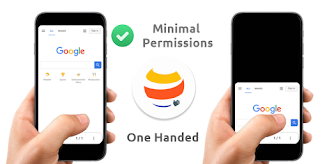
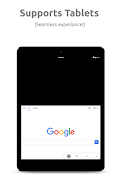
The app focuses on straightforward navigation: a single address bar with quick suggestions, large tappable controls, and a compact tab manager that keeps your open pages easy to find. Gestures for back/forward navigation and swipe-to-close tabs reduce taps when you move between pages. Toolbar customization lets you place the most-used actions within reach, and both portrait and landscape layouts adapt so the browser feels consistent on phones and tablets.
Privacy is central to the experience. OH Web Browser - Safe & Simple includes an incognito tab option that avoids saving cookies and history, plus simple controls to clear caches and browsing data with one action. You can restrict third-party trackers and review site permissions for location or camera access on a per-site basis. These options are presented in plain language so less technical users can make informed choices fast.
The browser is tuned to be light on RAM and CPU, prioritizing page rendering and keeping background activity minimal to protect battery life. A data‑saver mode compresses images and non-essential assets to reduce bandwidth on metered connections, and the download manager queues files intelligently so large downloads don’t disrupt browsing. For everyday tasks the result is a responsive feel even on older devices.
OH Web Browser offers a straightforward bookmarks system and a setup wizard that can import bookmarks from other Android browsers, helping you get started without rebuilding your collection. Session handling is simple and predictable: you can reopen recent tabs or start a clean session in private mode. These features act as a lightweight progression system—your browsing setup improves over time as you add favorites and adjust toolbar actions.
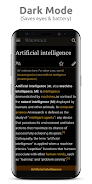
Customization stays practical rather than overwhelming. Choose light or dark themes, set a default search engine, and rearrange the toolbar to match how you browse. Font sizes and readable contrast aim to improve accessibility, and the home screen supports shortcuts to favorite sites for one-tap access. The overall visual style emphasizes clarity with large text, clear icons and minimal chrome so content remains the focal point.
The built-in download manager keeps track of incoming files and allows you to defer large downloads until you are on Wi‑Fi. Offline reading can be achieved by saving pages for later within the browser, which is useful for commuting or limited-connectivity situations. File handling integrates with Android’s storage model so locating and sharing downloaded items follows familiar system behavior.
Onboarding is handled through a brief setup wizard that walks you through enabling private tabs, importing bookmarks, and choosing a default search engine. This reduces the learning curve and makes it easier for new users to adopt the browser. Accessibility features like adjustable text sizes, clear contrast and large touch targets make OH Web Browser approachable for a broad audience, from students to professionals who need dependable day-to-day browsing.
Whether you need a quick browser for research, a secure environment to log into accounts, or a compact alternative for older hardware, OH Web Browser - Safe & Simple provides a dependable option. Its uncluttered layout helps users focus on content, and the privacy controls give professionals confidence when working with sensitive information. Frequent commuters and students will appreciate fast-loading pages, simple bookmarking and the ability to save content offline.
Installing OH Web Browser is quick and the guided setup helps you import bookmarks and set preferences in minutes. For best results, enable data saver on slow networks, use incognito tabs for sensitive sessions, schedule heavy downloads for Wi‑Fi, and customize the toolbar to surface your most-used actions. These small adjustments improve daily experience and keep the app feeling tailored to how you browse.
Updates focus on security patches, performance improvements and small feature additions rather than large, disruptive changes. This approach keeps the app stable and predictable while delivering incremental enhancements that respond to user feedback. If you value a no‑frills browser that respects privacy and runs well across a variety of Android devices, OH Web Browser - Safe & Simple is built to be a reliable, easy-to-use choice.


BIG Phone for Seniors
Size:10.01M CommunicationFree Adblocker Browser
Size:188.40M CommunicationSoundCloud
Size:95.60M CommunicationInst Saver Post Story Saver
Size:11.13M CommunicationVani Dialer
Size:35.25M CommunicationSimple SMS Messenger
Size:19.80M CommunicationOH Web Browser - Safe & Simple
Size:11.00M CommunicationOpera Browser
Size:81.10M CommunicationLearna AI
Size:69.30M CommunicationNext SMS
Size:32.34M CommunicationWhatsAuto - Reply App
Size:17.10M CommunicationTumblr
Size:24.10M CommunicationApril 2024 Clash of Clans Update: Unveiling a Fresh Companion, Enhanced Levels, Chat Tagging, and Be
2024-04-16Arrival of Genshin Impact 4.6 Update: 'Embers of Two Realms, Twilight of Crimson'
2024-04-16V2.2 of the Farlight 84 update introduces an overhauled Season structure, fresh in-game currency, an
2024-04-16Monster Never Cry is now accessible on both Android and iOS mobile devices.
2024-04-18PUBG Mobile Teams Up with Bentley Motors: Luxury Cars, Exclusive Collectibles, and Beyond
2024-04-18March 2024 Free Redemption Codes for Honkai: Star Rail
2024-04-18

















