English
Temple Talk is a focused communication hub designed for religious communities and event organizers, offering messaging, announcements, scheduling, and media sharing in a single Android app. It streamlines group coordination, handles volunteer rosters, and delivers timely alerts so congregations stay informed and connected across devices.
At its heart, Temple Talk provides tools to manage community life without requiring technical expertise. Administrators can post announcements, create event pages, and send targeted push notifications. Group messaging supports threaded conversations and large distribution lists, while role-based permissions restrict access to sensitive controls like roster editing and broadcast permissions.
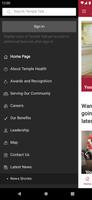
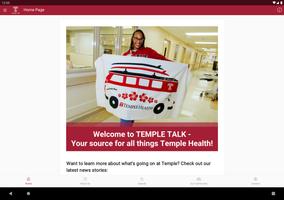
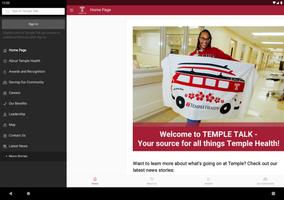
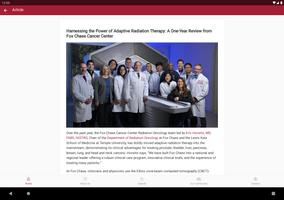
The app uses a clean, card-based layout with clear icons and readable typography. New accounts are guided through a short setup wizard that helps import calendars, add user roles, and configure notification preferences. Common tasks are accessible from a bottom navigation bar, so volunteers and leaders can find announcements, schedules, and contact lists in two taps.
Temple Talk’s messaging system combines one-to-one chats and group channels. Admins can create topic channels (events, volunteers, donations) and pin important posts for visibility. Notifications are granular: users choose whether to receive immediate push alerts, daily digests, or in-app banners. Message delivery is optimized to reduce duplicates while ensuring important updates arrive promptly.
Event creation supports recurring services, volunteer shifts, and multi-day retreats. Integrated calendar views display daily, weekly, and monthly layouts. Sign-up sheets let organizers collect RSVPs and assign roles, while automated reminders reduce no-shows. Synchronization with popular calendar apps lets attendees keep event times in their personal schedules.
Built-in media management stores photos, sermon recordings, and PDFs in organized folders. Files can be attached to announcements or shared directly in chat threads. The app supports streaming for live events, plus downloadable audio for offline listening. Moderation tools allow admins to approve or remove uploads, keeping shared content appropriate and relevant.
Security options include two-factor authentication for admin accounts and end-to-end encryption on private messages. Role-based access controls limit who can broadcast or edit event details. Data export tools and retention settings help communities meet local privacy requirements, while clear permission prompts explain why each access request is needed.
Temple Talk is optimized for a wide range of Android devices, from low-end phones to modern tablets. Background syncing conserves battery life by batching updates and using push channels efficiently. Offline mode lets users read cached announcements and sign-ups without a network, then sync changes once connectivity returns.
The app integrates with calendar services, email platforms, and payment gateways for donations. Automation rules reduce manual work: for example, when an event reaches full capacity the app can notify a waiting list or disable new sign-ups automatically. Administrators can also schedule recurring posts, making routine communication effortless.
Users appreciate Temple Talk for its simplicity and consistent performance. New members can quickly join groups by scanning a QR code or entering a short invite code. Administrators benefit from analytics that show message reach and engagement, helping refine communication strategies over time.
Many groups adopt Temple Talk because it centralizes communication, reduces email clutter, and supports on-the-ground coordination for events and services. Its combination of scheduling, secure messaging, and media hosting addresses the most common needs of congregational life without forcing users to juggle multiple apps.
Getting started requires only basic information and a few minutes to set roles and preferences. With sensible defaults and scalable features, the app adapts to small groups as well as larger communities planning weekly services or special events.


BIG Phone for Seniors
Size:10.01M CommunicationFree Adblocker Browser
Size:188.40M CommunicationSoundCloud
Size:95.60M CommunicationInst Saver Post Story Saver
Size:11.13M CommunicationVani Dialer
Size:35.25M CommunicationSimple SMS Messenger
Size:19.80M CommunicationOH Web Browser - Safe & Simple
Size:11.00M CommunicationOpera Browser
Size:81.10M CommunicationLearna AI
Size:69.30M CommunicationNext SMS
Size:32.34M CommunicationWhatsAuto - Reply App
Size:17.10M CommunicationTumblr
Size:24.10M CommunicationApril 2024 Clash of Clans Update: Unveiling a Fresh Companion, Enhanced Levels, Chat Tagging, and Be
2024-04-16Arrival of Genshin Impact 4.6 Update: 'Embers of Two Realms, Twilight of Crimson'
2024-04-16V2.2 of the Farlight 84 update introduces an overhauled Season structure, fresh in-game currency, an
2024-04-16Monster Never Cry is now accessible on both Android and iOS mobile devices.
2024-04-18PUBG Mobile Teams Up with Bentley Motors: Luxury Cars, Exclusive Collectibles, and Beyond
2024-04-18March 2024 Free Redemption Codes for Honkai: Star Rail
2024-04-18