
English
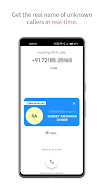
Callername is a smart caller ID and call management tool that identifies incoming numbers, blocks spam, and organizes contacts for efficient calling. The app provides real-time caller identification, customizable blocking rules, and quick lookup features to help users manage calls with clarity and minimal interruption.
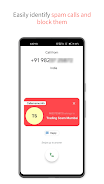
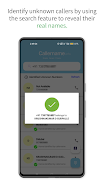
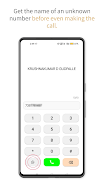
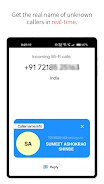
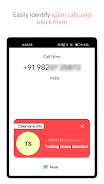
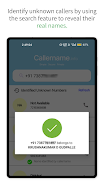
Callername combines several practical features into a streamlined interface. Real-time caller ID shows names and business information for incoming calls. A powerful spam filter blocks known robocalls, telemarketers, and suspicious numbers. The app also provides a quick reverse lookup for unknown numbers, call logs with detailed metadata, and lightweight contact synchronization with your phonebook.
The interface focuses on speed and readability. Incoming call screens present caller details without clutter, while swipe gestures let you block or save numbers quickly. Navigation is organized into clear tabs: Recent Calls, Blocked Numbers, and Settings. Users can customize how much information appears on the call screen and choose between compact or expanded layouts.
Callername uses a hybrid approach to identify callers. It references an anonymized database of public listings and community-reported numbers, then combines that with on-device heuristics to reduce false positives. When a match is found, the app displays the most relevant label—such as "business," "spam," or a contact name—so you can decide whether to answer or ignore.
Advanced blocking options let you create rules based on number patterns, area codes, or repeated call frequency. A priority list ensures that trusted numbers always ring through, while an automated quiet mode can silence unknown callers during night hours. For users who prefer hands-off control, automated blocking can be enabled to send suspected spam directly to voicemail.
Callername supports multiple caller profiles and display themes. You can set distinct behaviors for work and personal profiles—different ringtone rules, separate block lists, and tailored caller labels. Visual themes and font size adjustments help with accessibility, making it easier to read caller details at a glance.
The app is optimized to minimize battery drain and background data use. Lightweight background processes update spam lists at configurable intervals and cache recent lookups locally to reduce repeated network calls. Efficient coding ensures that call-screen overlays appear instantly without noticeable lag on recent Android devices.
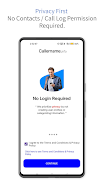
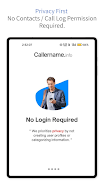
Privacy is a priority. Callername processes most operations on-device and only accesses the network when necessary to retrieve updated threat lists or lookup public records. Personal contacts and call logs remain under user control, with clear options to export, delete, or anonymize stored data. The app provides transparent settings for data sharing and opt-out choices for community reporting features.
Designed for wide compatibility, Callername supports modern Android versions and scales across phone manufacturers. It requests only necessary permissions—calls, contacts, and network access—and explains why each permission is used. Users on older devices can still access core features, although some advanced functions may require more recent Android releases.
Setup takes only a few minutes. After granting basic permissions, the app walks you through setting a default profile, choosing block levels, and importing trusted contacts. A short in-app tour explains the main screens and gestures so you can start filtering unwanted calls immediately.
People who download Callername appreciate the balance of accurate identification and flexible controls. The app removes guesswork from unknown calls, saves time by filtering nuisances, and offers customization for different lifestyles. Regular updates refine detection algorithms and add user-requested features, making it a practical choice for everyday phone management.
BIG Phone for Seniors
Size:10.01M CommunicationFree Adblocker Browser
Size:188.40M CommunicationSoundCloud
Size:95.60M CommunicationInst Saver Post Story Saver
Size:11.13M CommunicationVani Dialer
Size:35.25M CommunicationSimple SMS Messenger
Size:19.80M CommunicationOH Web Browser - Safe & Simple
Size:11.00M CommunicationOpera Browser
Size:81.10M CommunicationLearna AI
Size:69.30M CommunicationNext SMS
Size:32.34M CommunicationWhatsAuto - Reply App
Size:17.10M CommunicationTumblr
Size:24.10M CommunicationApril 2024 Clash of Clans Update: Unveiling a Fresh Companion, Enhanced Levels, Chat Tagging, and Be
2024-04-16Arrival of Genshin Impact 4.6 Update: 'Embers of Two Realms, Twilight of Crimson'
2024-04-16V2.2 of the Farlight 84 update introduces an overhauled Season structure, fresh in-game currency, an
2024-04-16Monster Never Cry is now accessible on both Android and iOS mobile devices.
2024-04-18PUBG Mobile Teams Up with Bentley Motors: Luxury Cars, Exclusive Collectibles, and Beyond
2024-04-18March 2024 Free Redemption Codes for Honkai: Star Rail
2024-04-18


















