English
Bago is a compact productivity app designed to streamline task management, note capture, and quick sharing across devices. It combines an intuitive interface with lightweight syncing, letting users organize daily work, clip web content, and set reminders without friction. Ideal for people who value speed and simplicity.
Bago focuses on reducing friction between idea capture and action. It prioritizes fast entry, minimal menus, and clear labeling so you can create tasks, jot notes, or save links in seconds. The app balances essential features with a clean layout, avoiding feature bloat while still offering useful integrations for calendars and cloud storage.
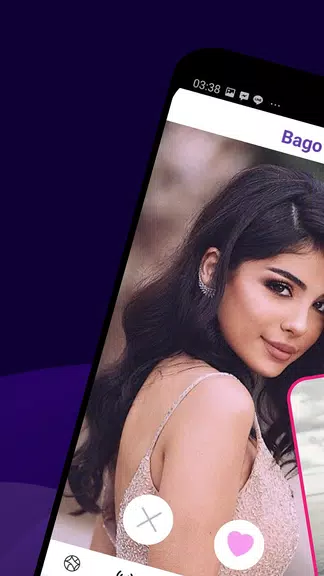
Design is where Bago shines. The app uses a simple color palette and readable typography, so content is always the focus. Menus are flattened and actions are discoverable, reducing the learning curve. Performance is optimized for low memory usage; launching the app and creating new entries feels instantaneous on mid-range devices as well as flagship phones.
Bago supports common productivity workflows without forcing a single method. You can use it for quick checklists, capture meeting notes, or as a lightweight project tracker. Calendar sync allows due dates to appear in your native calendar app, while cloud integration supports backup and shareable links for collaborative work. These options make it easy to slot Bago into an existing routine instead of overhauling how you work.
While intentionally minimal, Bago includes enough personalization to be practical. Choose from several themes, toggle compact or comfortable spacing, and define default actions for new items. Labels and tags are available to build your own organizational hierarchy, and you can set keyboard or gesture shortcuts to speed up repetitive tasks.
For everyday productivity, reliable syncing and secure storage matter. Bago encrypts data in transit and provides optional local-only storage for privacy-sensitive users. Automatic backups can be scheduled so that accidental deletions are recoverable. The app also keeps a concise activity log for tracking recent edits and restores.
Start by using Bago for a single daily habit — capture three tasks each morning or create a running grocery list. Enable smart lists to let the app sort items automatically. Use tags sparingly at first; a handful of broad categories is easier to maintain. Explore keyboard shortcuts to reduce tapping and speed up capture.
Users often praise Bago for its speed and clarity. People who juggle multiple small tasks find the app reduces cognitive overhead because it keeps information visible and actionable. The balance of offline work and efficient syncing is a common highlight, as is the minimal learning curve compared with more complex task managers.
Installation is straightforward: download, sign in or use it locally, then import data from CSV or other simple formats if migrating from another tool. Spend five minutes setting up default lists and notification preferences to make the app work for your routine. Regularly archive completed items to keep the main view uncluttered.
Bago targets users who want a fast, dependable place to capture ideas and manage small projects without excessive configuration. It’s not a full-featured project management suite, but its focused approach and polished execution make it a strong choice for day-to-day productivity. If you value immediate access to your tasks and unobtrusive syncing, Bago is worth evaluating as a daily driver.

BIG Phone for Seniors
Size:10.01M CommunicationFree Adblocker Browser
Size:188.40M CommunicationSoundCloud
Size:95.60M CommunicationInst Saver Post Story Saver
Size:11.13M CommunicationVani Dialer
Size:35.25M CommunicationSimple SMS Messenger
Size:19.80M CommunicationOH Web Browser - Safe & Simple
Size:11.00M CommunicationOpera Browser
Size:81.10M CommunicationLearna AI
Size:69.30M CommunicationNext SMS
Size:32.34M CommunicationWhatsAuto - Reply App
Size:17.10M CommunicationTumblr
Size:24.10M CommunicationApril 2024 Clash of Clans Update: Unveiling a Fresh Companion, Enhanced Levels, Chat Tagging, and Be
2024-04-16Arrival of Genshin Impact 4.6 Update: 'Embers of Two Realms, Twilight of Crimson'
2024-04-16V2.2 of the Farlight 84 update introduces an overhauled Season structure, fresh in-game currency, an
2024-04-16Monster Never Cry is now accessible on both Android and iOS mobile devices.
2024-04-18PUBG Mobile Teams Up with Bentley Motors: Luxury Cars, Exclusive Collectibles, and Beyond
2024-04-18March 2024 Free Redemption Codes for Honkai: Star Rail
2024-04-18