English
KEYCO is a compact, user-focused Android utility that streamlines secure credential storage, fast form filling, and seamless password sharing across devices while prioritizing privacy. Designed for everyday users and professionals, KEYCO centralizes account credentials, autofill templates, and encrypted backups into a single intuitive interface.
KEYCO combines essential password manager capabilities with productivity tools to reduce friction when signing into apps and websites. It focuses on simplicity without sacrificing control, offering a clean set of features that make everyday digital tasks faster and safer.
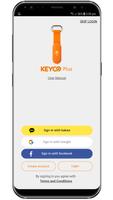
Installation and setup are straightforward: create a master passphrase, configure a recovery option, and import or add entries manually. KEYCO runs a background service that integrates with Android’s autofill framework so credentials appear as suggestions when you tap into username or password fields. The app supports manual entry categories, tags, and searchable fields to help you find items quickly.
Security is at the center of KEYCO’s design. The vault uses strong encryption standards to protect stored data, and sensitive operations require biometric confirmation or the master passphrase. Backup and sync are optional and encrypted end-to-end when enabled, giving you flexibility over where your data lives.
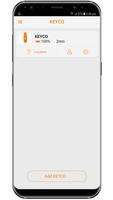
The interface emphasizes clarity: main sections are organized into Vault, Favorites, Shared, and Tools. A responsive search bar and contextual actions let you copy, edit, or share entries with a tap. Templates speed up adding new credential types and custom fields allow storing non-standard items like software license keys or Wi-Fi passwords.
KEYCO is optimized for modern Android devices and runs efficiently in the background without draining battery or memory. The app supports a wide range of Android versions and works smoothly with popular browsers and apps through the system autofill capability.
Once you install KEYCO, set a strong master passphrase and enable biometric unlock for convenience. Import credentials from CSV or another manager if you’re switching, and run the password health check to prioritize updates. Use the secure sharing feature for temporary access when collaborating or troubleshooting.
KEYCO packs practical security tools into a straightforward app that fits daily routines. Its balance of usability, privacy controls, and cross-device sync options makes it a reliable companion for anyone who wants faster sign-ins and stronger account protection on Android devices.


BIG Phone for Seniors
Size:10.01M CommunicationFree Adblocker Browser
Size:188.40M CommunicationSoundCloud
Size:95.60M CommunicationInst Saver Post Story Saver
Size:11.13M CommunicationVani Dialer
Size:35.25M CommunicationSimple SMS Messenger
Size:19.80M CommunicationOH Web Browser - Safe & Simple
Size:11.00M CommunicationOpera Browser
Size:81.10M CommunicationLearna AI
Size:69.30M CommunicationNext SMS
Size:32.34M CommunicationWhatsAuto - Reply App
Size:17.10M CommunicationTumblr
Size:24.10M CommunicationApril 2024 Clash of Clans Update: Unveiling a Fresh Companion, Enhanced Levels, Chat Tagging, and Be
2024-04-16Arrival of Genshin Impact 4.6 Update: 'Embers of Two Realms, Twilight of Crimson'
2024-04-16V2.2 of the Farlight 84 update introduces an overhauled Season structure, fresh in-game currency, an
2024-04-16Monster Never Cry is now accessible on both Android and iOS mobile devices.
2024-04-18PUBG Mobile Teams Up with Bentley Motors: Luxury Cars, Exclusive Collectibles, and Beyond
2024-04-18March 2024 Free Redemption Codes for Honkai: Star Rail
2024-04-18