English
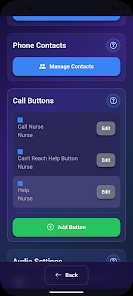
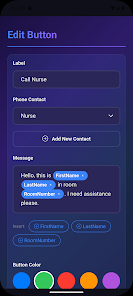
SignalButton is a compact Android utility that puts network, sound and system toggles within easy reach. It combines one-tap controls, customizable shortcuts and scheduled actions to streamline daily device management, making routine adjustments faster and less intrusive to your workflow.
SignalButton acts as a configurable control center for frequently used Android settings. Instead of diving through multiple menus, you get a single place to switch Wi‑Fi, mobile data, Bluetooth, Do Not Disturb and other system services. The app focuses on speed and predictability so you can adapt your device behavior for work, travel or downtime.
The interface is intentionally minimal. SignalButton groups related controls and labels them clearly, reducing the cognitive load when scanning options. Settings are reachable within two taps, and customization screens use descriptive icons and toggles. For power users, the shortcuts editor exposes more granular control over action order and conditional triggers.
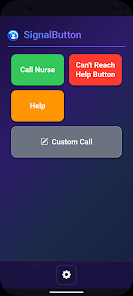
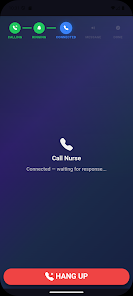
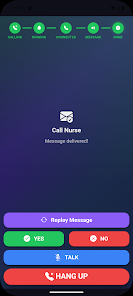
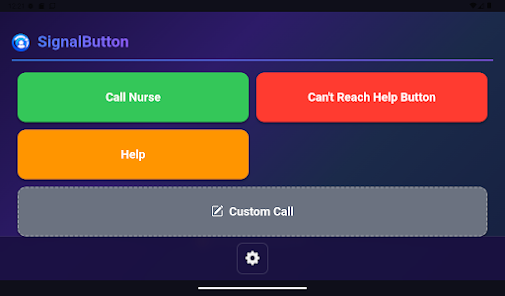
Typical usage involves assigning common scenarios to buttons — for example, a "Commute" button might enable mobile data, turn off Wi‑Fi, and lower media volume. Another button for "Meeting" could silence notifications and enable Do Not Disturb. SignalButton executes commands in sequence and reports status after each change, so you know what altered on your device.
Automation is a strong point. You can schedule profiles to activate at certain times or when arriving at a saved location. Location-based triggers use lightweight geofencing that avoids heavy battery drain. The scheduling engine also supports simple rules like "if battery < 20% then disable sync", helping extend runtime without manual intervention.
SignalButton is built to be unobtrusive. Background services run only when necessary to monitor schedules or geofences. The app offers options to adjust poll frequency and restrict features that consume power. On modern devices the resource footprint remains low, and most users report negligible battery impact compared to the convenience gained.
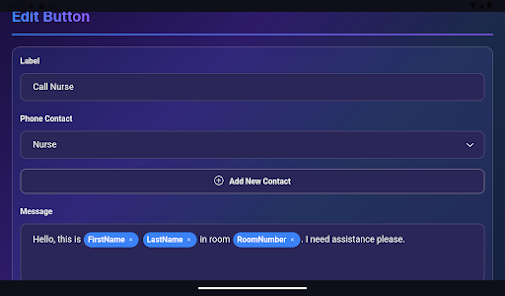
Customization balances depth with clarity. You can choose which toggles appear on buttons, rearrange the order, and set icons or labels to match your habits. Advanced users will appreciate the ability to chain multiple actions and delay steps if an operation needs a short wait (for example toggling airplane mode then re-enabling Wi‑Fi).
SignalButton resonates with users who prefer automation and clean workflows. It reduces the friction of repetitive tasks, saves time when transitioning between environments, and provides a predictable way to manage device state. For commuters, remote workers and frequent travelers, the ability to flip several settings with a single tap becomes especially valuable.
Installation follows standard Android procedures. After granting required permissions, walk through the onboarding to set up initial profiles and add widgets. The app includes guided tips during first use so you can build meaningful shortcuts quickly. Backup and restore options help migrate settings across devices or after reinstalling.
For users who value straightforward control over system features without bloated complexity, SignalButton offers a tight, polished solution that fits into everyday routines. Its combination of one-tap actions, scheduling and modest power demands make it a practical tool for improving device management and saving time.
BIG Phone for Seniors
Size:10.01M CommunicationFree Adblocker Browser
Size:188.40M CommunicationSoundCloud
Size:95.60M CommunicationInst Saver Post Story Saver
Size:11.13M CommunicationVani Dialer
Size:35.25M CommunicationSimple SMS Messenger
Size:19.80M CommunicationOH Web Browser - Safe & Simple
Size:11.00M CommunicationOpera Browser
Size:81.10M CommunicationLearna AI
Size:69.30M CommunicationNext SMS
Size:32.34M CommunicationWhatsAuto - Reply App
Size:17.10M CommunicationTumblr
Size:24.10M CommunicationApril 2024 Clash of Clans Update: Unveiling a Fresh Companion, Enhanced Levels, Chat Tagging, and Be
2024-04-16Arrival of Genshin Impact 4.6 Update: 'Embers of Two Realms, Twilight of Crimson'
2024-04-16V2.2 of the Farlight 84 update introduces an overhauled Season structure, fresh in-game currency, an
2024-04-16Monster Never Cry is now accessible on both Android and iOS mobile devices.
2024-04-18PUBG Mobile Teams Up with Bentley Motors: Luxury Cars, Exclusive Collectibles, and Beyond
2024-04-18March 2024 Free Redemption Codes for Honkai: Star Rail
2024-04-18