English
Storage Space is a compact, user-focused Android utility that helps you reclaim, organize, and monitor device storage with minimal fuss. It scans internal and external memory, highlights large or duplicate files, and offers straightforward cleanup options so you can free up space and keep your phone running smoothly.
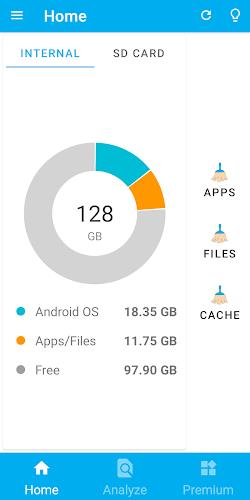
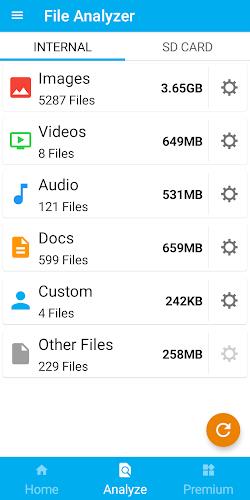
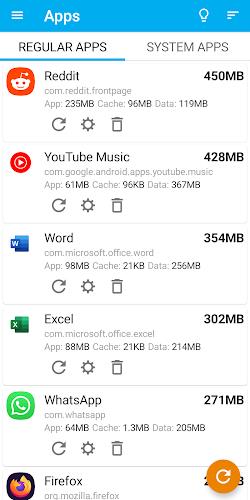
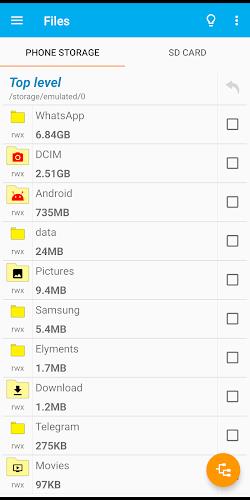
Storage Space combines a set of practical tools designed for quick maintenance and ongoing storage hygiene. The app provides an interactive storage map, categorized file views, duplicate detection, and a one-tap cleanup option for cache, temporary files, and unused downloads. A built-in analyzer shows the distribution of photos, videos, apps, and system files, letting you pinpoint space hogs fast.
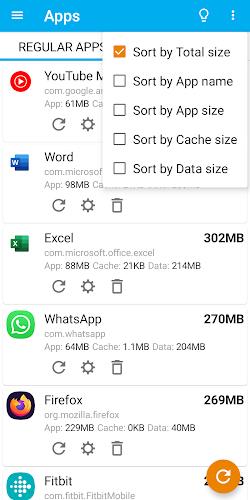
On first run Storage Space performs a thorough scan of your device, indexing file types and sizes without altering anything. Scans are incremental after the initial pass, updating results only for changed files to save battery and CPU. Results are presented visually so you can sort by size, age, or type. The duplicate finder matches filenames, sizes, and checksums to reduce false positives.
Cleaning up is intentional rather than automatic. Storage Space groups candidates into safe categories such as app caches, temporary downloads, large media, and duplicate items. You can preview files, select single items or entire groups, and see storage impact before confirming removal. A built-in recycle bin holds deleted items for a defined period, allowing recovery if something important was removed by mistake.
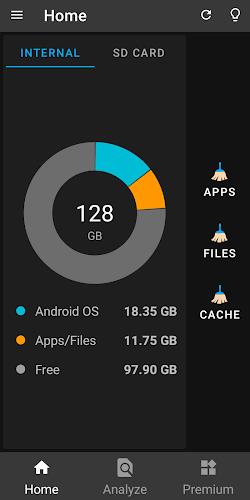
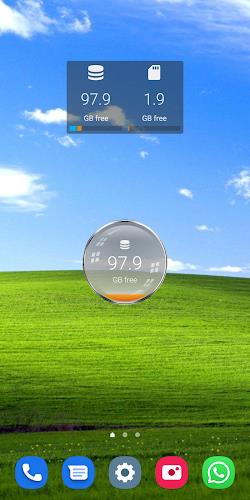
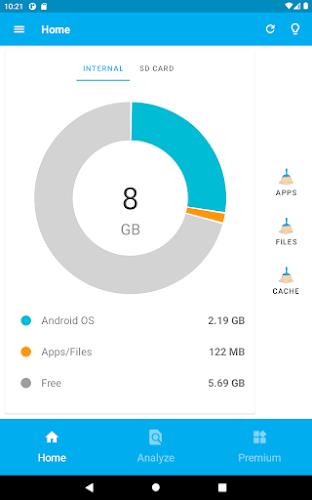
The interface is minimalist and designed for quick decisions. Primary actions appear on a single screen: scan, review, and clean. Color-coded bars and relative percentages communicate where storage is allocated. Touch gestures let you expand folders, filter by file type, and jump directly to the system file manager or related apps. Settings allow you to schedule scans and choose what the one-tap cleanup will include.
Storage Space is built to be lightweight and respectful of system resources. Background scanning uses low-priority threads and pauses when the device is on battery saver or low power. The app supports Android versions commonly in use and adapts to both internal and SD card storage layouts. Results are cached securely and no personal file contents are uploaded or analyzed in the cloud.
Privacy is handled with transparent permissions. Storage Space requests only the minimum access required to read and manage files on your device. All operations occur locally; there is no server-side indexing. Detailed permission explanations are available in-app so you know why each access level is needed before granting it.
For users who want more control, Storage Space includes filters for file age, size thresholds, and specific file extensions. You can create custom cleanup rules, whitelist folders you never want scanned, and export a storage report for troubleshooting. The app also allows clearing residual folders left by uninstalled apps and identifying rarely used large apps that may be candidates for offloading.
Storage Space is optimized to help users regain control over their device storage without confusing technical jargon or risky automatic deletions. With clear visual reports, selective cleanup, and sensible safeguards, the app makes it fast to free space, improve performance, and maintain an organized file system on your Android device.
Smart Keyboard Pro
Size:23.22M ToolsMyScript Math: Solve & Plot
Size:108.76M ToolsText Repeater
Size:11.73M Tools3Dcalc+
Size:12.59M ToolsMyScoreTracker
Size:80.28M ToolsPanda Touch Pro
Size:18.13M ToolsDual Space : Multi App
Size:7.23M ToolsSound Recorder Plus: Voice Rec
Size:20.50M ToolsVoice Notebook
Size:2.54M ToolsVPN Australia
Size:18.00M ToolsMulti Parallel
Size:7.00M ToolsRemote for Smart Samsung TV
Size:53.60M ToolsApril 2024 Clash of Clans Update: Unveiling a Fresh Companion, Enhanced Levels, Chat Tagging, and Be
2024-04-16Arrival of Genshin Impact 4.6 Update: 'Embers of Two Realms, Twilight of Crimson'
2024-04-16V2.2 of the Farlight 84 update introduces an overhauled Season structure, fresh in-game currency, an
2024-04-16Monster Never Cry is now accessible on both Android and iOS mobile devices.
2024-04-18PUBG Mobile Teams Up with Bentley Motors: Luxury Cars, Exclusive Collectibles, and Beyond
2024-04-18March 2024 Free Redemption Codes for Honkai: Star Rail
2024-04-18