English
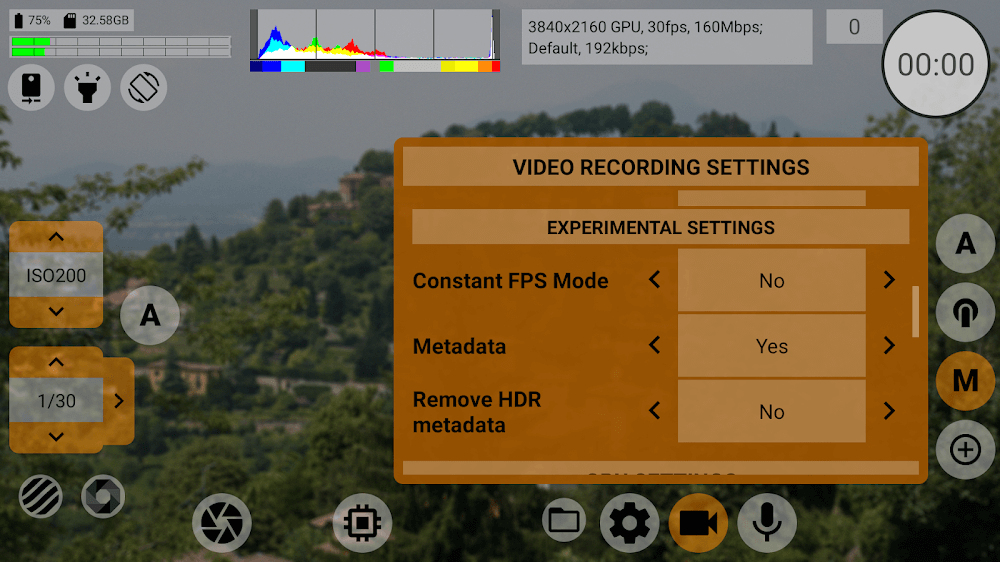
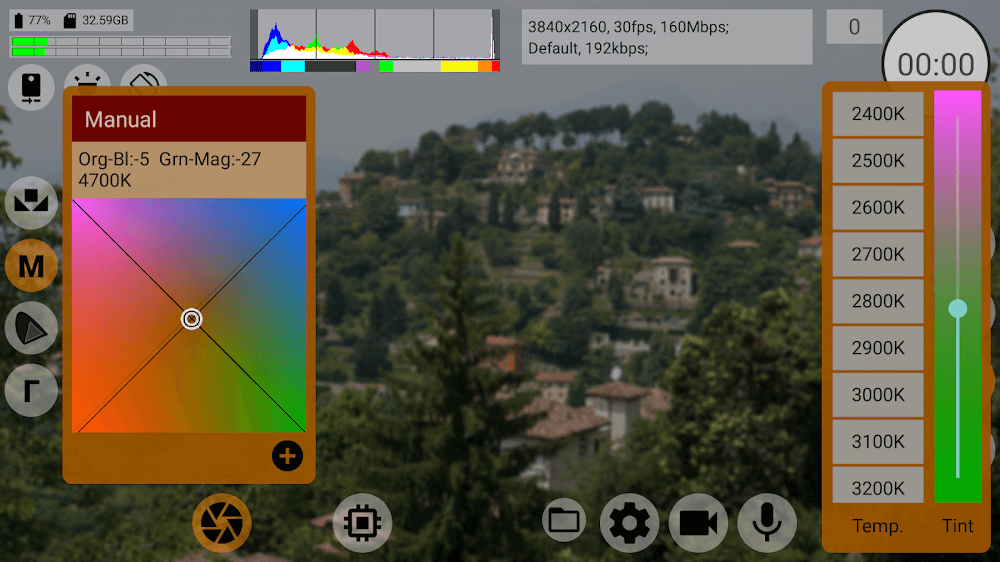
mcpro24fps is a manual video camera app built for creators who want cinematic-quality footage from a mobile device. From the start, mcpro24fps exposes professional controls—10‑bit HDR recording, Log capture, real-time LUT previews and programmable lens control—so you can move beyond automatic modes and shape color, exposure and audio with intention. The interface is organized to support both experimentation and repeatable workflows: whether you are testing a new color profile or locking in a reliable preset for a series of shots, mcpro24fps keeps the tools visible and accessible.
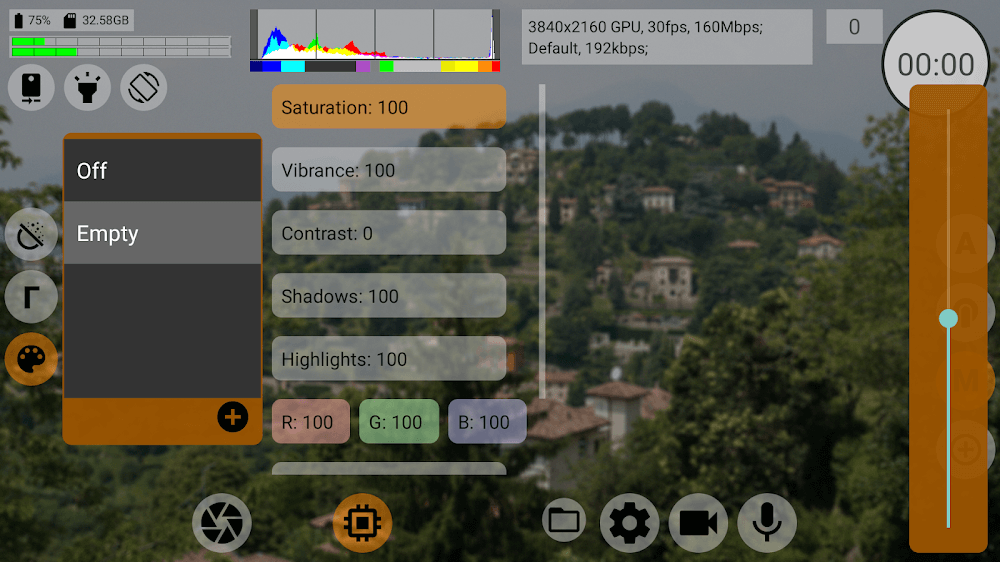
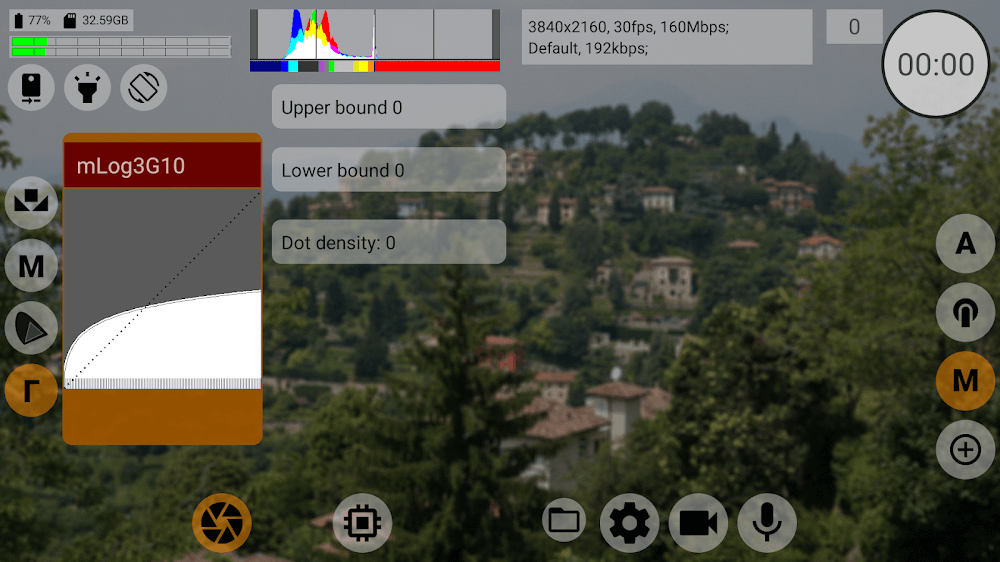
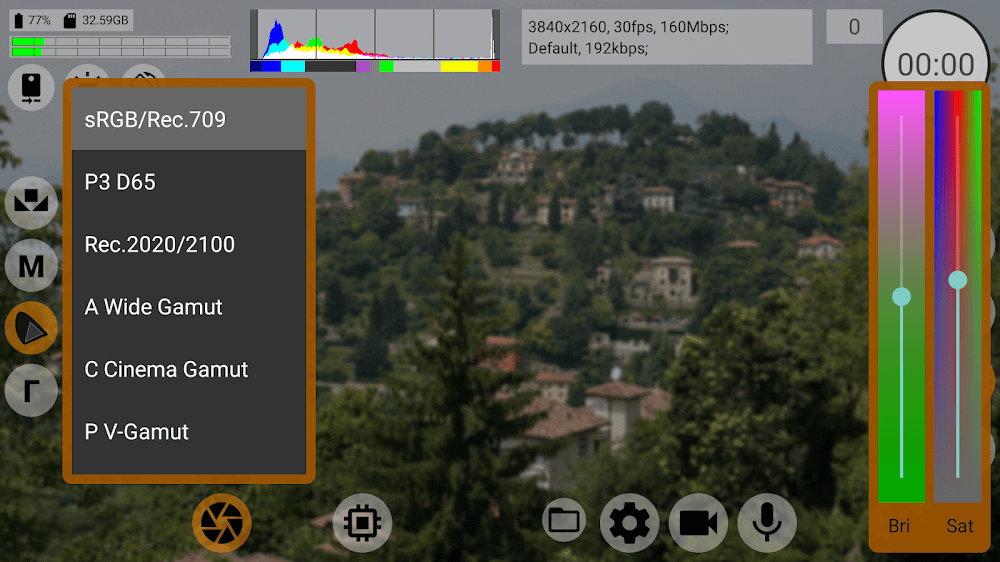
The app centers on image fidelity and flexible color pipelines. 10‑bit HDR capture preserves highlight and shadow detail while Log recording gives you flat, gradeable footage suitable for post production. Real-time LUT previews allow you to see a stylized look while shooting, reducing the guesswork between capture and edit. The visual style is intentionally neutral at capture time to maximize grading options, and the preview pipeline is designed so the on-device look closely represents common color-grade outcomes without misleading contrast or saturation boosts.
Manual controls in mcpro24fps include precise shutter, ISO, white balance and programmable focus and zoom. Focus and zoom can be assigned to virtual controls or hardware buttons where supported, enabling repeatable moves and finer framing. Audio input is exposed with metering and adjustable gain, so you can monitor levels and avoid clipping while recording. The interface groups related tools together and provides contextual feedback—histograms, waveform-style exposure indicators and live color readouts—so you spend less time guessing and more time composing.
Rather than forcing a single workflow, mcpro24fps encourages gradual progression: start with built-in presets to learn how exposure and log profiles interact, then save your own presets as you refine camera responses for specific subjects or locations. Presets act as a lightweight progression system—newer projects can build on saved setups, and you can iterate on exposure, LUT intensity and audio routing over time. Custom LUTs and preset combinations make it easy to maintain a consistent visual language across multiple shoots.
The app organizes captures into projects so related takes, reference stills and notes can stay together. Recorded files retain metadata about the log profile, LUT preview and exposure settings to simplify grading on desktop editors. Exports can be configured for different bit depths and container formats, and a preview-export workflow helps verify the final result before creating large files. All capture and export operations are designed for local, offline use so you can record and prepare footage without a network connection.
mcpro24fps is not only a capture tool but a platform for practice: repeated use of presets and manual control workflows builds muscle memory and improves consistency. The ability to quickly toggle between clean Log capture and LUT previews encourages experimentation with looks and encourages deliberate decisions about color and exposure. For creators, replay value comes from refining a signature style and reusing calibrated setups across projects.
The app aims for an accessible interface with clear icons, scalable button areas and straightforward labeling so both beginners and experienced users find relevant controls quickly. Tooltips and readable metrics reduce friction when learning manual exposure or working in challenging light. Because core functions operate offline and store settings locally, users can rely on the app during travel and on-location shoots without needing background services.
Advanced manual controls, Log workflows and color grading have an inherent learning curve: achieving optimal color and audio results takes practice, and the app is designed to support that learning through repeatable presets and immediate visual feedback. Expect to spend time experimenting with LUT intensities, exposure indexing and focus pulls before consistently matching a target look; the interface is intentionally honest about capture characteristics to make that learning practical rather than obscured.
mcpro24fps is suited to photographers, independent videographers and content creators who want more control from a mobile camera without carrying a full kit. It is especially useful for projects where preserving dynamic range and retaining grading flexibility are priorities, and for creators who value the ability to save, reuse and refine technical setups over time.
mcpro24fps
Size:7.96M PhotographySuper 16
Size:58.78M PhotographyPhotographers Companion Pro
Size:5.20M PhotographyText Art
Size:32.00M PhotographyPixiz - Collage Maker
Size:2.69M PhotographyPerfect365
Size:138.02M PhotographyProCCD
Size:95.50M PhotographyFaceShow
Size:115.60M PhotographyPhoto Lab
Size:48.20M PhotographyReNew Old Photo
Size:82.00M PhotographyImage Crop - (Photo Resizer)
Size:13.00M PhotographyTime stamp photos: Photo Proof
Size:99.00M PhotographyApril 2024 Clash of Clans Update: Unveiling a Fresh Companion, Enhanced Levels, Chat Tagging, and Be
2024-04-16Arrival of Genshin Impact 4.6 Update: 'Embers of Two Realms, Twilight of Crimson'
2024-04-16V2.2 of the Farlight 84 update introduces an overhauled Season structure, fresh in-game currency, an
2024-04-16Monster Never Cry is now accessible on both Android and iOS mobile devices.
2024-04-18PUBG Mobile Teams Up with Bentley Motors: Luxury Cars, Exclusive Collectibles, and Beyond
2024-04-18March 2024 Free Redemption Codes for Honkai: Star Rail
2024-04-18