English
NexBot AI is a mobile assistant that blends conversation, task automation, and smart integrations to streamline daily workflows. Designed for productivity and creative support, NexBot AI transforms ideas into action with quick responses, context-aware suggestions, and scheduled automations for Android users seeking a responsive, privacy-conscious intelligent helper.
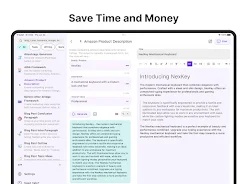
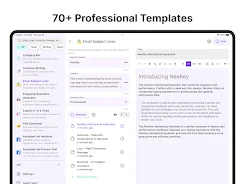
At its core, NexBot AI combines natural language understanding with a suite of practical tools to reduce friction across tasks. The app processes messages, drafts emails, summarizes documents, and generates creative text or code snippets. A modular set of plugins connects calendars, cloud storage, note apps, and communication platforms so tasks complete with minimal manual input.
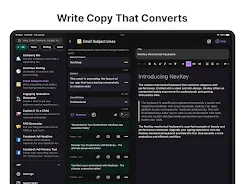
The interface emphasizes clarity: a compact chat view for conversational tasks and a dashboard for active automations and recent outputs. Controls are placed to minimize taps — quick actions let you pin responses, save templates, or push content to connected apps. A context panel surfaces recent files and settings relevant to the current conversation so users don’t lose focus while switching tasks.
NexBot AI supports rule-based automations and simple visual flows. Create a morning routine that reads calendar highlights, queues priority emails, and opens relevant documents. Or set a project workflow that compiles meeting notes into a summary, assigns tasks to collaborators, and schedules follow-ups. Automations run locally or in the cloud depending on privacy settings, providing flexibility between speed and data control.
Personalization is a major strength. Users can refine tone, preferred response length, and specialty modes for work, research, or creative writing. Integrations are offered through a marketplace-style connector list; popular services like cloud drives, messaging apps, and task managers are available. For advanced needs, users can configure webhooks or connect custom APIs to include proprietary systems in the workflow.
The app is optimized for modern Android devices, balancing responsiveness with battery consumption. Lightweight local models handle common tasks instantly, while more demanding operations fall back to cloud processing. This hybrid approach keeps everyday interactions snappy and reserves heavier processing for complex summaries or code generation. Compatibility notes and device recommendations are provided within the app to help users maximize performance.
Privacy is emphasized through configurable controls. Users decide which automations can access stored files, and sensitive workflows can be restricted to on-device processing. Encryption for synced data and granular consent screens for new integrations help maintain transparency. The app logs actions locally and provides an export option for activity records to support audits or compliance needs.
Installation and onboarding are straightforward. After granting necessary permissions, a guided tour demonstrates creating a template, setting an automation, and linking one external service. Start with a simple use case — for example, ask NexBot AI to draft a meeting summary — then expand into multi-step flows. Regularly review automation logs to fine-tune triggers and avoid unintended runs.
Professionals can use the assistant to speed up email drafting and agenda preparation. Creatives benefit from brainstorming prompts and outline generation, while developers appreciate quick code scaffolding and API call examples. Students can summarize readings and generate study plans. Across scenarios, the balance of immediacy and customization makes repetitive work less time-consuming.
With a mix of conversational intelligence, automation capability, and extensible integrations, NexBot AI aims to be a flexible companion for productivity on Android. The app’s configurable privacy model and scalable performance let users tailor how much processing happens on-device versus in the cloud, making it suitable for a wide range of tasks from quick edits to complex workflows.
aTimeLogger
Size:38.70M ProductivityTasks
Size:11.13M ProductivityNexBot AI
Size:111.74M ProductivityFloating Notes
Size:9.20M ProductivityPrintHand Mobile Print
Size:17.60M ProductivityHabit Tracker - Habit Tick
Size:32.21M ProductivityLite Writer: Writing/Note/Memo
Size:10.90M ProductivityPDFelement
Size:60.14M ProductivityCalendar Widget
Size:4.10M ProductivityMyScript Notes for Students
Size:148.10M ProductivityIGAMES PS2
Size:48.80M ProductivityGrammarly Keyboard
Size:22.87M ProductivityApril 2024 Clash of Clans Update: Unveiling a Fresh Companion, Enhanced Levels, Chat Tagging, and Be
2024-04-16Arrival of Genshin Impact 4.6 Update: 'Embers of Two Realms, Twilight of Crimson'
2024-04-16V2.2 of the Farlight 84 update introduces an overhauled Season structure, fresh in-game currency, an
2024-04-16Monster Never Cry is now accessible on both Android and iOS mobile devices.
2024-04-18PUBG Mobile Teams Up with Bentley Motors: Luxury Cars, Exclusive Collectibles, and Beyond
2024-04-18March 2024 Free Redemption Codes for Honkai: Star Rail
2024-04-18