English
Saral is a lightweight productivity app built to help organizations build and maintain a simple internal directory, assign and track tasks, and keep team information organized across devices. Saral combines a focused contact directory with straightforward task workflows so structured teams — such as schools, clinics, campaign offices and corporate units — can find people, delegate work and review progress from a single place. The app is designed to reduce time lost to fragmented communication while fitting into existing institutional processes.
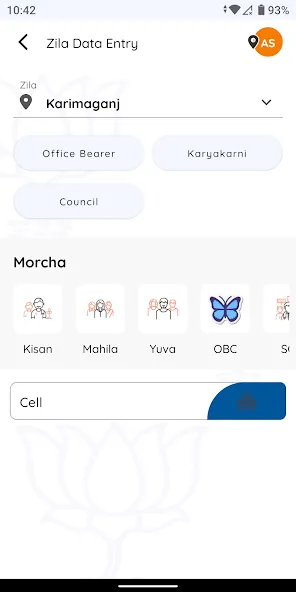
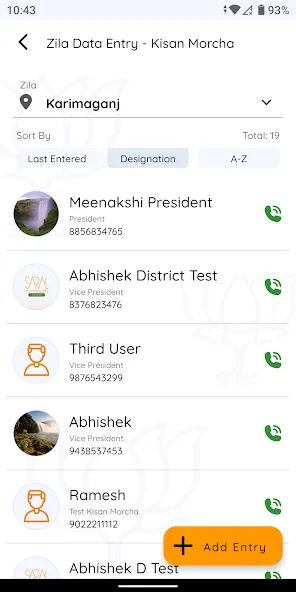
Saral centers on three practical mechanics: a customizable personnel directory, a task assignment engine and a progress tracking timeline. The directory stores roles, phone numbers and brief role descriptions that teams can tailor to their organization’s vocabulary. Tasks are created with clear owners, due dates and status states so a simple workflow moves items from open to in-progress to completed. Search and filters let users narrow contacts or tasks by role, department or status to speed routine actions.
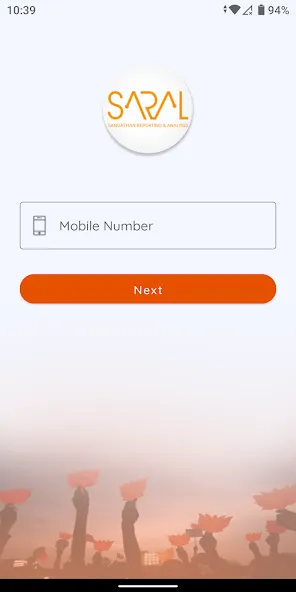
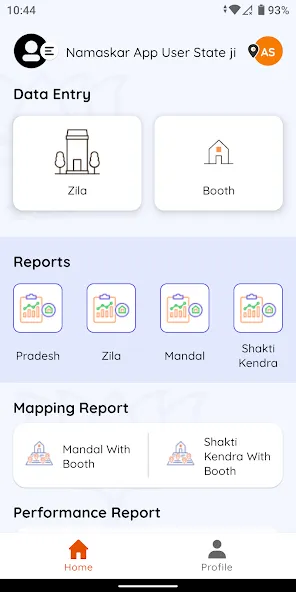
Navigation in Saral is intentionally simple: a top-level search, a directory view and a task view provide direct entry points to core functions. Controls mirror common Android conventions so users familiar with mobile apps can tap, long-press or use contextual menus to edit entries, call a contact from within the app, or reassign a task. The interface emphasizes clarity over complexity: prominent names, role labels and status markers reduce cognitive load during fast-paced coordination.
Progression in Saral is based on linear task states and milestone updates rather than gamified scoring. A task’s lifecycle is visible at a glance through timestamps and short status notes, enabling managers to spot slow-moving items and add follow-up instructions. Recurring templates can be used for repeated processes so teams establish predictable progression patterns without rebuilding tasks each time. This approach supports steady operational progress and practical accountability.
The visual style of Saral favors clean typography, consistent spacing and clear visual hierarchy to present contact lists and task queues without distractions. Entries are grouped into logical sections—by department, role or project—so the app’s structure mirrors how work is already organized. Pages intentionally avoid heavy decoration to prioritize legibility; icons and color accents are used only to mark status and call-to-action items so users can scan information quickly.
Saral allows administrators to customize directory fields and create task templates for common procedures. Templates capture the sequence of steps, recommended assignees and typical deadlines, reducing setup time for recurring activities such as onboarding, shift scheduling or inspection rounds. Field customization ensures the directory reflects local job titles and contact types, making the app more relevant to diverse organizations without adding unnecessary features.
While Saral is not a game, its day-to-day value comes from repeated use: teams return to the app to check assignments, update progress and contact colleagues. The app’s design encourages habitual workflows by keeping essential information easy to access and by reducing the need to switch between separate tools. Over time, a populated directory and an established set of templates increase efficiency and lower coordination overhead, which is the practical form of replay value for workplace tools.
Saral emphasizes readable text sizes, contrast-friendly color choices and predictable navigation to support users with varying digital skills. Input forms provide inline hints to reduce errors, and search offers incremental suggestions to help locate contacts quickly. Permissions are role-based so administrators control who can edit directory entries or reassign tasks, helping maintain data integrity while enabling frontline staff to perform routine operations without administrative overhead.
Saral supports basic offline access to recently viewed directory entries and tasks so users in low-connectivity environments can still retrieve essential information. Changes made offline sync when connectivity is restored. Cross-platform access means teams can consult the same structured data on mobile and desktop, and planned updates to native communication features will expand in-app calling and messaging options while keeping existing sync behavior intact.
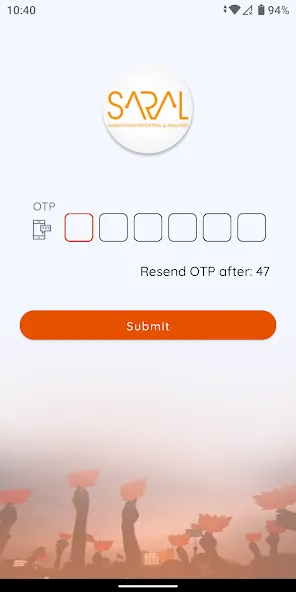
Saral currently focuses on directory management and task workflows; full real-time messaging is planned but not yet available, which may affect teams that require instant chat features today. Some organization-specific integrations or advanced customization may require additional setup or administrative support. The app is intended primarily for institutional use with organizational credentials, so independent individuals without an associated account may find it less convenient.
My TVK
Size:22.64M ProductivitySaral
Size:71.61M ProductivityP6SLite
Size:128.64M ProductivityTimeWise
Size:52.28M ProductivityAuroScholar
Size:143.17M ProductivityPTE Exam Practice
Size:16.53M ProductivityAPEUni
Size:16.53M ProductivityAsura Scans
Size:78.10M ProductivityPW - India's Learning Platform
Size:115.70M ProductivitySaphalam
Size:4.80M ProductivityScratchJr
Size:19.10M ProductivityOfferUp
Size:84.00M ProductivityApril 2024 Clash of Clans Update: Unveiling a Fresh Companion, Enhanced Levels, Chat Tagging, and Be
2024-04-16Arrival of Genshin Impact 4.6 Update: 'Embers of Two Realms, Twilight of Crimson'
2024-04-16V2.2 of the Farlight 84 update introduces an overhauled Season structure, fresh in-game currency, an
2024-04-16Monster Never Cry is now accessible on both Android and iOS mobile devices.
2024-04-18PUBG Mobile Teams Up with Bentley Motors: Luxury Cars, Exclusive Collectibles, and Beyond
2024-04-18March 2024 Free Redemption Codes for Honkai: Star Rail
2024-04-18