English
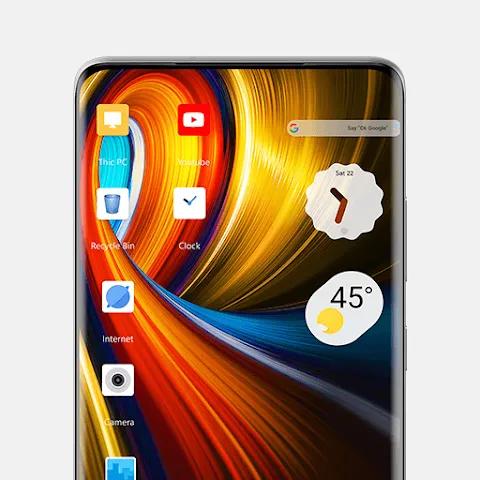
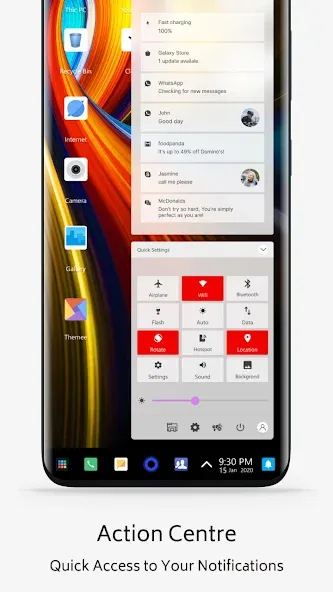
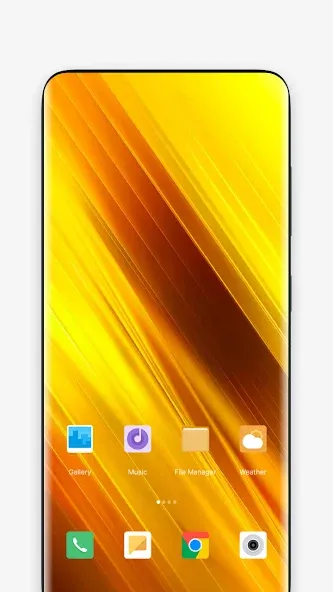
Poco Theme Store makes it easy to change the look of your Android device with curated themes, wallpapers, icon packs and lock screen styles. Poco Theme Store guides discovery with seasonal collections, editor picks and simple previews so you can inspect changes before applying them. This editor introduction describes how the app organizes visual content, how controls and customization work, and what to expect from performance and privacy.
The Poco Theme Store provides a broad catalog of visual packages that combine wallpapers, custom icons, fonts and lock screen layouts into cohesive themes. Each entry includes multiple screenshots, author and compatibility notes, and an estimated download size. Rather than forcing a full-package install, many themes expose individual elements so you can pick just a wallpaper or icon set. Collections are grouped by style—minimal, dark, neon, seasonal—and by practical tags such as screen size and manufacturer skin to reduce display inconsistencies.
Navigation relies on familiar mobile gestures and clear on-screen controls: a searchable bar to find styles by keyword, filters to sort by newest or most downloaded, and swipe or tap gestures to move through preview images. Theme previews open in expandable full-screen mode where you can toggle components on or off, inspect icon shapes and font rendering, and try lock screen mockups. Applying a selection is a step-by-step flow that lists required permissions and confirms each change so you know exactly what will be altered.
Customization is granular: combine a wallpaper from one theme with icons or a font from another without losing previously applied settings. The app tracks your activity in a local library where downloaded themes are stored for quick re-application. The library and favorites act as a simple progression system—curate a shortlist, cycle looks seasonally, and use the history function to revert to earlier configurations with a single tap. Automatic cleanup removes temporary files after successful installs to reclaim storage space.
Visual organization is prioritized so you evaluate aesthetics at a glance. The store is structured into clear sections—Featured, Categories, Collections and Editor’s Picks—each functioning like a level in a browsing flow: discover, inspect, customize, and apply. Thumbnail previews and color-scheme indicators help you compare styles quickly; larger screenshots reveal font sizes and icon contrast to check legibility on different backgrounds and in various lighting conditions.
Switching themes is low friction, which encourages regular refreshes of your device’s appearance. Seasonal collections and rotating editor selections keep the catalog feeling current and provide reasons to revisit the app. Built-in signals such as download counts and user ratings help surface reliable creators, while curated lists and occasional themed spotlights suggest new directions that extend the app’s replay value without adding complex mechanics.
The app is optimized to run smoothly across a range of Android devices; theme assets are compressed and downloads include an estimated installation time based on connection speed. Installed themes remain available offline so you can apply saved packages without an internet connection. Compatibility tags indicate which themes are best suited to particular Android builds or OEM skins, reducing the likelihood of layout issues after applying visual changes.
Privacy and security are handled by isolating theme assets from sensitive system data and requesting only the permissions required to modify visual elements. Before any system-level change, the app explains why each permission is needed. Accessibility is supported through attention to contrast in previews, scalable font rendering in theme mockups, and clear labels for controls so users with visual or motor impairments can navigate and apply themes more comfortably.
Use descriptive search terms to locate specific aesthetics and check compatibility tags before downloading to avoid display issues. Preview themes in different lighting and with your common app layouts to ensure icon and text contrast is sufficient. Keep a small library of favorite wallpapers and icon sets to rotate looks quickly, and take advantage of the revert option to test bold changes risk-free. Poco Theme Store balances convenience and control so you can personalize your device thoughtfully while maintaining system stability and predictable behavior.
Poco Theme Store
Size:9.38M PersonalizationPixly Limitless
Size:136.60M PersonalizationRecticons
Size:70.99M PersonalizationTrue Liquid Glass
Size:56.80M PersonalizationCUTE Iconpack
Size:46.64M PersonalizationThemeApp
Size:60.25M PersonalizationUnlock 120/144FPS booster
Size:46.43M PersonalizationDark Mode
Size:32.35M PersonalizationPastelLine IconPack
Size:44.19M PersonalizationMiX Launcher
Size:27.90M PersonalizationMoxy Icon Pack
Size:128.98M PersonalizationAurora - Poweramp Skin
Size:9.68M PersonalizationApril 2024 Clash of Clans Update: Unveiling a Fresh Companion, Enhanced Levels, Chat Tagging, and Be
2024-04-16Arrival of Genshin Impact 4.6 Update: 'Embers of Two Realms, Twilight of Crimson'
2024-04-16V2.2 of the Farlight 84 update introduces an overhauled Season structure, fresh in-game currency, an
2024-04-16Monster Never Cry is now accessible on both Android and iOS mobile devices.
2024-04-18PUBG Mobile Teams Up with Bentley Motors: Luxury Cars, Exclusive Collectibles, and Beyond
2024-04-18March 2024 Free Redemption Codes for Honkai: Star Rail
2024-04-18