English
GCamera is a powerful Android photography app that brings advanced imaging tools to your phone. It combines computational photography features like improved HDR, low-light modes, and portrait enhancements with a clean interface, enabling sharper photos and better night shots without complicated settings.
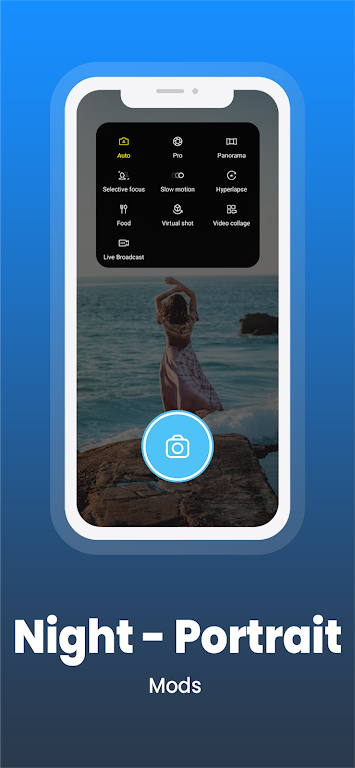
GCamera focuses on delivering professional-level results while keeping controls accessible. Core features include enhanced HDR processing for balanced exposures, an advanced night mode for low-light clarity, portrait and bokeh effects driven by depth estimation, and a dedicated panorama capture. The app also supports multi-frame stacking to reduce noise and boost detail, plus hardware-aware optimizations to take advantage of different sensors.
The user interface of GCamera is designed for smooth, fast operation. Essential controls are visible on the main screen while advanced settings remain tucked away in menus, allowing quick point-and-shoot use or deeper customization. Switching between photo, video, portrait, and night modes is immediate, and touch-to-focus with exposure adjustment makes composing images intuitive. GCamera also offers on-screen guides and a simple tutorial to help new users find key functions quickly.
Image processing in GCamera emphasizes natural colors, crisp detail, and reliable dynamic range. HDR captures merge multiple exposures to preserve highlights and shadows, while the night mode combines several frames into a brighter, cleaner result. Portrait mode uses depth cues to isolate subjects and produce smooth background blur without overly aggressive edge artifacts. For users interested in long-exposure or astrophotography-style shots, the app’s exposure stacking and movement suppression tools help capture stable, expressive images at slow shutter speeds.
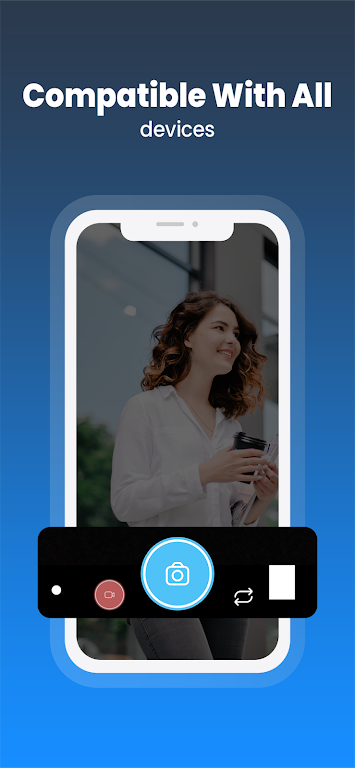
GCamera is built to run well across a wide range of Android devices. It detects camera hardware and adjusts processing pipelines to match sensor capabilities and available APIs. On modern devices with ample processing power, users will see near-instant processing times for HDR and portrait effects; on older hardware the app offers scaled-down algorithms that prioritize responsiveness. Battery usage is managed by limiting intensive operations to active capture moments and providing optional background processing for queued tasks.
Advanced users will appreciate the degree of control offered in GCamera’s settings. Manual exposure, ISO, and white balance adjustments are available alongside toggles for noise reduction strength, sharpening, and color profiles. Users can create and save custom presets for common scenarios like indoor lighting, landscapes, or night scenes. The app also supports saving photos in high-quality JPEG as well as device-specific RAW formats when supported, giving photographers greater flexibility for post-processing.
Installing GCamera is straightforward: download the APK from a trusted source and allow app installation from your device settings if necessary. The app checks for updates and provides changelogs for new releases so you can track improvements in image processing or compatibility. Always back up your photos before major updates and review permissions to ensure camera and storage access are enabled.
GCamera aims to bridge the gap between point-and-shoot simplicity and the flexibility of more complex camera apps. By offering robust automatic modes alongside deep manual controls, it serves casual users who want better everyday photos and enthusiasts who prefer to fine-tune results. Regular updates and device-aware optimizations help keep performance smooth across models, making it a practical choice for improving mobile photography.
GCamera
Size:15.90M PhotographyHuji Cam
Size:30.81M PhotographyCanon Camera Connect
Size:28.78M PhotographyFuno AI
Size:27.85M PhotographyAarya Editz
Size:9.19M PhotographyStory Editor
Size:59.51M PhotographyTimestamp Camera EnterprisePro
Size:6.59M PhotographyAniDub Max
Size:74.39M PhotographySnap Pro
Size:23.16M PhotographyFilmic Legacy
Size:38.19M PhotographyPhotoLayers-Superimpose,Eraser
Size:242.49M PhotographyMV Master
Size:47.29M PhotographyApril 2024 Clash of Clans Update: Unveiling a Fresh Companion, Enhanced Levels, Chat Tagging, and Be
2024-04-16Arrival of Genshin Impact 4.6 Update: 'Embers of Two Realms, Twilight of Crimson'
2024-04-16V2.2 of the Farlight 84 update introduces an overhauled Season structure, fresh in-game currency, an
2024-04-16Monster Never Cry is now accessible on both Android and iOS mobile devices.
2024-04-18PUBG Mobile Teams Up with Bentley Motors: Luxury Cars, Exclusive Collectibles, and Beyond
2024-04-18March 2024 Free Redemption Codes for Honkai: Star Rail
2024-04-18