English
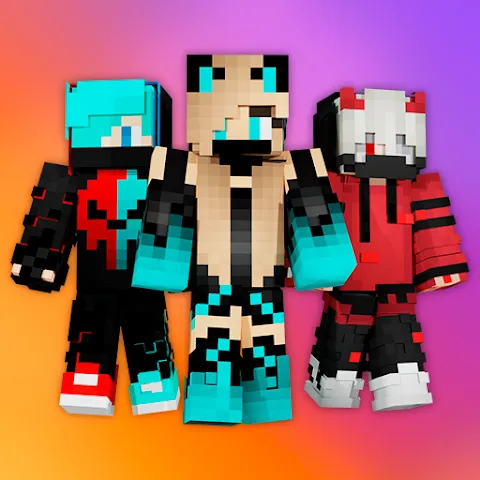
PvP Skins for Minecraft PE is a compact skin library and editor designed for Minecraft Pocket Edition players. It delivers a curated selection of PvP-ready character skins, fast import tools, and a simple preview system to help players refresh their appearance before jumping into competitive matches.
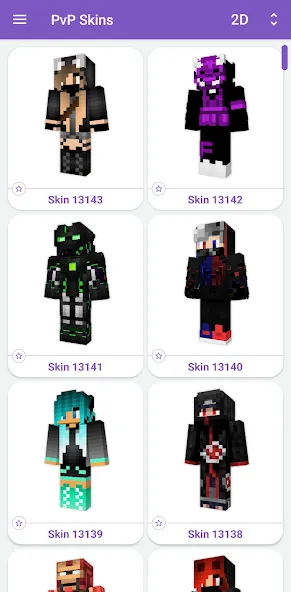
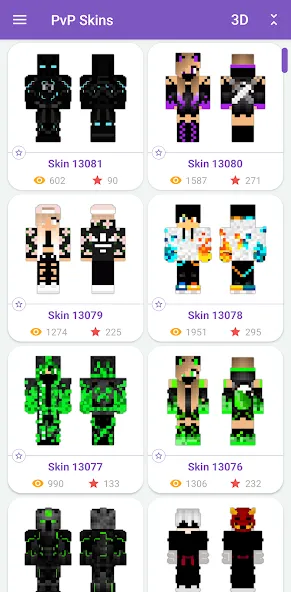
PvP Skins for Minecraft PE organizes hundreds of competitive-style skins into searchable categories, letting you find armor-themed, stealth, or flashy designs in seconds. The app prioritizes low friction: previews, one-tap downloads, and direct installation to Minecraft PE without needing a desktop editor. It focuses on visual clarity, making it easier to pick a skin that stands out during fast-paced combat.
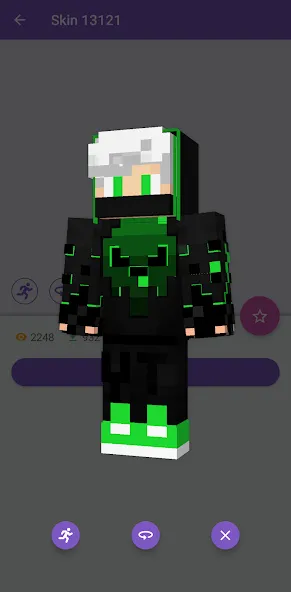
Start by browsing categories or using the search bar to locate a skin. Tap any result to open the preview screen, where you can rotate the model and toggle background settings. If the skin fits your needs, use the install button to apply it to Minecraft PE or export it as a file. The process takes seconds and does not require complex file management, which is useful for players who want to swap looks between matches.
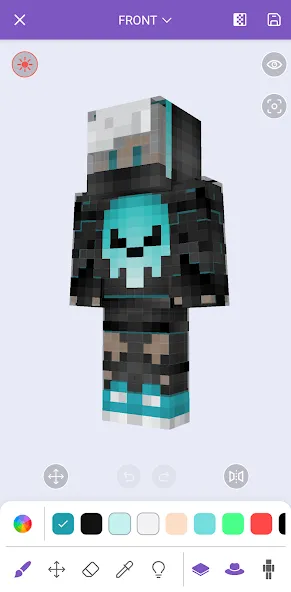
The built-in editor supports pixel-level editing, letting you tweak colors, add patterns, or modify layers like capes and masks. Basic brush tools, an eraser, and a color picker make small adjustments straightforward. For those wanting a more personalized touch, the editor records recent edits so you can iterate on a design without losing previous versions. While not as advanced as desktop editors, this mobile tool is well suited for rapid tweaks before a PvP session.
The interface favors quick actions and legibility. Buttons are large enough for one-handed use and the preview renders smoothly on most mid-range devices. Loading times are minimized by caching popular assets and compressing thumbnails. Network performance is handled with adaptive image quality—higher fidelity when on Wi-Fi, lower on cellular—to keep the app responsive during browsing.
Many players value PvP Skins for Minecraft PE because it reduces the friction of changing in-game appearance. The curated approach helps newcomers avoid repetitive searches, while the editor and installer serve experienced users who want adaptable looks. The app’s balance of convenience and customization makes it practical for regular players who frequently jump between servers and game modes.
Getting started is straightforward: grant storage or Minecraft integration permissions, browse a few categories, and apply a skin to see how it appears in your next session. PvP Skins for Minecraft PE keeps the process lightweight and focused on the needs of competitive players, offering a handy companion for anyone who wants to refresh their visual identity without complicated tools.
Quick Launcher for Android 17
Size:35.10M ToolsiTranslate Translator
Size:299.50M ToolsmyIM3
Size:65.06M ToolsGoogle Home
Size:93.70M ToolsFaceFlip
Size:49.83M ToolsUPX Slot
Size:159.30M ToolsKeys Cafe
Size:20.10M ToolsPvP Skins for Minecraft PE
Size:12.80M ToolsEmojimix wasticker
Size:7.04M ToolsBluestacks Emulator Launcher
Size:12.52M ToolsOKOK International
Size:98.34M ToolsPerfect Viewer
Size:12.70M ToolsApril 2024 Clash of Clans Update: Unveiling a Fresh Companion, Enhanced Levels, Chat Tagging, and Be
2024-04-16Arrival of Genshin Impact 4.6 Update: 'Embers of Two Realms, Twilight of Crimson'
2024-04-16V2.2 of the Farlight 84 update introduces an overhauled Season structure, fresh in-game currency, an
2024-04-16Monster Never Cry is now accessible on both Android and iOS mobile devices.
2024-04-18PUBG Mobile Teams Up with Bentley Motors: Luxury Cars, Exclusive Collectibles, and Beyond
2024-04-18March 2024 Free Redemption Codes for Honkai: Star Rail
2024-04-18