English
FaceFlip is an AI-powered face-swapping tool that transforms ordinary photos into playful or realistic edits, letting you change gender, age, hairstyle and more with just a few taps. Designed for people who want fast, shareable edits as well as deeper creative control, FaceFlip combines automatic face extraction with manual controls so beginners achieve good results quickly while experienced users can refine every detail. The app supports single-photo swaps as well as short animated clips and offers simple export and sharing options to publish results to social feeds or save them privately.
The FaceFlip workflow centers on clear, simple mechanics: import a photo, let the app detect faces, choose a transformation preset, then fine-tune. Face detection and alignment are automatic; you can reposition landmarks if needed using tap-and-drag gestures. Controls are presented as sliders and toggles for blend strength, color matching, facial feature intensity and background retention. An undo/redo history and a preview timeline for video clips let you compare versions as you edit. No prior editing experience is required: contextual tips appear in the interface to explain each control and display real-time previews as sliders move.
Edits in FaceFlip follow a progressive structure that helps you move from a quick result to a polished image. Start with a preset—gender swap, age adjustment, hairstyle demo or a themed clip—then progress to manual adjustments for lighting, skin tone, hairline and expression smoothing. The app organizes work into projects so you can keep original files and edited versions together; each project stores a small edit history so repeated adjustments are easy. You can save your own custom presets after you fine-tune a look, which accelerates repeatable edits and creates a personal library of styles to apply to new photos.
FaceFlip focuses on realistic blending and visual coherence. Customization covers hairstyle changes, color swaps, beard and makeup suggestions, and age-related texturing such as fine lines or softened skin. The blending slider controls how strongly the new features replace the original face, which helps preserve distinctive characteristics while introducing the chosen edit. Lighting and color-match tools analyze surrounding pixels and apply subtle color grading so swapped elements feel naturally integrated. For stylized outcomes, you can choose stronger, more artistic presets that emphasize visual contrast and creative flair rather than photorealism.
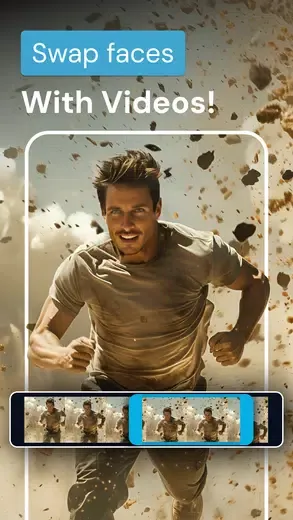
In addition to still images, FaceFlip creates brief animated clips that map facial expressions onto themed templates—ideal for social posts and messaging. These short video swaps are optimized for quick export and playback rather than long-form editing, keeping file sizes reasonable and processing time short. Export options include common image formats and short MP4 clips, and sharing is integrated with standard Android share sheets so you can post to social networks or save locally. If you prefer privacy, FaceFlip offers local-only export and an option to remove edited content from the app’s history after saving.
FaceFlip is designed to perform on a wide range of devices. Basic editing and previewing work offline, while certain advanced models and cloud-based options may require internet access to download enhanced assets. The app adapts quality settings based on device capability to balance speed and output fidelity; on lower-end devices shorter clips and moderate-resolution exports will process faster, while newer devices can generate higher-resolution results. Helpful progress indicators and estimated wait times explain processing stages so users know what to expect during generation.
Usability features include a clean interface layout, adjustable text size, high-contrast controls and touch-friendly buttons to make editing accessible. Built-in guidance, an initial tutorial and tooltips guide new users through common tasks, while keyboard shortcuts and gesture controls speed up repetitive edits for power users. Replay value comes from the combination of endless customization, saved presets, and the ability to reapply saved styles to new photos—what starts as a playful experiment can become a curated collection of looks and short clips.
FaceFlip produces best results with clear, well-lit selfies shot at a roughly straight-on angle; complex backgrounds, extreme angles or heavy occlusions can reduce swap accuracy. Processing time varies with resolution and device power, and some advanced adjustments may take a short wait. To maximize quality, shoot in natural light, keep the face unobstructed, and start from a higher-resolution image if you plan to export large prints. Finally, always respect privacy and consent when editing other people’s photos—FaceFlip is a creative tool meant for ethical, responsible use.


Quick Launcher for Android 17
Size:35.10M ToolsiTranslate Translator
Size:299.50M ToolsmyIM3
Size:65.06M ToolsGoogle Home
Size:93.70M ToolsFaceFlip
Size:49.83M ToolsUPX Slot
Size:159.30M ToolsKeys Cafe
Size:20.10M ToolsPvP Skins for Minecraft PE
Size:12.80M ToolsEmojimix wasticker
Size:7.04M ToolsBluestacks Emulator Launcher
Size:12.52M ToolsOKOK International
Size:98.34M ToolsPerfect Viewer
Size:12.70M ToolsApril 2024 Clash of Clans Update: Unveiling a Fresh Companion, Enhanced Levels, Chat Tagging, and Be
2024-04-16Arrival of Genshin Impact 4.6 Update: 'Embers of Two Realms, Twilight of Crimson'
2024-04-16V2.2 of the Farlight 84 update introduces an overhauled Season structure, fresh in-game currency, an
2024-04-16Monster Never Cry is now accessible on both Android and iOS mobile devices.
2024-04-18PUBG Mobile Teams Up with Bentley Motors: Luxury Cars, Exclusive Collectibles, and Beyond
2024-04-18March 2024 Free Redemption Codes for Honkai: Star Rail
2024-04-18