English
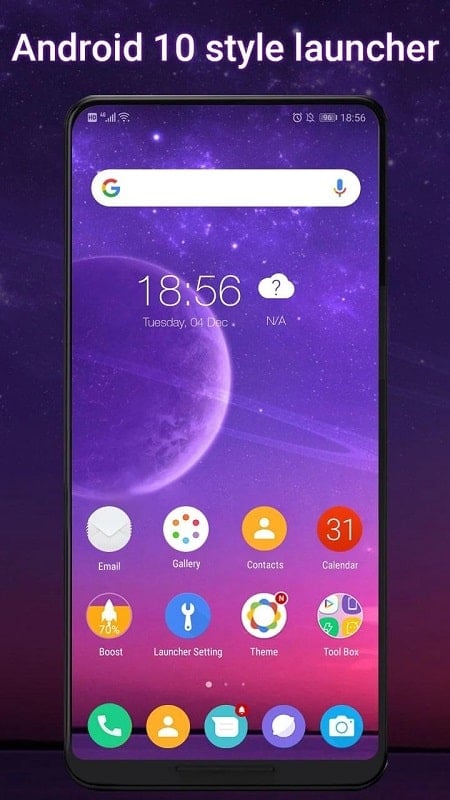
Most Android owners get frustrated staring at the same bland home screen for months, and Cool Q Launcher for Android 10 aims to fix that with a quick visual refresh and a handful of usability tweaks. This launcher brings a library of themes, static and animated wallpapers, gesture shortcuts and dialer effects that breathe new life into older phones running Android 10. Whether you want a cleaner layout for work, a playful setup for personal use, or a simple way to speed up common actions, Cool Q Launcher for Android 10 offers a lightweight path to personalize your device without replacing hardware.
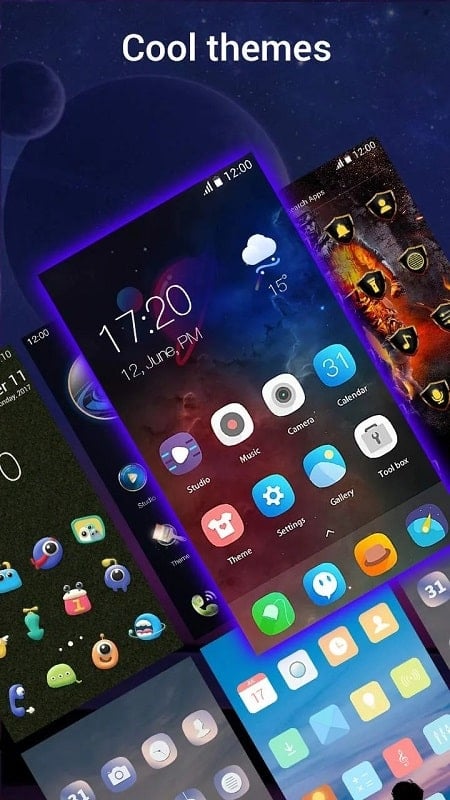
Personalization: A collection of themes and wallpapers that let you change colors, icon styles and backgrounds to suit a mood or event.
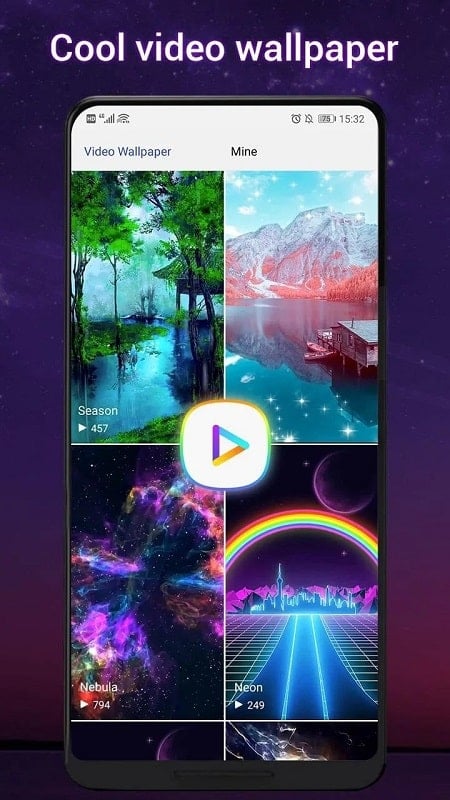
Visual effects: Animated and video wallpapers add motion to the home screen and can be swapped often to keep things fresh.
Utility features: Gesture controls and quick shortcuts aim to reduce taps for everyday tasks.
Theme store: Browse dozens of ready-made looks so you can switch from minimalist to colorful in seconds without manual tweaking.
Live and video wallpapers: Pick moving backgrounds or short video loops to make the interface feel lively; wallpapers can be changed frequently for variety.
Gesture shortcuts: Enable multiple swipe, pinch and motion gestures and assign them to apps or actions to speed navigation.
Dialer flair: Incoming and outgoing call screens can include subtle lighting effects and alternative color modes for a distinctive calling experience.
Optimized performance: Designed to use modest memory and keep animations smooth on older devices while avoiding unnecessary background load.
Create a professional layout: Before a presentation or client meeting, switch to a tidy theme with muted wallpaper and larger icons to look organized and stay focused.
Set gesture shortcuts for daily tasks: Map a two-finger swipe to open your camera or a pinch to launch messaging so reaching common tools takes one motion.
Rotate wallpapers for variety: Use a few favorite live or video wallpapers and change them by schedule or mood to keep the home screen feeling new.
Lightweight cleanup: If animations ever feel sluggish, reduce transition effects in settings rather than removing the launcher entirely.
Will Cool Q Launcher for Android 10 slow my phone?
The launcher is advertised as optimized for low memory use and should not noticeably affect performance on typical Android 10 devices, though very old hardware may see small differences depending on animations and active widgets.
Do I need Android 10 to run this launcher?
While the name highlights Android 10, many launchers remain backward compatible; check the app listing for minimum OS requirements to confirm support for your device.
Can I switch back to my previous launcher if I don't like it?
Yes. Android allows you to set a default launcher and revert to the original system launcher from system settings or by uninstalling the third-party launcher.
Cool Q Launcher for Android 10 is a friendly customization tool that balances fresh visuals with practical shortcuts; give it a try if you want an easy way to modernize an older phone and test a new workflow with gestures and animated backgrounds.
Minimal Widgets
Size:38.50M PersonalizationDove Icon Pack
Size:36.60M PersonalizationCool Q Launcher for Android 10
Size:22.69M PersonalizationNova Launcher Lifetime Prime
Size:12.10M PersonalizationLauncher iOS 26 Theme
Size:78.61M PersonalizationPoco Theme Store
Size:9.38M PersonalizationPixly Limitless
Size:136.60M PersonalizationRecticons
Size:70.99M PersonalizationTrue Liquid Glass
Size:56.80M PersonalizationCUTE Iconpack
Size:46.64M PersonalizationThemeApp
Size:60.25M PersonalizationUnlock 120/144FPS booster
Size:46.43M PersonalizationApril 2024 Clash of Clans Update: Unveiling a Fresh Companion, Enhanced Levels, Chat Tagging, and Be
2024-04-16Arrival of Genshin Impact 4.6 Update: 'Embers of Two Realms, Twilight of Crimson'
2024-04-16V2.2 of the Farlight 84 update introduces an overhauled Season structure, fresh in-game currency, an
2024-04-16Monster Never Cry is now accessible on both Android and iOS mobile devices.
2024-04-18PUBG Mobile Teams Up with Bentley Motors: Luxury Cars, Exclusive Collectibles, and Beyond
2024-04-18March 2024 Free Redemption Codes for Honkai: Star Rail
2024-04-18