English
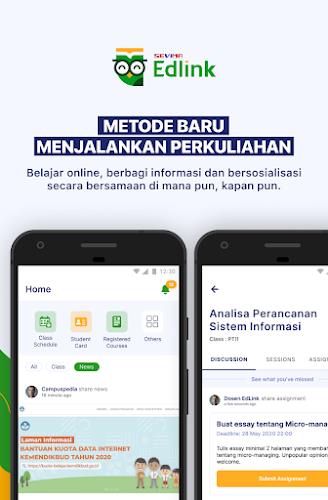
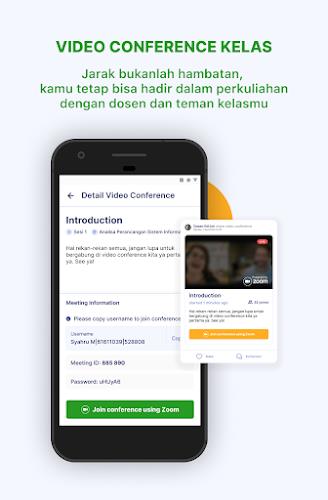
EdLink is a mobile workflow app designed to connect classroom resources, tutoring sessions, and student progress into a single organized hub. It streamlines assignment sharing, real-time messaging, and calendar coordination so educators, students, and parents can collaborate more efficiently across devices.
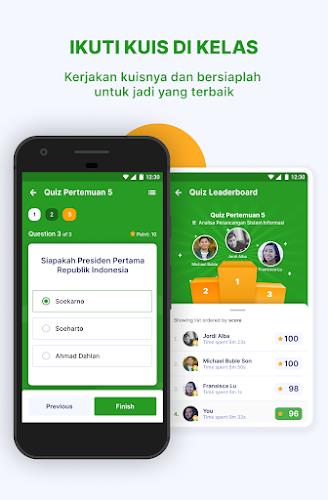
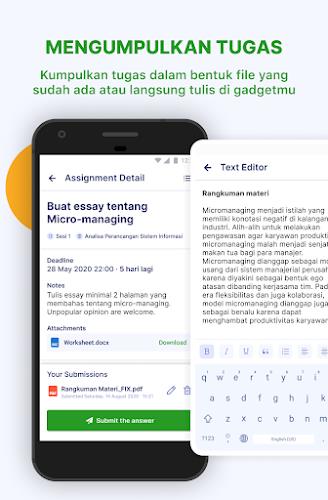
The app consolidates tools teachers and learners use daily into a unified experience. Core features include assignment creation and distribution, a shared calendar, threaded messaging, and progress tracking. Teachers can attach files, set due dates, and grade submissions directly inside the app while students receive notifications and centralized access to materials.
The interface focuses on clarity and speed. Menus are organized by role so teachers, students, and guardians see the most relevant actions at launch. Navigation uses a bottom bar for core areas—Home, Calendar, Messages, and Profile—so reaching common tasks requires only one tap. Visual cues, like colored badges for overdue work, make priorities obvious without diving into menus.
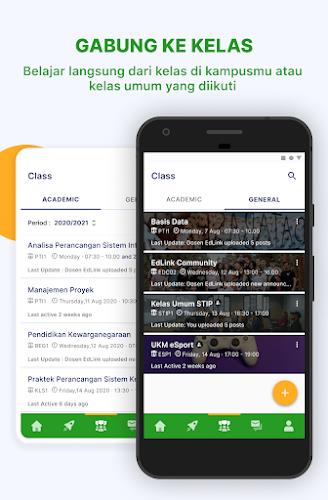
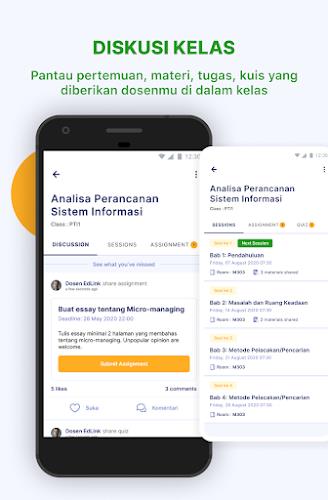
EdLink structures content around classes and cohorts rather than loose files. Each class has its own workspace where materials, announcements, and assessments live together. Within a workspace, modules group related lessons and resources, which simplifies pacing and curriculum mapping. The app also supports differentiated assignments so educators can assign tailored tasks to small groups or individual learners from the same interface.
Compatibility with common productivity and learning tools keeps data flowing smoothly. EdLink can import calendars from Google or Microsoft accounts, connect with cloud storage providers for attachments, and send grade exports to student information systems. Built-in automations let teachers set recurring assignments, auto-release feedback on a schedule, or trigger notifications when students miss milestones.
Privacy settings in EdLink are granular so administrators can control access at the district, school, class, and user level. Data is encrypted in transit and at rest, and role-based permissions prevent students from viewing sensitive administrative details. The app also supports single sign-on (SSO) to simplify account management while maintaining security standards.
EdLink is optimized to run smoothly on a wide range of Android devices. Caching of recently used content allows students to view lesson materials and draft assignments when connectivity is limited. Background sync resumes automatically once a network is available, and lightweight notifications ensure the app remains responsive without consuming excess battery or data.
Setting up EdLink is straightforward for institutions or individual users. Administrators can onboard classes in bulk with CSV imports or integrate with existing school directories for automatic roster updates. Teachers create a class workspace in minutes and can invite students or share join codes. Students install the app, authenticate, and immediately see assigned materials and upcoming deadlines.
To get the most from EdLink, establish consistent naming conventions for assignments and use the calendar for all deadlines to reduce confusion. Encourage students to enable notifications for submission reminders and to use the progress dashboard weekly to reflect on learning goals. Teachers can save time with reusable templates for assessments and schedule automatic feedback for routine assignments.
EdLink puts practical classroom management tools into a single mobile-friendly environment, helping educators reduce administrative overhead and giving learners clearer insight into expectations and progress.
Soni Typing Tutor
Size:6.14M ProductivityRG Vikramjeet
Size:55.30M ProductivitySideline
Size:17.65M ProductivityMyBible
Size:14.80M ProductivityEdLink
Size:56.01M ProductivityOnluyen.vn
Size:50.20M ProductivityShare & Earn
Size:43.00M ProductivityCutList Optimizer
Size:5.55M ProductivityVia Mobile
Size:10.22M ProductivityMilkshake
Size:69.92M ProductivityImmersed
Size:52.41M ProductivityOrgzly
Size:4.85M ProductivityApril 2024 Clash of Clans Update: Unveiling a Fresh Companion, Enhanced Levels, Chat Tagging, and Be
2024-04-16Arrival of Genshin Impact 4.6 Update: 'Embers of Two Realms, Twilight of Crimson'
2024-04-16V2.2 of the Farlight 84 update introduces an overhauled Season structure, fresh in-game currency, an
2024-04-16Monster Never Cry is now accessible on both Android and iOS mobile devices.
2024-04-18PUBG Mobile Teams Up with Bentley Motors: Luxury Cars, Exclusive Collectibles, and Beyond
2024-04-18March 2024 Free Redemption Codes for Honkai: Star Rail
2024-04-18