English
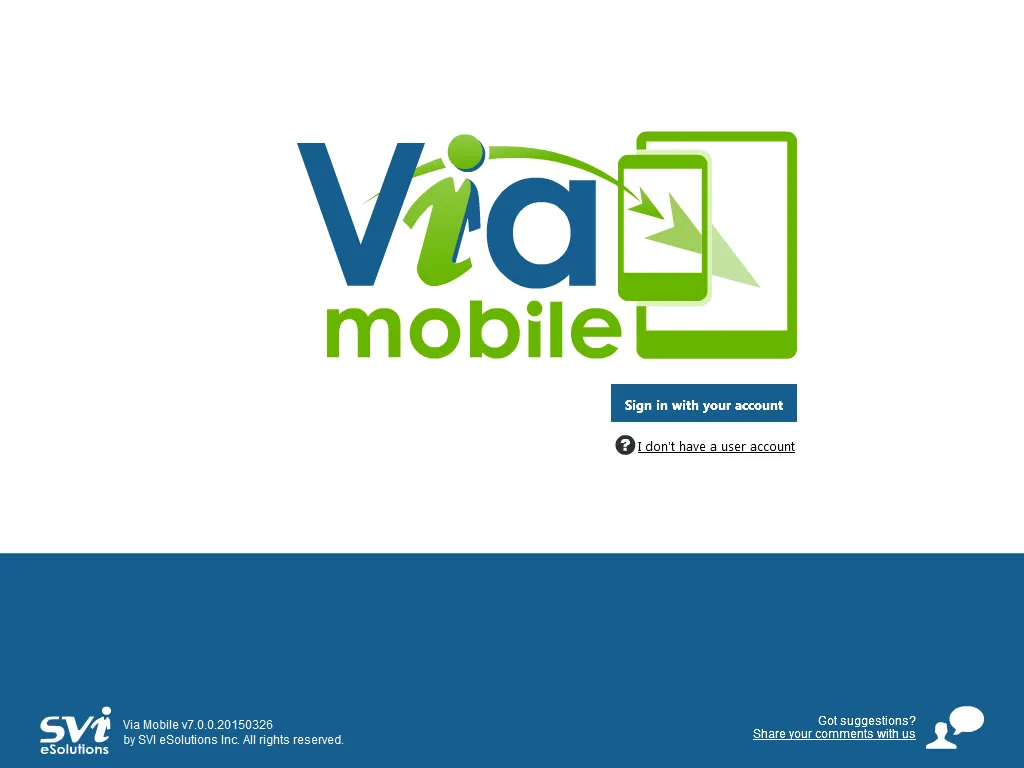
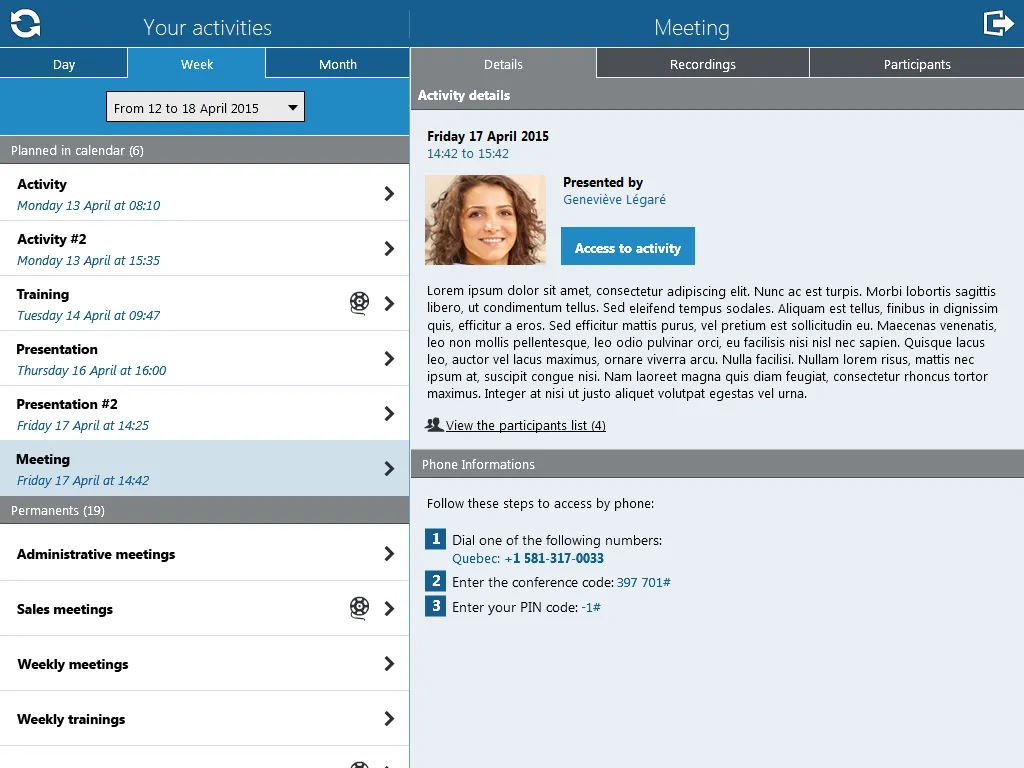
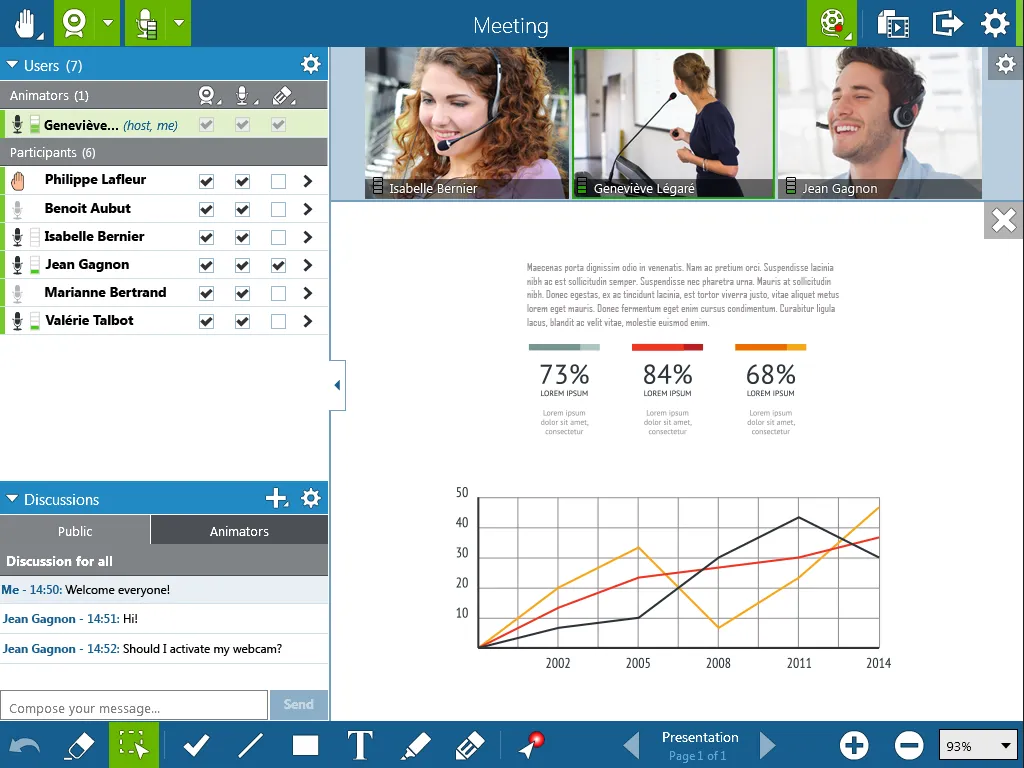
Connect and present - Via Mobile puts a compact collaboration toolkit on your Android device so you can run training sessions, lead team meetings, or review materials from wherever you are. The app combines video calls with document presentation, screen sharing and a simple account system that supports roles and guest access. Its uncluttered layout keeps controls clear, and built-in recording and calendar hooks help you organize sessions and capture them for later playback, making it practical for both daily check-ins and structured workshops.
Install and register: Download the APK, create an account using an email or company credential, and set a display name before joining your first room.
Create or join a session: Enter a meeting code or tap an invite link to join; hosts can start new rooms from the main dashboard.
Set up audio and video: Grant camera and microphone access when prompted, test devices, and choose whether to join muted or with video off.
Record and archive: Use the record option to capture a meeting for later review; saved files can be exported as video or audio depending on your settings.
Multi-format presentation: Open PDFs, Office documents, images and short videos right inside the app so attendees see slides and files without extra apps.
Screen sharing and remote control: Share your screen to demonstrate workflows and, when permitted, hand control to another participant for collaborative editing or troubleshooting.
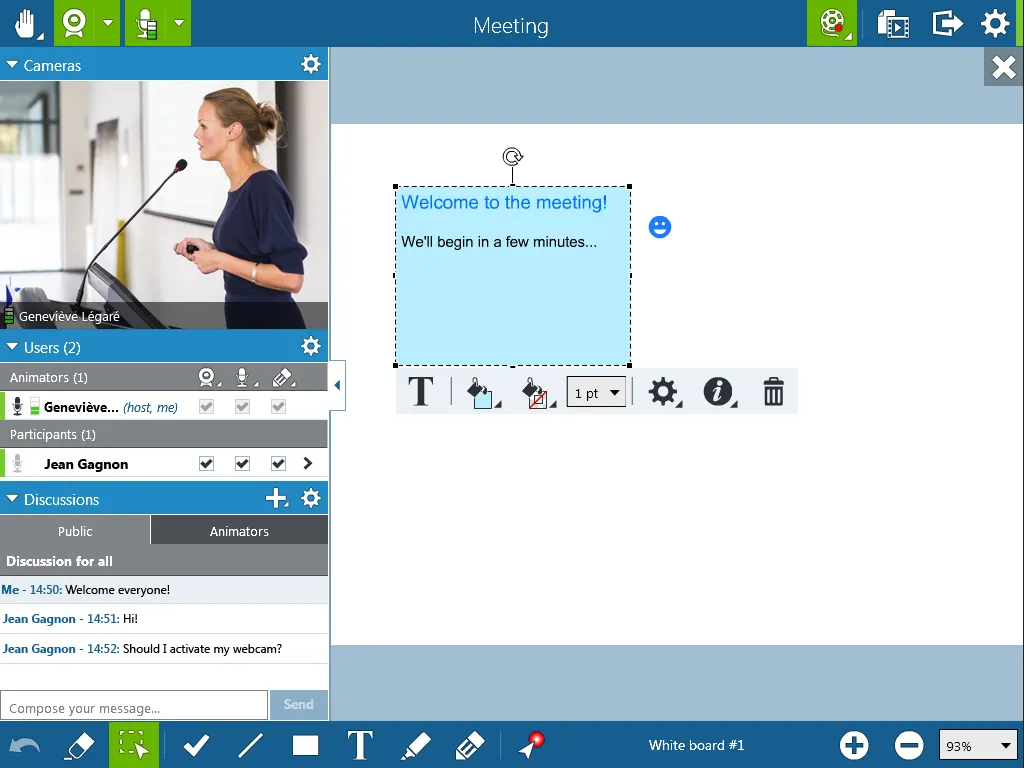
Meeting chat and whiteboard: Use the chat box for questions during sessions and annotate on a shared whiteboard to highlight ideas in real time.
Calendar sync and guest links: Outlook calendar integration and one-click invite links make it simple to add events and bring external guests into a session.
Accounts, roles and payments: Manage users and roles inside the app and handle billing or transactions through its integrated payment system where available.
Prepare materials first: Upload or queue your slides and files before the meeting starts to avoid delays during the presentation.
Use recordings for training: Capture onboarding sessions or demos for new hires so people can revisit the content at their own pace; record short, focused segments for easier playback.
Test networks in advance: If you expect to join from a restrictive office or public Wi-Fi, run a quick connection test and switch to a mobile hotspot if audio or video quality drops.
How do I make an account on Via Mobile?
Download the app and follow the registration steps inside; you will need an email address and a password, and some organizations support single sign-on.
Is Via Mobile free to use?
The app is free to install; certain advanced features, larger meeting capacities or payment-related services may require a subscription or in-app purchase depending on your plan.
Can guests join without an account?
Yes, the guest feature allows invitees to enter meetings via a link or code without creating a full account, subject to host permissions.
Are meetings saved securely?
Recorded sessions can be exported and stored; security controls are available for access and payment processing, but exact storage options depend on your version and administrator settings.
Via Mobile offers a focused set of conferencing and collaboration tools that work well for training, team reviews and client calls, with useful extras like document display, recording and calendar integration; it is especially handy when you need a single app to handle both presentation and participant management. Note that advanced enterprise features and payment capabilities may vary by release and regional availability.
Via Mobile
Size:10.22M ProductivityMilkshake
Size:69.92M ProductivityImmersed
Size:52.41M ProductivityOrgzly
Size:4.85M ProductivityDeepSeek
Size:20.99M ProductivityMy TVK
Size:22.64M ProductivitySaral
Size:71.61M ProductivityP6SLite
Size:128.64M ProductivityTimeWise
Size:52.28M ProductivityAuroScholar
Size:143.17M ProductivityPTE Exam Practice
Size:16.53M ProductivityAPEUni
Size:16.53M ProductivityApril 2024 Clash of Clans Update: Unveiling a Fresh Companion, Enhanced Levels, Chat Tagging, and Be
2024-04-16Arrival of Genshin Impact 4.6 Update: 'Embers of Two Realms, Twilight of Crimson'
2024-04-16V2.2 of the Farlight 84 update introduces an overhauled Season structure, fresh in-game currency, an
2024-04-16Monster Never Cry is now accessible on both Android and iOS mobile devices.
2024-04-18PUBG Mobile Teams Up with Bentley Motors: Luxury Cars, Exclusive Collectibles, and Beyond
2024-04-18March 2024 Free Redemption Codes for Honkai: Star Rail
2024-04-18