English
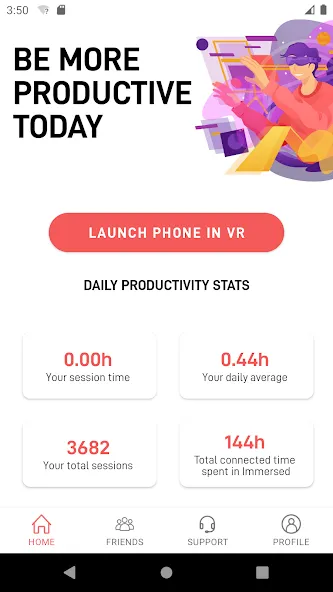
Immersed transforms your Android device into a focused remote workspace, combining virtual displays, easy pairing, and productivity tools to help users concentrate and collaborate. It’s designed for mobile professionals who need multi-screen setups, distraction control, and smooth device integration while working from anywhere.
Immersed is a productivity app that extends your workstation across Android devices, offering virtual monitors, quick window management, and remote collaboration features. The app targets freelancers, remote teams, and power users who want a portable multi-screen experience without extra hardware. It balances simplicity with enough depth to support complex workflows.
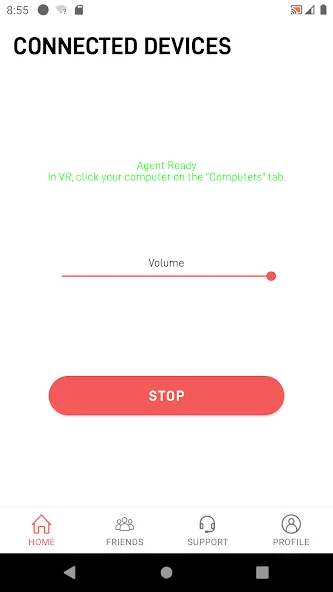
The app uses a lightweight host-client model: install a companion program on your main PC or Mac and pair it with Immersed on Android. Once paired, your device can act as an additional monitor or an independent workspace. Screen streaming is optimized to reduce lag, while touch and keyboard input are translated back to the host machine for accurate control.
Writers can keep research documents visible on a second virtual screen while drafting. Developers can run a terminal on one display and a code editor on another. Designers can place reference images next to editing tools. These setups reduce context switching and keep essential tools within view.
Immersed uses a clean, minimal interface that prioritizes content over chrome. Settings are grouped into pairing, display, and behavior categories so users can quickly adjust resolution, frame rate, and touch sensitivity. Performance scales with network quality: on a strong Wi-Fi network or wired connection, the experience is near-native; under constrained conditions, adaptive compression preserves usability.
The app emphasizes predictability. Sessions resume quickly after reconnecting, and session logs help diagnose connectivity issues. Notifications and permissions are handled transparently so Android security prompts don’t interrupt a productive session. Regular updates refine latency handling and expand compatibility with different host systems.
Mobile-first professionals who frequently switch work locations will appreciate Immersed. It’s particularly useful for people who travel with a tablet and need a consistent desktop-like environment. Teams that require quick collaborative reviews will also find the session-sharing tools efficient for ad-hoc meetings.
Download Immersed from the Play Store, then install the companion app on your host computer. Follow the pairing wizard to connect devices, pick a display mode, and pick a layout. Spend a few minutes customizing input and resolution settings to match your typical work environment. Once configured, saving a preset will streamline future sessions.
With a small learning curve, Immersed becomes a reliable extension of a desktop setup, offering practical productivity gains without extra monitors. Users who prioritize flexibility and mobility will find it a useful addition to their toolset.
Via Mobile
Size:10.22M ProductivityMilkshake
Size:69.92M ProductivityImmersed
Size:52.41M ProductivityOrgzly
Size:4.85M ProductivityDeepSeek
Size:20.99M ProductivityMy TVK
Size:22.64M ProductivitySaral
Size:71.61M ProductivityP6SLite
Size:128.64M ProductivityTimeWise
Size:52.28M ProductivityAuroScholar
Size:143.17M ProductivityPTE Exam Practice
Size:16.53M ProductivityAPEUni
Size:16.53M ProductivityApril 2024 Clash of Clans Update: Unveiling a Fresh Companion, Enhanced Levels, Chat Tagging, and Be
2024-04-16Arrival of Genshin Impact 4.6 Update: 'Embers of Two Realms, Twilight of Crimson'
2024-04-16V2.2 of the Farlight 84 update introduces an overhauled Season structure, fresh in-game currency, an
2024-04-16Monster Never Cry is now accessible on both Android and iOS mobile devices.
2024-04-18PUBG Mobile Teams Up with Bentley Motors: Luxury Cars, Exclusive Collectibles, and Beyond
2024-04-18March 2024 Free Redemption Codes for Honkai: Star Rail
2024-04-18