English
Milkshake is a compact mobile website builder that helps creators turn their Instagram bio into a clickable microsite. The Milkshake app offers drag-and-drop card templates, simple customization, and integrated analytics to build a stylish, fast-loading landing page without coding, ideal for sharing links, portfolios, and contact details.
Milkshake focuses on speed and simplicity. Users can assemble a multi-card mini-site that lives behind a single bio link, manage content from the phone, and update layouts in minutes. Core capabilities include prebuilt card types, visual editing controls, sharing tools, and lightweight analytics that track clicks and views.
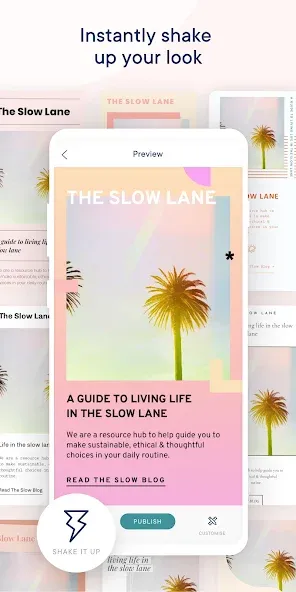
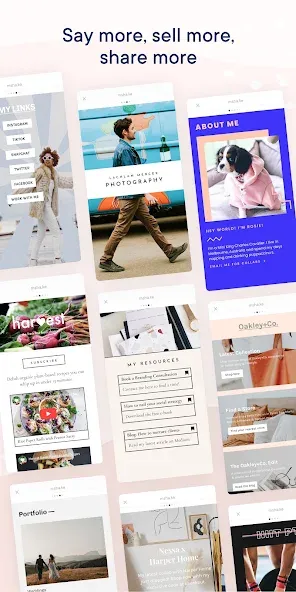
The template collection in Milkshake emphasizes visual clarity and mobile-first layouts. Templates are organized by purpose—link menus, portfolios, press pages, shop previews, and signup forms—so you can pick a starting point that matches your goals. Each template uses a card-based structure: stack, reorder, and hide cards to shape the narrative visitors see when they open your link.
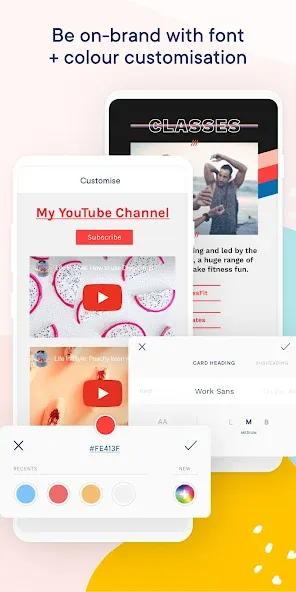
Editing in Milkshake is built for one-handed use on Android devices. The interface keeps controls contextual: select a card to reveal text, image, and color options, and tap to swap fonts or rearrange elements. The editor supports live previews so changes are visible immediately. A minimal toolbar reduces clutter while offering essential functions like duplicate, delete, and visibility toggles.
Once the mini-site is ready, Milkshake provides a single bio link optimized for mobile browsers. Publishing is instantaneous: changes go live without a new link, making it easy to iterate content for campaigns or updates. Built-in sharing options simplify placing the link across social platforms, messages, and profiles.
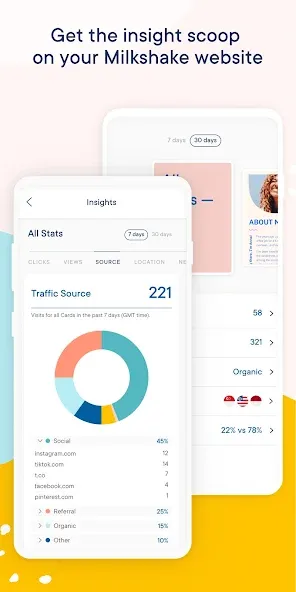
Milkshake includes lightweight analytics that show page views, individual card performance, and click-throughs. These metrics help prioritize which cards attract attention and which links convert. The dashboard is straightforward, giving creators quick feedback to refine copy, visuals, and call-to-actions based on visitor behavior.
Pages created with Milkshake are optimized for fast load times on mobile networks. The platform minimizes heavy scripts and compresses images to improve responsiveness. Compatibility covers modern Android browsers and integrates cleanly with Instagram, TikTok, and similar apps where a consolidated bio link is useful.
Milkshake supports several common workflows: launching product drops with a featured card, collecting newsletter signups via a form card, showcasing visual portfolios with swipeable images, and aggregating links for collaborative projects. Teams can coordinate by sharing access or exporting content suggestions to streamline updates.
Download the app from a trusted Android source, sign up with an email or social account, and follow the onboarding prompts to choose a template. Add your content, preview on a real device, then publish the link and place it in your profile bio. Regularly update the mini-site to reflect current priorities and promotions.
Milkshake combines a gentle learning curve with practical features that address creators' needs: a mobile-first editor, fast publishing, and focused analytics. It removes the overhead of maintaining a full website while offering a branded, customizable landing experience for followers and customers. For anyone who needs a tidy, link-in-bio solution that works well on Android, Milkshake is a convenient option.
Via Mobile
Size:10.22M ProductivityMilkshake
Size:69.92M ProductivityImmersed
Size:52.41M ProductivityOrgzly
Size:4.85M ProductivityDeepSeek
Size:20.99M ProductivityMy TVK
Size:22.64M ProductivitySaral
Size:71.61M ProductivityP6SLite
Size:128.64M ProductivityTimeWise
Size:52.28M ProductivityAuroScholar
Size:143.17M ProductivityPTE Exam Practice
Size:16.53M ProductivityAPEUni
Size:16.53M ProductivityApril 2024 Clash of Clans Update: Unveiling a Fresh Companion, Enhanced Levels, Chat Tagging, and Be
2024-04-16Arrival of Genshin Impact 4.6 Update: 'Embers of Two Realms, Twilight of Crimson'
2024-04-16V2.2 of the Farlight 84 update introduces an overhauled Season structure, fresh in-game currency, an
2024-04-16Monster Never Cry is now accessible on both Android and iOS mobile devices.
2024-04-18PUBG Mobile Teams Up with Bentley Motors: Luxury Cars, Exclusive Collectibles, and Beyond
2024-04-18March 2024 Free Redemption Codes for Honkai: Star Rail
2024-04-18